Automation
Atlaso's core scheduler runs in the separate persistent atlaso-worker.service. The web process creates task and
schedule records; the worker claims pending work and writes the normal task, audit, result, and error history. It
supports:
Interface overview
This verified appliance view provides visual orientation before you begin.
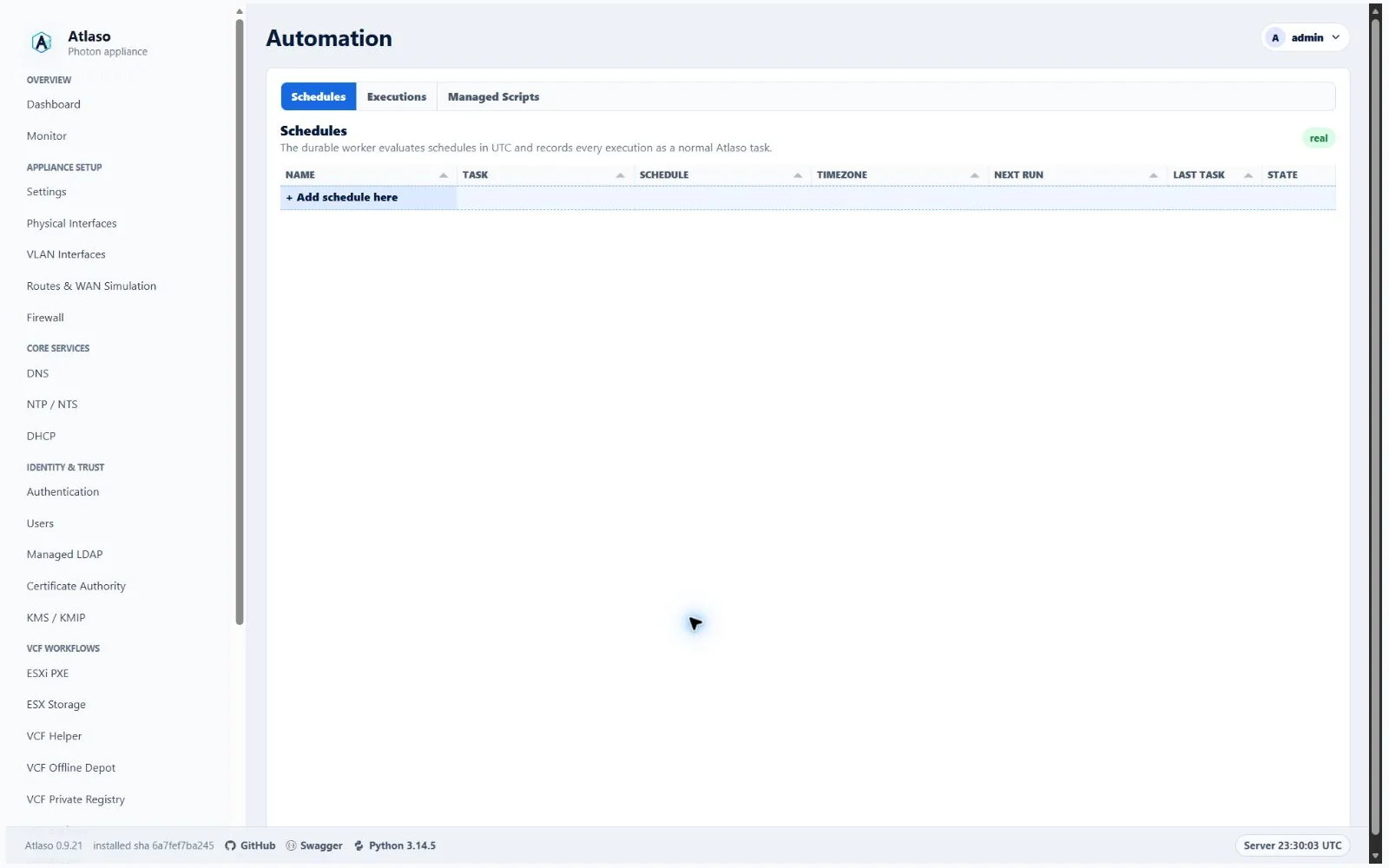
Figure: Automation in the verified clean-appliance desktop state.
- Appliance Update checks and installs with selected update streams.
- Enabled VCF Offline Depot download profiles. Manual starts, Run now, and scheduled starts share one server-owned admission and execution path. The same profile is atomically deduplicated while distinct profiles queue in FIFO order behind exactly one executing VCFDT process. The worker rechecks the applied VCF Download Tool, staged credential, current profile state, and generated command set immediately before execution, so a prerequisite removed after queueing fails closed before VCFDT starts.
- Explicitly enabled immutable managed-script revisions.
Schedules use either a one-time local date/time or a standard five-field cron expression
(minute hour day month weekday) with an IANA timezone such as UTC or America/Los_Angeles. Execution timestamps are
stored in UTC. Missed runs are not replayed. Every due occurrence advances to the next time. An occurrence for a profile
that is already queued or running becomes a terminal skipped task linked to that profile's active task. A distinct
profile remains queued and begins only after earlier VCFDT work reaches a terminal state. Pending or running Software
Depot ID and VCF Offline Depot Appliance Apply tasks block new downloads; those exclusive operations cannot be admitted
until the entire download queue drains. The shared database admission guard applies across web and scheduler processes.
Schedules can be edited, enabled or disabled, run immediately, and deleted. Run now creates a normal queued task
with a manual_schedule trigger and does not change the next calculated recurring run. The Automation table shows the
latest task state; full execution output remains on the Tasks page.
The Automation workspace uses three tabs:
- Schedules fills the available workspace with the schedule grid. The standard State control enables or disables a schedule directly. Run now, Edit, and Delete live in the row context menu rather than consuming columns.
- Executions lists every task queued by a schedule, including succeeded and failed runs, and links each row to the associated Tasks detail view.
- Managed Scripts provides the immutable script-revision grid and source editor.
Adding or editing a schedule opens the five-step wizard: schedule identity and task type, task-specific inputs, timing, enabled state, and review. The second step changes with the selected task: update streams, a VCF Offline Depot profile, or an enabled managed-script revision and its parameters. The timing step includes an hourly/daily/weekly/monthly cron builder with a generated summary; advanced operators can choose Custom for a standard five-field expression. The same wizard is used for edits.
The Schedule download action in a VCF Offline Depot profile row opens the shared schedule form in place, without
leaving the depot page. This contextual version has Schedule, Timing, State, and Review steps; it omits
task-type and profile controls because the server binds vcf_depot_download and the selected row's stable profile ID.
The generic Automation add/edit wizard remains the five-step flow described above. Schedule definitions contain that
ID and timing only; they never contain Broadcom credentials, authenticated URLs, generated commands, or
credential-bearing output. Profile renames and content edits therefore affect future runs without rewriting history.
Disabling a profile disables its attached schedules and clears their next-run timestamps; re-enabling the profile does
not silently re-enable them. Delete the attached schedules before deleting a profile.
The profile selector shows every configured VCF Offline Depot profile so unavailable entries are not mistaken for missing data. Disabled profiles are labeled and cannot be selected. When no profile is enabled, the wizard reports that state and links back to VCF Offline Depot, where an administrator can review and enable the intended profile before creating the schedule.
Managed scripts
Creating or editing a script always creates a new immutable, disabled revision. An administrator must review and enable a particular revision before it can be run manually or selected by a schedule. Schedules remain pinned to that exact revision; disabling it makes execution fail closed.
Selecting + Add managed script here opens a four-step wizard for identity, runtime, the first source revision, and
review. The source editor expands through the available wizard workspace and accepts direct Monaco Editor input or imports
.sh, .bash, .py, .ps1, or .txt files up to 1 MiB. Bash, PowerShell, and Python selections load matching syntax
highlighting. Creation always stores immutable revision 1 in the disabled state and refreshes the managed-script grid so
the new row is visible immediately.
Existing managed-script rows edit name, description, interpreter, timeout, and state in the grid. Their compact source action opens a nearly full-window Monaco Editor modal for creating another disabled immutable revision. An edit that changes revision-owned fields creates a new disabled immutable revision; it never rewrites historical source. When a script has at least two revisions, selecting its revision cell opens a near-full-window, two-column comparison. Base and comparison selectors list every immutable revision with its creation date and state, so operators can compare any two revisions. The viewer aligns corresponding rows, shows original line numbers, collapses long unchanged runs, colors removals and additions, and uses a Prism grammar selected from the script interpreter.
Run latest revision opens a confirmation modal instead of immediately creating a task. The modal names the exact revision and interpreter and accepts the same literal parameter syntax used by schedules. Schedule and manual-run parameters are entered as one logical command line. Bash and Python use backslash line continuation and POSIX-style literal argument parsing; PowerShell uses the backtick continuation marker and PowerShell-style quoting. Atlaso passes the resulting argument vector directly to the selected script without a second shell-expansion pass. Parameters are bounded, stored with the schedule and task history, and must not contain secrets.
Atlaso prevents disabling a revision used by an enabled schedule and prevents deleting a script while any schedule references one of its revisions. The operator must disable, edit, or delete those schedules first. Script deletion removes its stored revisions but preserves existing task history.
Interpreters are allowlisted to Bash, system Python, and PowerShell. The helper runs scripts as the dedicated
atlaso-automation account in a transient systemd unit with:
- no sudo or root identity;
NoNewPrivileges=yes;- a private temporary directory and protected home directories;
- a read-only system filesystem except for
/var/lib/atlaso/automation/runs; - the revision's configured timeout, capped at 24 hours.
Atlaso canonicalizes imported and pasted source to Unix LF line endings before storing and again before execution, so
scripts authored on Windows do not pass carriage returns to Bash. A Bash shebang is optional because Atlaso invokes the
selected interpreter explicitly; when supplied, it must begin with #! (for example, #!/bin/bash). A malformed Bash
shebang reports the stable recovery guidance A Bash shebang must start with #!; add the missing # or remove the shebang
line. Other source validation failures use bounded generic guidance. Neither response includes backend exception
detail, and Atlaso does not create a rejected revision.
Scripts receive no Atlaso credentials by default. A schedule or manual run may select one named VCF/ESX password vault.
Atlaso stages that vault as a transient systemd credential and provides atlaso-vault get --key <key> to Bash/Python
and Get-AtlasoVault -Key <key> to PowerShell. The helper fails outside the scoped process and exact injected values are
redacted from captured output. Output is bounded in task history. Script definitions and schedules are included in
settings archives, but restored revisions and schedules are always disabled and vault contents are never exported. See
Vaults for the complete key, scope, and recovery contract.
Service operations
If the worker restarts during a task, that task is marked failed and is not silently replayed. A queued task that was never claimed remains pending.
Task history and output
Scheduled work always creates normal Atlaso Jobs, so it appears in both the Automation Executions tab and
/ui/management/tasks.
VCFDT scheduled tasks also appear in the profile-scoped task grid. Queued rows remain durable across worker restarts;
only an interrupted running task is failed during recovery. Failed prerequisite checks and skipped same-profile or
exclusive-operation overlaps are terminal history entries with schedule, profile, planned-time, and active-task
context; missed or failed runs are not retried outside the next configured occurrence.
The Tasks grid uses backend-owned filtering and pagination. Status and state are fixed lists; Task / Component is an
autocomplete list built from recorded job types and component labels while still accepting a custom job id, task, or
component fragment.
Task detail keeps the complete redacted result payload for audit and diagnosis, but Console output shows only the managed process stdout and stderr. The helper execution envelope is removed from that console view, stdout keeps the normal terminal colors, and stderr is shown separately in red. Result and log previews keep copy/open controls overlaid in the corner without reserving blank text rows.
Additional verified states
These captures show responsive layouts and useful operational states referenced by this page.
Automation
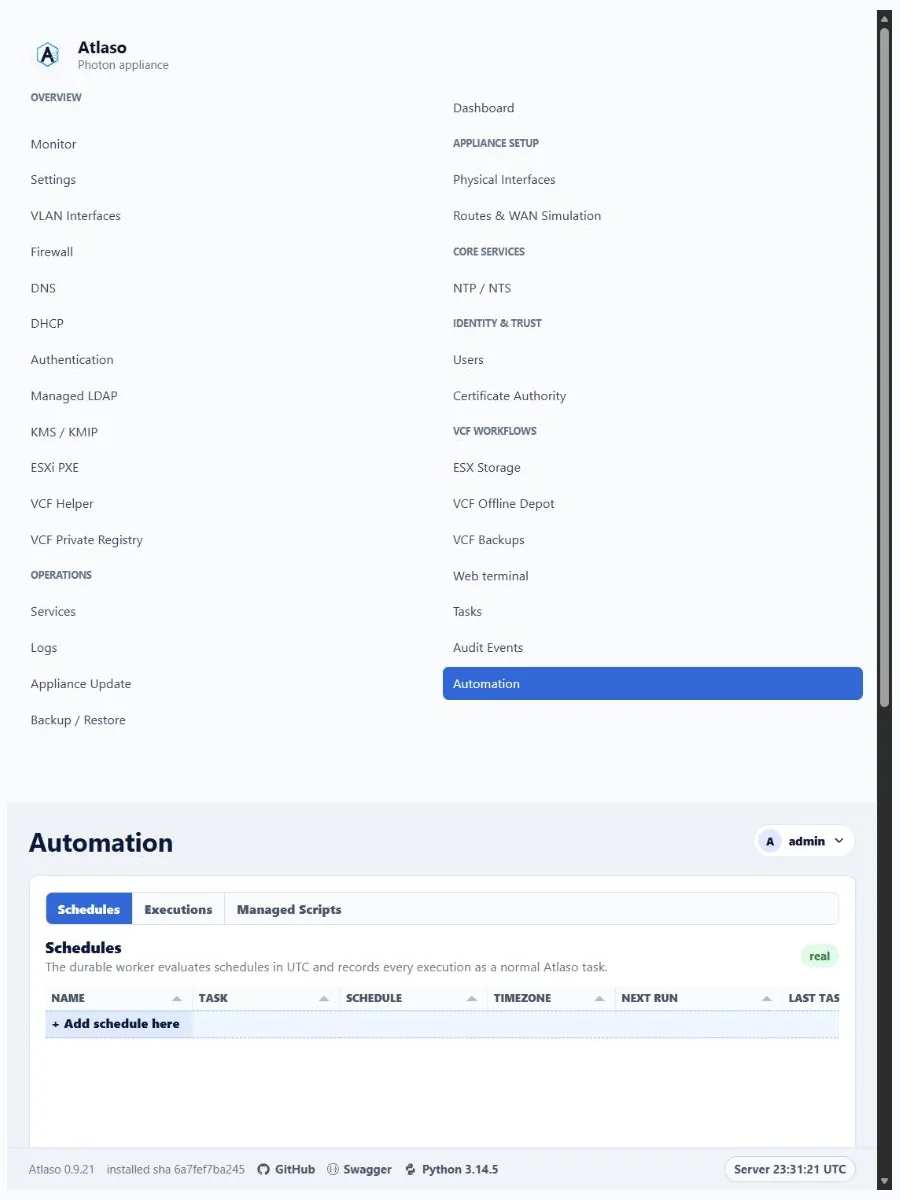
Figure: Automation in the verified clean-appliance responsive state.
Automation: Schedules
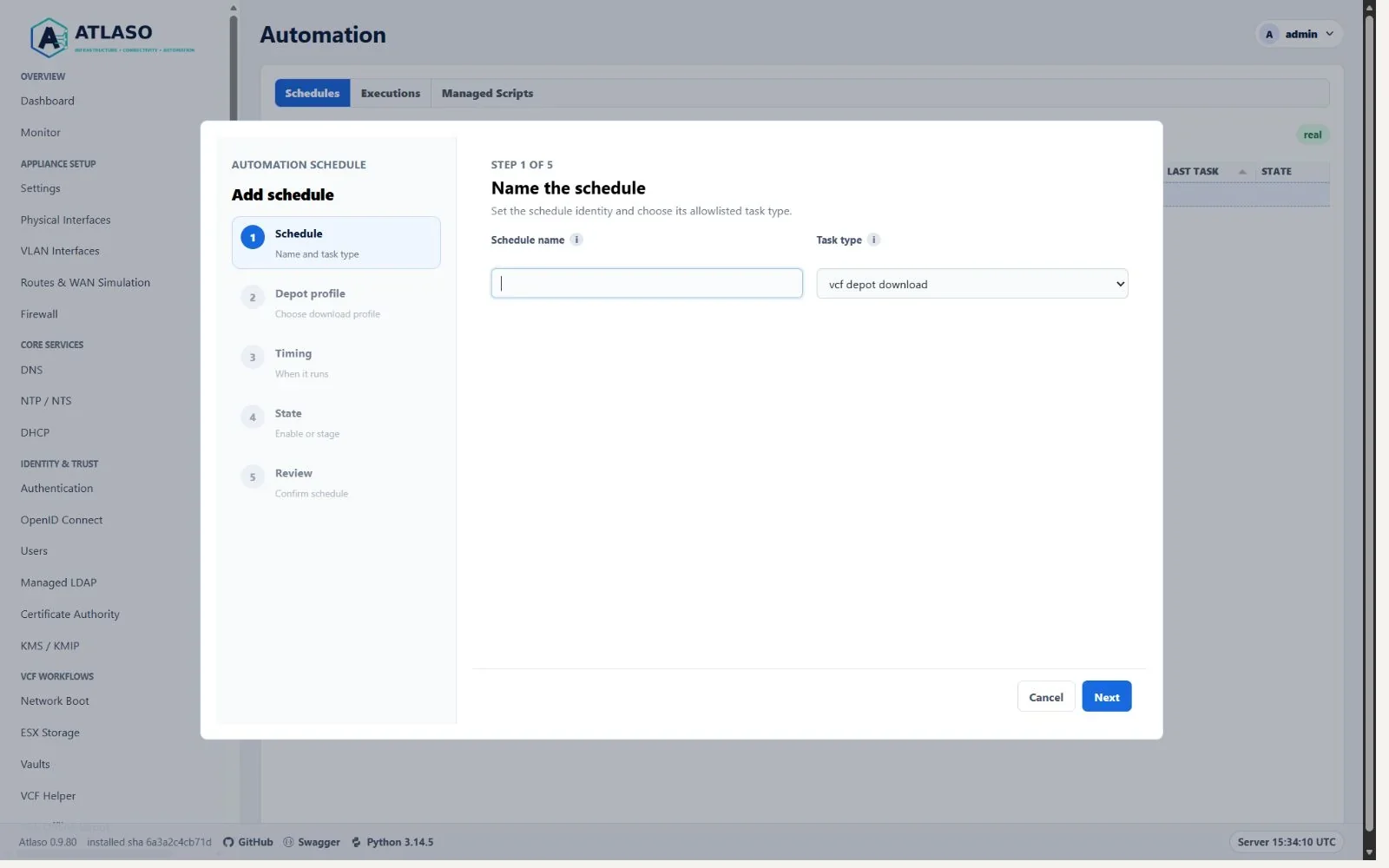
Figure: VCF Offline Depot profile scheduling in the shared Automation wizard.
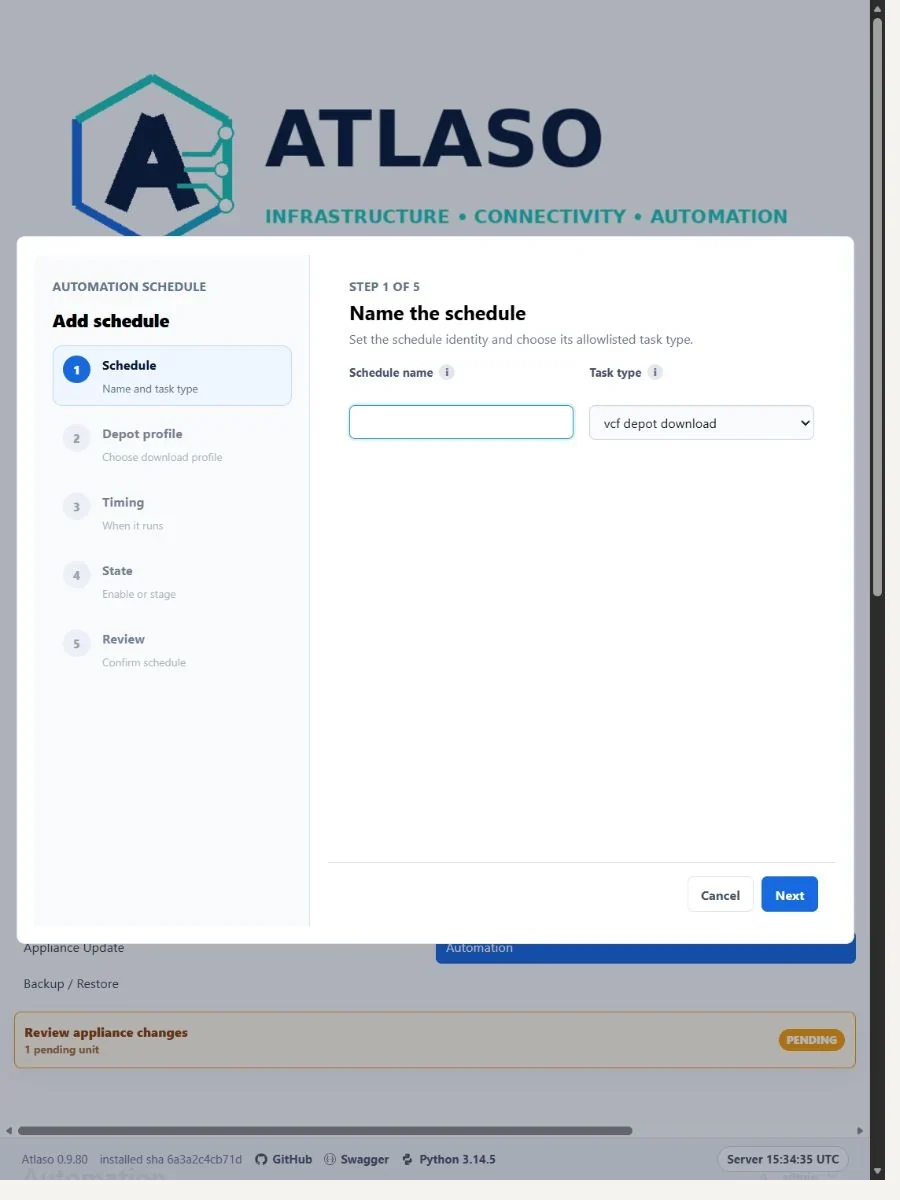
Figure: VCF Offline Depot profile scheduling in the shared Automation wizard at the responsive viewport.