VCF Offline Depot
Open VCF Offline Depot to configure the local content repository used by supported VCF workflows.
Interface overview
This verified appliance view provides visual orientation before you begin.
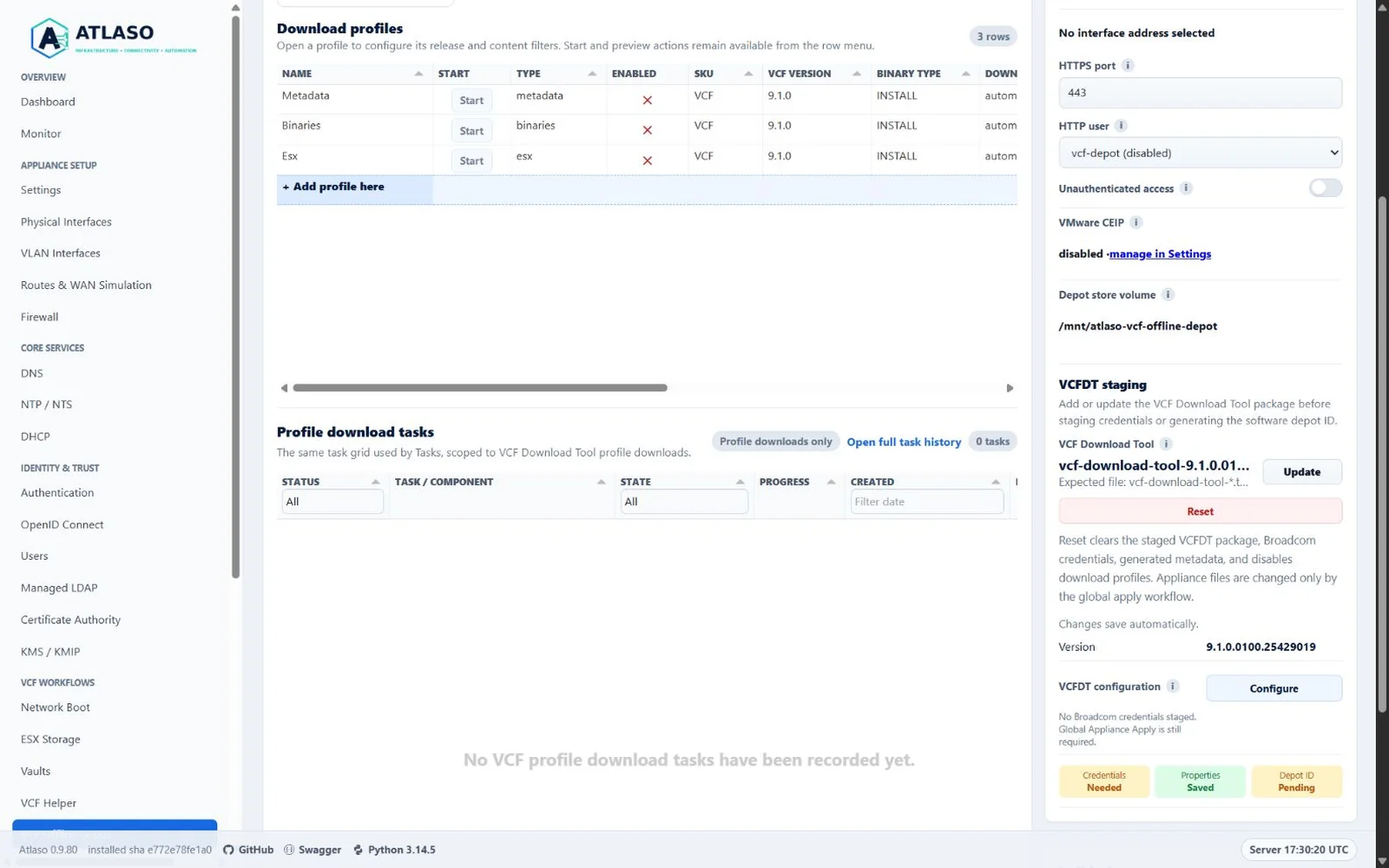
Figure: VCF Offline Depot with metadata first and the compact VCFDT configuration summary in the desktop settings rail.
Download tasks prepare public PROD file permissions after each successful VCFDT command and on task errors after
preflight has validated the store. This also repairs existing artifacts that VCFDT skips as already downloaded.
After a worker crash or restart, recovery repairs the destination recorded before execution and keeps the task failed.
Older interrupted tasks without this recorded destination require a profile retry to repair their files.
Regular files gain read permission and directories gain read/traverse permission so nginx can serve YAML, TAR, OVA,
and other companion artifacts regardless of the worker's restrictive umask. A successful task means this preparation
also succeeded. If preparation fails, the task retains the command result and reports the permission failure.
Symlinks, hard links, and special files are refused; inspect those entries before retrying. Credential files and other
content outside PROD keep their permissions. This applies to Atlaso-managed tasks, not independent shell downloads,
and cannot repair an externally changed parent-directory ACL or a read-only mount.
VCFDT package and credential-file uploads use the shared chunked browser transport. Progress tracks acknowledged chunks, transient failures retry the current chunk, and credential files remain in memory until existing validation and secret storage consume them.
The published /PROD/ directory uses the public Atlaso shell and a read-only contents grid. Directory links navigate
within the depot, file links retain their exact artifact URL, and Up one level returns to the parent directory.
Authenticated and unauthenticated access continue to follow the configured depot policy; a server-rendered contents
table remains available when browser scripting is unavailable.
For an authenticated browser session, deliberate pointer and keyboard activity in the /PROD/ contents grid refreshes
the server-owned inactivity timestamp through the depot listener. Static artifact requests, background traffic, and
unauthenticated browsing do not extend a browser session.
Configure the depot
- Confirm the fixed depot mount is present and has sufficient working space.
- Configure the service listener and the HTTP user used by approved VCF targets. New configurations default to HTTPS
port 8443, for example
https://depot.example.test:8443/PROD/. Existing saved ports, including 443 and custom values, remain unchanged. Older settings archives that omit the port retain the historical 443 default. Validation checks active TCP listener ownership before activation. Overlapping listeners must belong to the nginx executable innginx.service; otherwise choose another address or port. Unavailable ownership evidence blocks activation. An existing IPv6 wildcard listener is conservatively treated as potentially dual-stack. Activation verifies the selected listeners with TLS 1.2 or newer, the configured TLS identity and nginx-owned/PRODredirect. This check uses the submitted configuration, so newer pending settings do not affect listener readiness. On failure, Atlaso restores the previous depot site and authentication file and reports failure; it does not restart the shared nginx service. Candidate site and rollback files use complete, flushed sibling files and atomic replacement. If first activation started a previously inactive nginx service, rollback stops that service and restores its previous enablement; nginx that was already running remains running. File restoration is attempted even if service cleanup fails, and incomplete rollback is reported in the task log. If nginx cannot be verified inactive after cleanup, Atlaso attempts to reload the restored configuration. A successful listener check does not establish VCF target authentication or metadata synchronization. - Select Add or Update for the VCF Download Tool package. The two-step package wizard reviews the archive name,
size, and desired-state boundary before upload. During upload, Review remains visible and reports transferred bytes
and upload percentage. Then select Configure under VCFDT configuration. Atlaso
displays the
version encoded in the validated staged archive name immediately; Appliance Apply later replaces it with VCFDT's
authoritative
--versionresult. The five-step wizard starts with the current Software Depot ID and refresh intent, then offers a standard Credential action selector. Keep staged credentials unchanged appears only when an input is already staged; absent inputs are labeled Use and existing inputs are labeled Replace. When no credential exists, selecting either the download token or activation code is required. The selected input gets its own upload-or-paste step beforeapplication-prodv2.propertiesand Review. Choosing Keep staged credentials unchanged removes the credential-input step because no secret input is needed. Credential values are never loaded into the browser; an uploaded text file takes precedence over pasted text. The application-properties Monaco editor is directly editable and synchronizes every change to the submitted textarea; its visible editor is not nested in the source textarea's label. - Save the wizard. Credentials and application properties are committed together, but the save does not mutate the appliance or replace an existing Software Depot ID.
- Review certificate readiness and the generated software depot identity. Atlaso reads the persisted identity back from VCFDT after generation and displays only that canonical value.
- Validate the desired state and submit the VCF Offline Depot unit through Appliance Apply. Changed firewall configuration is included automatically so its generated depot admission uses the selected port. Review the included firewall changes before submitting. Apply records each component separately: a later depot failure keeps its previous applied baseline and restores its nginx site, but does not undo an earlier successful firewall component. Inspect the component results and correct or reapply the desired configuration before retrying external downloads; the previous port might no longer be admitted.
- When the apply task succeeds, the page refreshes automatically so the authoritative applied VCF Download Tool version and generated Software Depot ID replace the previously staged values.
- Run downloads as tasks and follow their terminal result in the page's Profile download tasks grid. This is the shared Tasks grid scoped to VCF Download Tool profile downloads, with the same filters, pagination, detail view, live state refresh, and access to the active or archived VCFDT task log. Use Open full task history when you need the appliance-wide view.
- Use Schedule download in an enabled profile's row menu to open the shared Automation schedule wizard directly on the depot page. Its contextual Schedule, Timing, State, and Review steps show the selected profile but no task-type or profile selectors; Atlaso binds both values server-side. Disabled profiles cannot be scheduled.
Download-profile creation uses a reviewed wizard. Notes stay with profile identity, task execution owns lifecycle status, and profile enablement has its own step so availability is an explicit decision before review. Metadata profiles appear first initially, followed by binaries and ESX profiles. Column sorting can temporarily reorder the profiles, while the add row remains last.
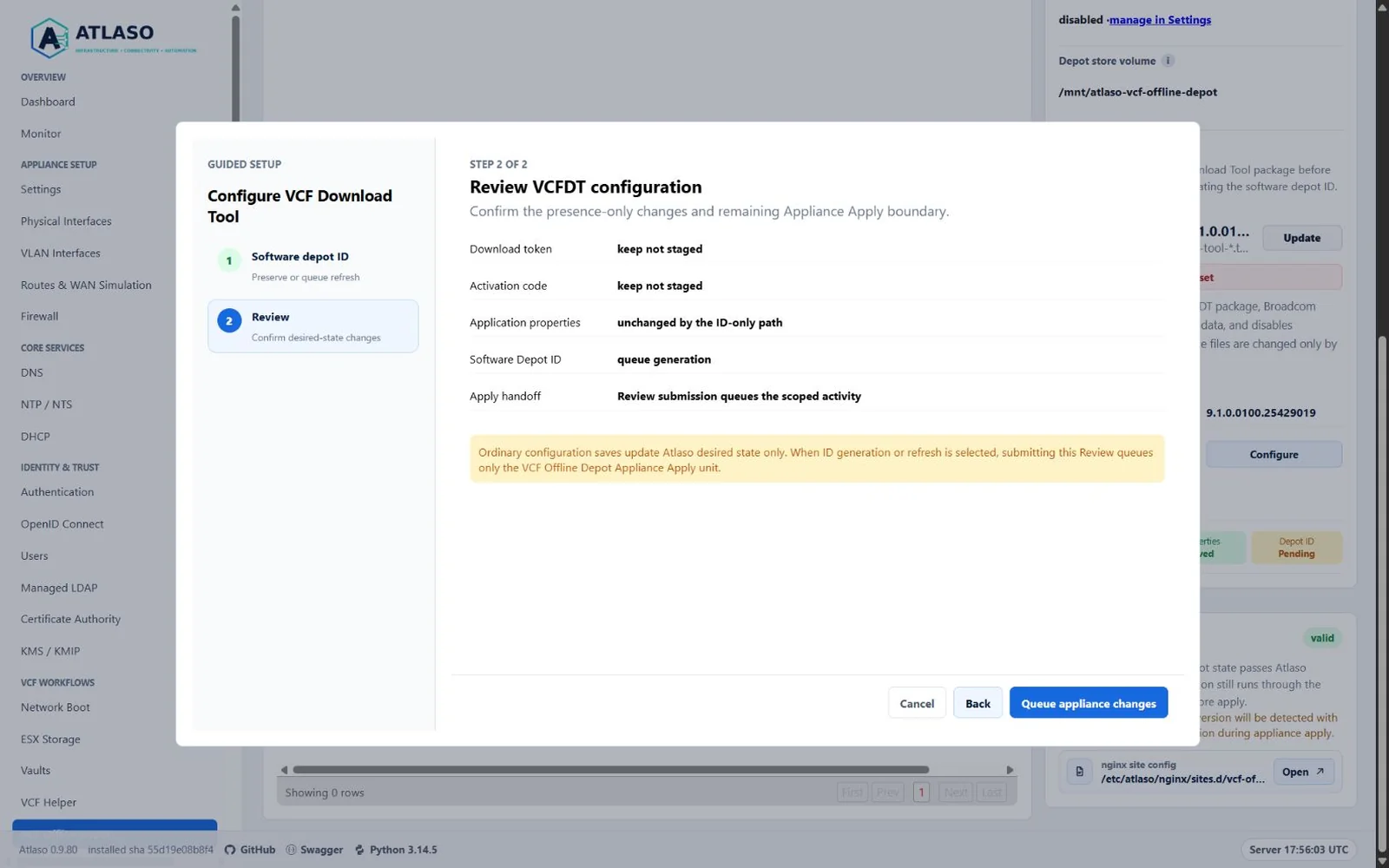
Figure: VCFDT configuration starts with the safe Software Depot ID apply choice and contains no credential contents.
Manual and scheduled starts share one execution path. Starting a profile reports queued or failed admission through the standard accessible bottom-right transient notification while the durable task, audit, and log records remain the authoritative history. A database-backed per-profile guard atomically deduplicates the same profile across browser and scheduler processes, while distinct profiles remain pending in deterministic FIFO order. Exactly one VCFDT process executes at a time. At claim, Atlaso revalidates the applied tool, current profile enablement, the credential required by the profile type, depot desired state, and the generated command set before it writes runtime files or launches VCFDT. A same-profile scheduled occurrence is recorded as skipped and points to the active task; it is not replayed. Other prerequisite failures are recorded as failed tasks with a sanitized archived log.
Software Depot ID replacement and any Appliance Apply containing VCF Offline Depot keep the stronger exclusive boundary: neither may be admitted until all queued and running profile downloads finish, and either pending/running exclusive task blocks new profile downloads. A restart fails an interrupted running download but retains downloads that were still queued and never claimed.
Schedules keep the profile ID, so renames and profile updates apply to future runs while completed task metadata keeps the profile and schedule names used at queue time. Disabling a profile also disables every attached schedule and clears its next run. Re-enabling the profile leaves those schedules disabled for explicit review. Atlaso blocks profile deletion until attached enabled or disabled schedules are deleted, and blocks deletion while that profile has an active download task. Resetting or losing the staged VCFDT package disables profiles and their schedules.
Metadata and binaries profiles use the download token or activation code staged most recently. Staging one credential does not remove the other because ESX profiles always require the activation code. Review the generated command preview after changing credentials to confirm that it references the intended runtime credential file.
Do not place depot credentials or authenticated URLs in task notes, manifests, logs, or screenshots.
Register the displayed software depot ID in the VCF Business Services console, then stage the activation code returned for that exact registration. Atlaso preserves this ID when settings or download profiles are changed and applied. When no Software Depot ID exists, Generate the Software Depot ID is selected and disabled because the first ID is required before credentials can be registered. Selecting generation, or Refresh the Software Depot ID for an existing ID, immediately hides the credential, credential-input, and properties steps, leaving a two-step Software Depot ID and Review flow. It does not resave unchanged credentials or properties. Queue Software Depot ID task on Review creates and immediately dispatches a dedicated VCFDT identity task. Atlaso opens the ordinary Tasks view for that job while it stages the required VCFDT runtime inputs, applies the properties and CEIP prerequisites, and generates and reads back the identity without invoking nginx or global Appliance Apply. The task exposes those four safe child operations and sanitized logs. Atlaso serializes this identity task with profile downloads and any Appliance Apply task that includes VCF Offline Depot. It can be admitted only after the complete download queue drains. Software Depot ID tasks are non-cancellable from admission onward because a claim race or already-running VCFDT helper may have changed the identity. It succeeds only after Atlaso persists a non-empty Software Depot ID (and a different ID for refresh). Once VCFDT changes the identity, Atlaso removes both the staged and runtime download token and activation code. A generation failure that leaves the identity unchanged preserves both credentials. Register the new displayed ID, then stage a matching credential before retrying a download. Use the copy control on the Depot ID Ready status tile to copy the current ID; Atlaso confirms the clipboard action without exposing any credential value. VCFDT tool staging and Software Depot ID generation remain available while the HTTPS depot service is disabled; the service toggle controls publishing, not VCFDT identity preparation. Reset uses one destructive confirmation and clears the staged package, both Broadcom credentials, saved application properties, generated identity/version metadata, and all profile enablement together. Runtime removal still waits for global Appliance Apply. If VCFDT generates a replacement but Atlaso cannot read it back unambiguously, Atlaso clears the displayed ID instead of presenting the previous registration as current. Retry the refresh before registering or downloading. After an Atlaso restart interrupts a running identity task, startup performs the same canonical VCFDT readback before failing the interrupted task. Atlaso saves a changed runtime ID and removes obsolete credentials; if readback cannot verify the runtime identity, it invalidates the stored ID and credentials instead of retaining stale registration data.
Verify
Confirm the service is healthy, an approved target trusts the Atlaso CA, and required metadata or content is reachable with the configured account. Use VCF Helper for the separate remote workflow that points a supported VCF appliance at the applied local depot.
Additional verified states
These captures show responsive layouts and useful operational states referenced by this page.
VCF Offline Depot
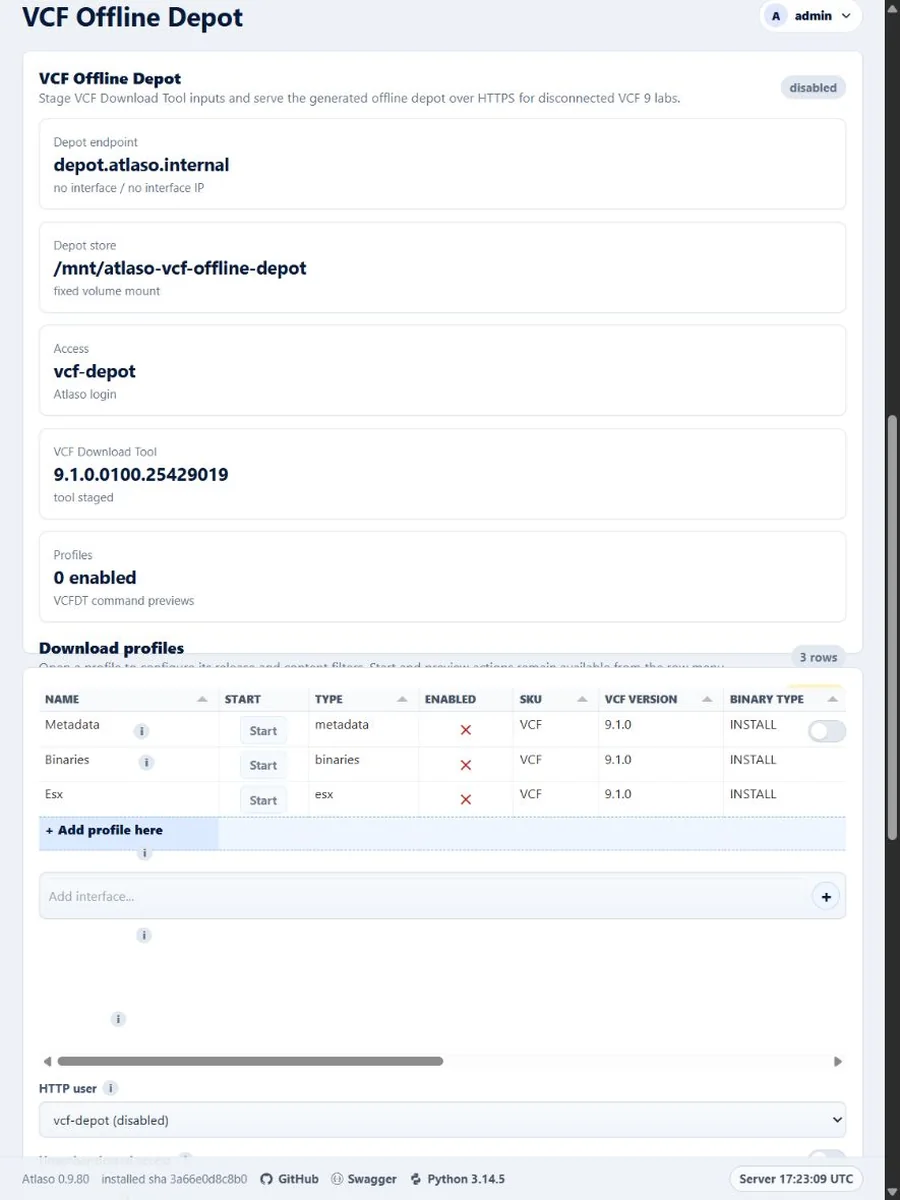
Figure: VCF Offline Depot profile ordering and staging state in the responsive viewport.
Figure: VCFDT Software Depot ID generation ends at Review, which immediately dispatches a dedicated identity task.
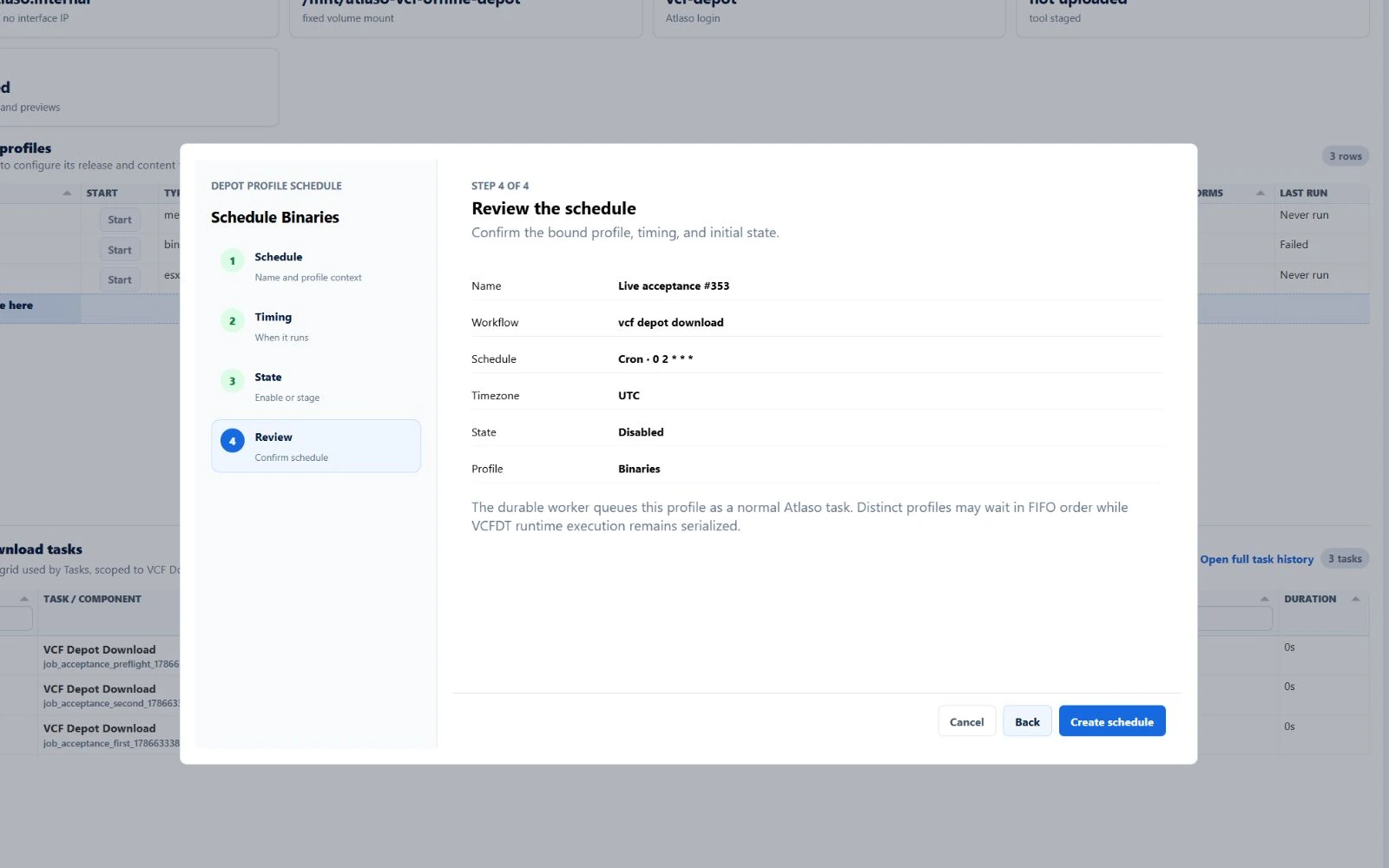
Figure: VCF Offline Depot review binds the selected profile in the contextual schedule flow.
VCF Offline Depot browser
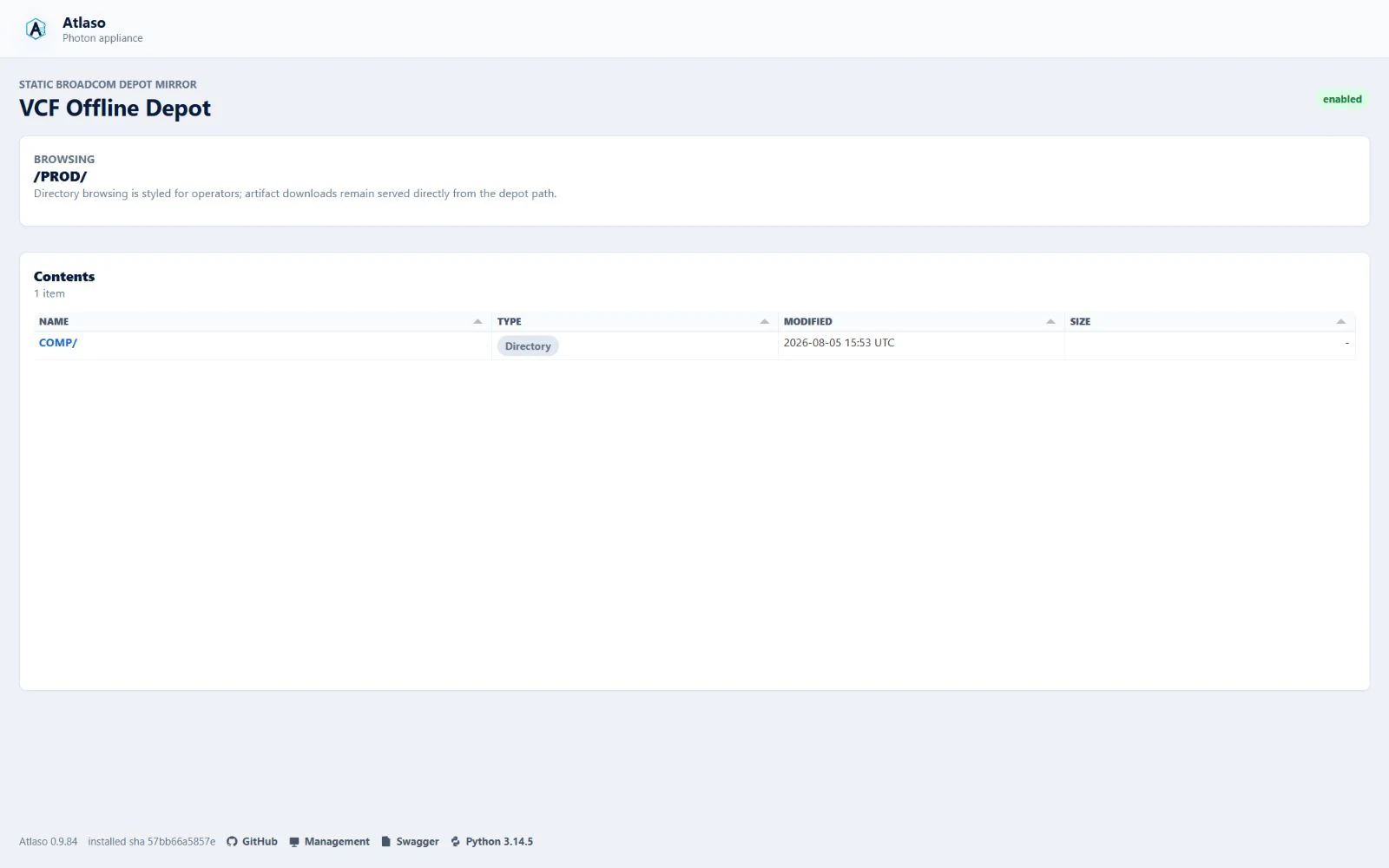
Figure: The public VCF Offline Depot directory renders exact artifact paths as safe native links in a read-only grid.
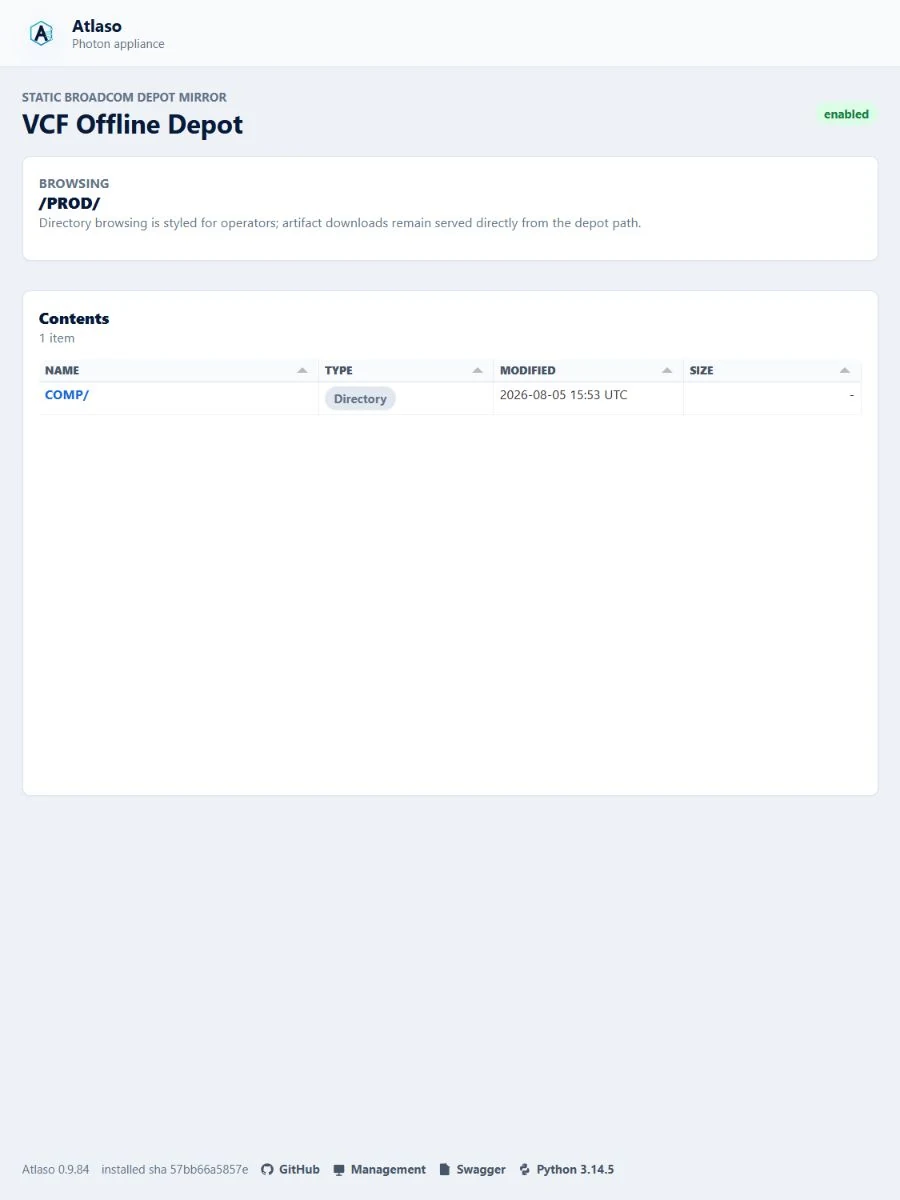
Figure: The public VCF Offline Depot browser remains contained in the narrow viewport.