Full technical reference

Interface overview
This verified appliance view provides visual orientation before you begin.
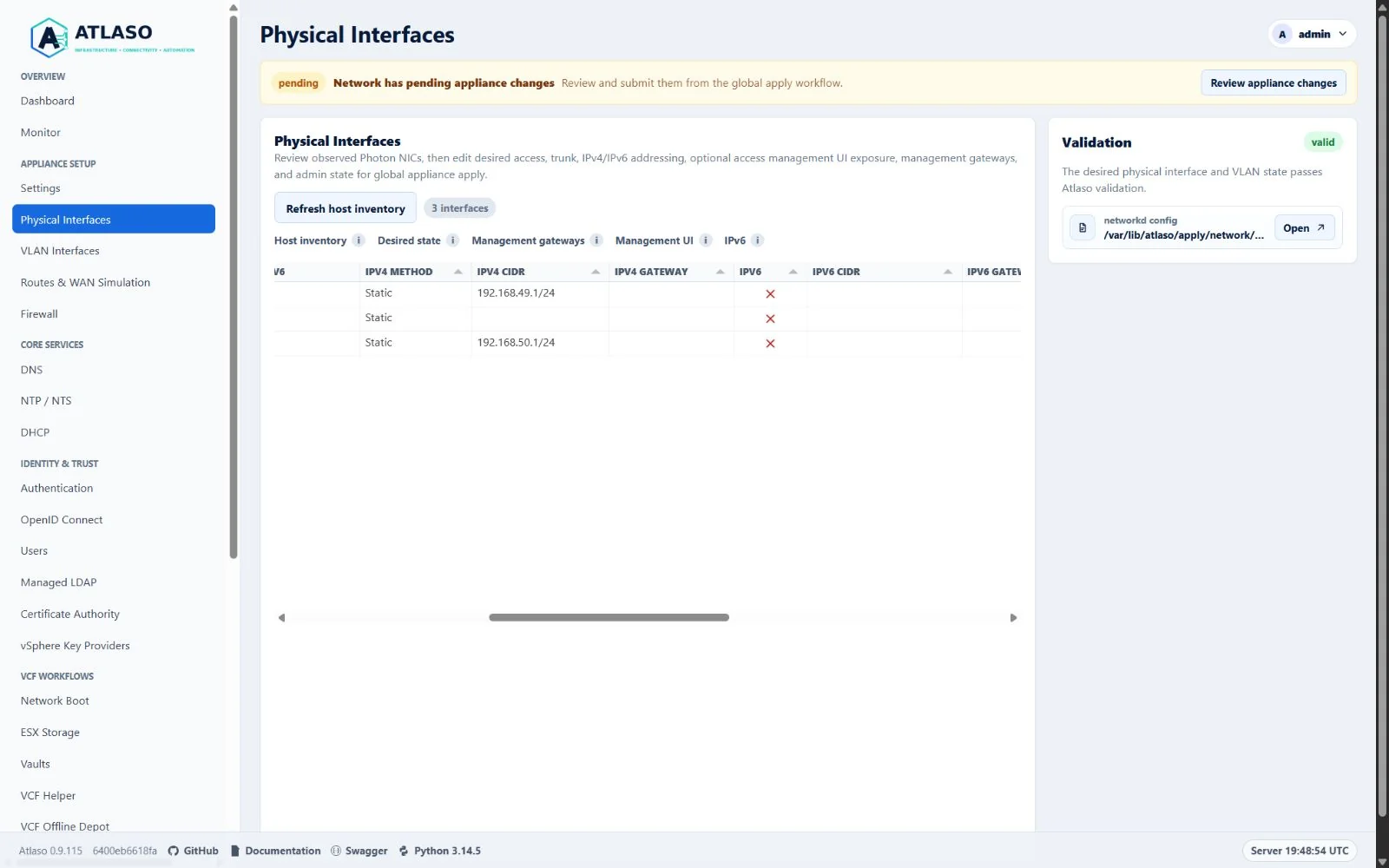
Figure: Physical Interfaces in the verified clean-appliance desktop state.
Everything your virtualization lab needs.
Infrastructure • Storage • Identity • Networking • Lifecycle
Atlaso is a Linux-based, web-managed infrastructure appliance for homelabs, VMware Cloud Foundation labs, POCs, training environments, isolated network labs, and WAN simulation testing. Atlaso supports POC, lab, and test environments by simplifying deployment, maintenance, and validation.
Its product pillars are Infrastructure • Connectivity • Automation.
Fresh appliances use core.atlaso.internal as the management identity and atlaso.internal as the default managed DNS
zone. Factory service names use the appliance FQDN's domain portion, including ca.<appliance-domain>,
kms.<appliance-domain>, and depot.<appliance-domain>. Future clustered
deployments are expected to use core-01, core-02, and core-vip; clustering is not implemented in 0.9.18.
Atlaso 0.9.18 is a clean break. Existing appliances from the retired product must be redeployed; Atlaso provides no data, configuration, certificate, or update-channel migration.
Community and licensing
Contributions follow the contributing guide,
Code of Conduct, and
Security Policy. Atlaso authored code is available under the
MIT License. Each released appliance includes an automatically
generated /usr/share/doc/atlaso/THIRD_PARTY_NOTICES.md inventory for every shipped Python package, Photon RPM, and
bundled component; the same release-specific notice file is published with the signed release assets. Third-party
software retains its own license terms, including the bundled iPXE bootloaders.
The MVP is a safe runnable scaffold. It provides the FastAPI control plane, appliance-style web UI, local authentication, JWT bearer API tokens, audit logging, OpenAPI 3.1, dry-run system adapters, and Windows image/artifact automation. It does not apply real host networking, firewall, service, SFTP, registry, repository, DNS, DHCP, CA, or KMS changes by default.
Photon OS Appliance Image
The canonical OS appliance target is Photon OS 5.0 on VMware Workstation. The image builder lives in
image/vmware-workstation/ and provisions:
- a Photon OS 5.0 VMware VM with UEFI firmware and Secure Boot off;
- updated Photon packages from the configured Photon 5.0 repositories, with a second update pass after appliance packages are installed;
- no cloud-init lifecycle: Atlaso removes Photon's incidental
cloud-initpackage after the initial update and rejects package or runtime-path remnants because Atlaso's own first-boot services own customization; - the
atlasosystem user; /opt/atlasofor the installed application;/etc/atlaso/atlaso.envfor appliance environment settings;/etc/atlaso/build-infofor build/update provenance;- masked
systemd-ssh-generatorso portable conversions cannot activate an unintended SSH-over-AF_VSOCK listener while normal TCP SSH remains available; /var/lib/atlasofor durable state;/var/log/atlasofor local logs;- fixed appliance mount points under
/mnt/atlaso-vcf-*; - operator-approved ESX Storage ext4 mounts under
/mnt/atlaso-esx-storage, with Photonnfs-utilsandrpcbindinstalled but disabled until global apply; atlaso.servicerunning uvicorn from a Python virtual environment;- nginx enabled as the default management front door, with deployed-VM first boot generating the integrated root CA and
appliance:httpscertificate, redirecting HTTP/80 to CA-backed HTTPS/443, and proxying HTTPS/443 to uvicorn on127.0.0.1:8000; atlaso-firewall.serviceloading the appliance nftables firewall;- an Atlaso recovery console on tty1 with authenticated configuration and power menus,
top, and an authenticated/audited root Bash handoff, while tty2 and later terminals retain normal Photon login prompts; VMware first boot can also use its bounded non-secret network-review state before network and data-disk initialization; and /opt/atlaso/bin/atlaso-helperand a constrained sudoers template.
Finished VMware OVF/OVA appliances and portable Hyper-V, KVM, and Proxmox artifacts also attach two durable expandable
data disks: one for the VCF Offline Depot at /mnt/atlaso-vcf-offline-depot and one for VCF Backups at
/mnt/atlaso-vcf-backups. VMware images
precede those disks with file-backed Photon OS and Atlaso system-content VMDKs; the latter holds /opt/atlaso and the
appliance-wide PowerShell modules through required UUID-backed mounts. Keep depot and backup workloads off both payload
disks. The root-owned image policy binds ATLASO_DEPOT and ATLASO_BKUP to the platform's fixed SCSI locations, a
topology-derived atlaso-path-* identity, and an exact 500 GiB capacity. Before the first mkfs,
atlaso-data-disks.service resolves the root filesystem's complete inverse block-device dependency tree and requires
exactly one physical operating-system disk. It excludes only that disk, verifies both fixed data disks, and rejects
missing, extra, reordered, ambiguous, read-only, in-use, raw-device-open, or identity/capacity-mismatched devices. It
formats only the two verified blank whole disks as ext4,
persists their
UUIDs in /etc/fstab, and mounts them at the fixed paths before atlaso.service starts. Existing correctly labeled
ext4 disks must occupy their assigned identities and are mounted without reformatting. Each occupied or newly mounted
fixed path must report the expected UUID and resolve its block-device source to the trusted disk identity; a cloned
duplicate-UUID filesystem therefore fails closed. Once both fixed disks are
initialized, an additional whole disk is accepted only when it is a stable, writable, partition-free managed ESX
Storage ext4 volume. Atlaso-formatted disks require their lf-<hash> label and UUID-backed managed fstab entry.
Every managed ESX disk requires UUID-backed fstab persistence plus an exact root-owned
/etc/atlaso/esx-storage-disks.conf stable-identity claim. Nginx, the HTTPS bootstrap, control plane, and worker use
hard systemd requirements on atlaso-data-disks.service, so a failed preflight cannot expose the front door or start
Atlaso against the empty mount directories. On the first update from a release whose updater does not yet recognize
these safety assets, the candidate atlaso.service uses its root pre-start gate to install the complete signed asset
set, migrate exact root-owned claims for applied ESX Storage disks, and run the disk preflight directly. It first backs
up the database, claim allowlist, and every replaced asset, restoring them and the prior systemd/udev state when the
migration or preflight fails. After validation succeeds, the permanent control-plane dependency drop-in protects both
that transitional start and subsequent systemd starts. If the legacy updater later rolls back the application, it
leaves this validated boundary in place and restarts the previous control plane only when the same disk preflight passes.
The minimal bootstrap-<version> release created while building a fresh image is explicitly marked and bypasses only
this previous-updater compatibility step; image provisioning installs and validates the same safety boundary directly.
The bridge records root-owned one-time completion under /etc/atlaso; later control-plane starts use the permanent
data-disk systemd dependency without repeating asset backup, identity reload, migration, or direct preparation.
The shared image/common/data-disks.conf policy is a shell-sourced build input. Atlaso declares it as LF-only
in .gitattributes, including for supported Windows checkouts with core.autocrlf=true, and repository tests
materialize that checkout mode before passing each copied policy through the first-boot parser. Verify the checkout
contract from PowerShell with:
git check-attr text eol -- image/common/data-disks.conf
git ls-files --eol -- image/common/data-disks.conf
The path must report text: set, eol: lf, and w/lf. Do not normalize values inside the runtime parser: its strict
capacity and SCSI-identity rejection remains the fail-closed boundary for malformed installed policy.
The canonical Packer template uploads the shared udev rule and virtualization policy into /tmp/atlaso-src. The shared
image provisioner validates and installs those inputs directly from that staged source tree before the later
application sync populates /opt/atlaso; pre-sync disk-policy installation must not read from /opt/atlaso.
Atlaso writes operational events to /var/log/atlaso/atlaso.log. Audit events, desired-state edits, and appliance apply
submissions are mirrored there with sensitive values redacted. The Settings page controls local file verbosity and can
also forward the same operational events to an external syslog receiver.
For logging and audit purposes, IP addresses, MAC addresses, hostnames, and account names are non-sensitive operational identifiers when they appear by themselves. Passwords, tokens, authenticated URLs, session material, private keys, password hashes, credential verifiers, and other secret-bearing data remain sensitive. Content-integrity hashes of non-secret material and one-way change-detection hashes of encrypted-at-rest ciphertext do not. An identifier is sensitive when embedded in or paired with authentication or cryptographic material. This classification does not relax access controls or site handling policy.
The Monitor page is an operator-facing, read-only runtime view for appliance resource health. It charts thick
appliance totals alongside thin per-logical-CPU, per-interface RX/TX, and unique-device disk activity over the last one,
three, or six hours, plus memory pressure and compact per-interface and virtual-machine context. Disk Activity retains a
deduplicated per-device read/write table; all per-mount capacity presentation, including the top-level Disks metric,
Disk Usage chart, and capacity table, is intentionally omitted. Disk activity totals count each underlying device once
even when several mount rows share it. Each chart can be expanded into a near-full-screen view without changing its
active time range; only that expanded view exposes editable percentage zoom and drag-to-select time-window zoom.
Hovering near a sampled point or line segment emphasizes the associated series, legend entry, and exact sample; clicking
the chart or a legend item pins that series until it is cleared or another series is selected. The 1h, 3h, 6h, 12h, and
24h history selectors use the same sampled data. The sampler records one row about every 30 seconds and keeps the
24-hour window plus a small buffer. Collection uses Linux /proc, /sys, filesystem usage, DMI data,
systemd-detect-virt, and vmtoolsd when present; it does not call privileged helpers or mutate host services. Set
ATLASO_MONITOR_ENABLED=false to disable both the background sampler and request-time collection from
/ui/management/monitor/data
or /api/v1/monitor. When disabled, Atlaso may read existing monitor rows but it does not probe the host or create new
monitor_samples rows. See Monitor hierarchy and interaction design QA for
the current hierarchy, interaction behavior, responsive expectations, and the history of the removed Disk Usage panel.
The authenticated /ui/management/dashboard page is the compact operations command center. Its server-rendered
snapshot shows overall appliance state, setup readiness, actionable exceptions, valid pending changes, active tasks,
enabled service health, the management network path, and a six-entry task/audit activity feed. Invalid changed apply
units, recent failed tasks, unhealthy enabled services, and missing or unexpectedly down configured interfaces are
prioritized in that order.
Disabled optional services and unused interfaces remain quiet. The page refreshes from the session-authenticated
/ui/management/dashboard/data UI endpoint every 30 seconds while visible, retains the last successful snapshot on
failure, and marks retained data stale. This private UI endpoint does not replace or change the bearer-authenticated /api/v1/dashboard
contract. Dashboard actions are links into existing workflows; the page does not apply configuration, restart services,
or mutate the appliance.
Photon OS 5.0 GA shipped with Python 3.11, but the current Photon 5.0 updates stream has moved beyond that baseline. On
June 21, 2026, live repository metadata showed python3 as 3.14.5-2.ph5. Atlaso targets Python 3.14 only
(requires-python >=3.14,<3.15); verify the appliance stream with:
Atlaso Windows automation supports PowerShell 7.4 or newer (pwsh). Earlier PowerShell releases and Windows PowerShell
5.1 (powershell.exe) are not supported. Run every documented Windows command from pwsh.
The Windows Inventory Linux wrapper requires an already functional WSL 2 installation and uses the explicitly
provisioned Atlaso-Build distribution by default. It does not install WSL or silently create a missing
distribution. -WslDistribution <name> selects an existing compatible alternative. Photon image wrappers do not build
or embed Inventory Linux. Buildroot's Linux-only PATH, native-filesystem cache, repository-specific work tree, and
flock remain
in force for every distribution. A checkout-wide Windows mutex protects shared final output across distributions. See
Windows image-build WSL environment for the pinned setup, safety boundary,
storage, recovery, and removal procedures.
Build inputs are the current Photon OS 5.0 ISO URL and checksum. Use the VMware Windows wrapper so the Photon kickstart is attached as a local remastered ISO instead of depending on early installer networking:
pwsh -ExecutionPolicy Bypass `
  -File scripts/windows/vmware/build-photon-image.ps1 `
  -PullRequestNumber <number> `
  -IsoUrl "https://packages.broadcom.com/photon/5.0/GA/iso/photon-5.0-dde71ec57.x86_64.iso" `
  -IsoChecksum "sha512:6a7a258399a258da742032987c043ab25503698d35edafaf1ae000f12127da1a161d8b84caa17fd8f23d129e81e1faa7ab087c20ab9229772a643f8f9475305f"
-IsoUrl also accepts an existing local filesystem path or an empty-authority file:/// URI such as
file:///C:/images/photon-5.0.iso. The wrapper verifies the local file against -IsoChecksum before remastering and
does not copy or download it into the shared source cache. File URIs with a host authority are rejected; use a local
path for an explicitly mounted share.
The wrapper resolves an explicit -OnePasswordEnvironmentId first and otherwise reads the only line from the
checkout-local, Git-ignored .atlaso-local/onepassword-environment-id; use -EnvironmentIdFile for another selector
file. When -SshPassword and/or -BootstrapAdminPassword is omitted, it retrieves only the corresponding exact,
unique, concealed DEFAULT_ROOT_PASSWORD and/or DEFAULT_ADMIN_PASSWORD through the supported bounded Windows
1Password SDK integration. Both explicit parameters accept SecureString and override their own Environment default
independently. An explicit -OnePasswordServiceAccountTokenFile selects current-user DPAPI service-account
authentication; otherwise an explicit -OnePasswordAccount preserves desktop authorization. With neither selector,
the checkout-local DPAPI token file is preferred before single-account desktop discovery. The bridge uses
standard GIL-enabled Windows x64 CPython 3.14 registered with the Windows launcher. Current Python Install
Manager bracketed architecture selectors are accepted alongside legacy launcher and vendor-tagged registrations;
known x86, unsupported architectures or versions, malformed entries, and missing executables remain ineligible. Explicit
-OnePasswordPython remains authoritative. Caller DEFAULT_* and OP_SERVICE_ACCOUNT_TOKEN variables, plaintext
token files, local .env files, repository password defaults, interactive
prompts, ambiguous or non-concealed variables, and invalid values are rejected. The child returns only current-user
DPAPI ciphertext, and its task-owned files are removed before network preparation, output cleanup, ISO remastering,
Packer initialization, or other image mutation. Sanitized failures do not print the Environment ID, account input, or
credential values. The parent then launches the complete plaintext-consuming image workflow in a separately bounded
PowerShell child, passes only a second current-user DPAPI bundle, and verifies bundle removal afterward. Only that
child unwraps values for kickstart and Packer serialization. All plaintext kickstart, remastered ISO, and Packer
variable artifacts live under that exact task-owned root. The parent creates the child suspended, assigns its Windows
process job, and resumes it only after every future Packer or plugin descendant is bound to that job. Both ordinary
child exit and deadline termination require job accounting to report zero active processes. A proven deadline then
applies checked exact-output cleanup only when the child durably claimed that cleanup scope, including for an initially
absent output, and removes and verifies the
sensitive root even when the child could not run its own cleanup. The default six-hour deadline is configurable through
-ImageBuildTimeoutSeconds.
An unproven whole-tree termination retains that root and a non-secret checkout-local ownership marker. Before the
suspended child resumes, schema-3 state durably records the prior controller, a unique named Windows job, and the child
with PID/start-time identities. A same-boot rerun requires the prior controller to be absent, terminates only a matching
recorded job, proves its child and descendants gone, then removes the exact root followed by its marker before current
task or release identity validation, new credential access, or image work. An already absent exact job and child is a
terminal interruption and can be reconciled without termination. PID reuse, live or replaced ownership, a surviving
job after the recorded root exits, incomplete termination, and path or filesystem-identity drift remain fail-closed.
Legacy ownership markers and every ambiguous current marker require a Windows restart so the changed boot identity can
prove the prior tree inactive. Ordinary completion requires the
reloaded marker root to equal the in-memory task-created root before recursive removal.
The shared SDK bridge uses the same boot-bound ownership. Marker bytes and atomic publication are write-through durable
before plaintext consumption. After root deletion, the parent flushes directory metadata through the root parent's
Windows handle on that same volume before durable root-absent and retired transitions precede marker deletion, so
cross-volume crash recovery cannot mistake a resurrected marker or root for active secret material.
The supported VMware Workstation wrapper treats the Photon build password as opaque data. It encodes the
credential before inserting it into generated kickstart or Packer shell commands, then decode it directly to standard
input. Printable passwords containing apostrophes and common PowerShell or POSIX shell metacharacters therefore retain
their exact credential bytes without becoming shell syntax. Caller-side PowerShell quoting still applies.
The parent loads its local output-directory and vmrun resolvers before credential preflight so path validation and
the optional Workstation GUI handoff cannot fail because a checked-in helper has not yet been declared.
Run the wrapper from PowerShell 7 with VMware Workstation installed. It resolves the selected VMware management network
before changing build output. The wrapper writes photon-ks.json, embeds it into a remastered Photon ISO, replaces the
ISO's UEFI GRUB config with an Atlaso auto-install entry, and passes that single ISO to Packer. Photon then boots with
ks=cdrom:/photon-ks.json without Packer typing boot commands. Raw packer build . is intentionally blocked unless the
ISO is marked as wrapper-prepared; the wrapper is the tested Windows Server 2025 path. The remastered ISO is a bounded
sensitive artifact: the wrapper removes it and verifies its absence after Packer exits, including failure and fallback
paths. ISO-only preparation is rejected because retaining the remastered ISO would retain a reusable build credential.
Build runs pass Packer's -force
flag by default so the fixed output directory can be rebuilt in one command. Use -OutputDirectory <path> to keep
multiple artifacts or -KeepExistingOutput when you want Packer to fail instead of replacing an output directory that
already existed before the build. Without that switch, the child durably claims a pre-existing root only after network
preparation and immediately before checked removal, so an earlier outer timeout preserves it. A new partial output
created by the current invocation remains cleanup-owned after a proven outer timeout. Use -PackerOnError abort to
keep a failed builder VM for debugging, or -PackerOnError ask to
choose the failure action interactively. During provisioning, the shared Photon path reads [project].version from the
staged pyproject.toml with Python's TOML parser and validates the repository's strict X.Y.Z release format before creating
the bootstrap release directory. Missing, unreadable, malformed, or invalid version metadata fails the build with the
specific version-policy error instead of an ambiguous shell match failure. The Photon Packer target stages
requirements-appliance.lock with the application source so bootstrap dependency installation can retain
--require-hashes; a missing staged lock fails the image rather than falling back to unpinned dependencies. They also
stage the third-party notice generator, its vendored-component inventory, and the referenced Inventory Linux README so
the image can generate the required
Python, Photon RPM, and bundled-component notice at build time. Installed Python inventory reads only top-level
virtual-environment distributions; package-internal vendored metadata is not treated as a separately installed locked
dependency. Long TDNF operations capture their raw transaction output and emit one compact Packer status line every 30
seconds with elapsed time and cache size. Successful operations report their duration; failures preserve the TDNF exit
status and replay a normalized, bounded output tail. This avoids progress redraws appearing as hundreds of empty
Packer-prefixed lines without hiding actionable failures. Successful zero-status transcripts are scanned incrementally
for reported repository errors rather than loaded into memory as a whole.
Before the first metadata refresh, the shared provisioner accepts only the stock Photon 5 updates repository layouts,
requires gpgcheck=1 plus a repository-pinned byte serialization of the installed 4096-bit Photon RPM signing key,
and replaces
the retired GA URL with Photon's
current packages.broadcom.com/photon/$releasever/... layout. It fetches a bounded repomd.xml document from that exact
canonical HTTPS endpoint before changing the repository file. An unrecognized source, weakened signature setting,
missing or substituted signing key, redirect, unreachable endpoint, or malformed metadata stops the image build before
TDNF runs.
The image builder resolves one package-source pair before credential preparation. -PipGlobalIndex is pip's
global.index repository/API endpoint and -PipGlobalIndexUrl is its global.index-url PEP 503 simple-index endpoint.
Supply both credential-free absolute HTTPS values together for an internal mirror, or omit both for the deterministic
public defaults. The exact resolved pair configures both the host-side hash-locked 1Password SDK dependency closure and
the guest Photon site/virtual-environment pip behavior; Atlaso does not fill a partial override or retry an explicit
pair through public PyPI. Package-source values are not passed in child process arguments. The provisioner does not
upgrade pip as a separate bootstrap step; it uses the Photon-packaged pip to install Atlaso:
pwsh -ExecutionPolicy Bypass `
  -File scripts/windows/vmware/build-photon-image.ps1 `
  -PullRequestNumber <number> `
  -IsoUrl "<photon-5.0-iso-url>" `
  -IsoChecksum "<packer-checksum>" `
  -PipGlobalIndex "https://packages.vcfd.broadcom.net/artifactory/api/pypi/upstream-pypi-virtual/pypi" `
  -PipGlobalIndexUrl "https://packages.vcfd.broadcom.net/artifactory/api/pypi/upstream-pypi-virtual/simple"
The generated appliance intentionally keeps ATLASO_DRY_RUN_SYSTEM_ADAPTERS=true. Real host mutation is staged per
apply unit after the helper-backed command path is reviewed. Build disposable demo or lifecycle images with
-EnableRealSystemAdapters when the VM should actually mutate Photon services through the reviewed helper paths.
Firewall desired state is nftables-backed. The image installs nftables and boots with management access to SSH, HTTPS,
and the Atlaso web UI.
Network Objects owns the canonical management UI and mutation route for Source Groups. The domain service projects
validation and every nested-group, operator Firewall rule, managed assignment, and NAT consumer from the retained
firewall.managed_source_groups state. Stable group IDs and archive shape remain unchanged. The Firewall and NAT
wizards link to this surface with an allowlisted return token; only tab-local draft values are retained, choices are
rendered fresh on return, and missing selections must be reviewed. Legacy Source Group reads redirect after management
authorization, while legacy writes bridge to the canonical handler and finish with a non-replaying 303 response.
Appliance Update is a separate runtime-maintenance workflow from global /ui/management/appliance-apply.
Repository-style sources
cover Photon/tdnf, PowerShell Gallery or internal PowerShell repositories, and signed Atlaso release channels; the
retired Python Libraries and independent wheel streams are not available. Update work is queued to
atlaso-worker.service; the same worker runs Automation schedules, managed scripts, and VCF Offline Depot downloads.
Repository creation uses the shared guided workflow to capture identity, endpoint and trust policy, desired state, and
review before saving. Runtime package-client configuration still changes only through the explicit repository
synchronization task.
Successful same-repository main push CI automatically publishes a 90-day Actions artifact named
atlaso-wheel-vX.Y.Z-<full-sha>. It contains the versioned application wheel and a canonical identity document binding
the source CI and publisher run IDs and attempts, repository, version, commit, build time, filename, size, and SHA-256
digest. Manual admission revalidates those exact attempts through GitHub's attempt-specific endpoints. This
GitHub-hosted read-only path has no appliance signing, Release/tag, Pages, protected virtualization, or self-hosted
runner authority. Byte-identical retry artifacts are accepted; divergent retained bytes fail closed during manual
release admission. Candidates are staged by publisher run plus artifact ID and every recorded attempt is revalidated.
The software consumer preserves the earliest retained publisher run-and-attempt identity across identical retries,
keeping immutable signed bundle inputs deterministic.
Protected Replay Python wheel admission from main provides bounded retention recovery. It accepts the exact commit
and source CI run ID and attempt, revalidates the attempt-specific CI workflow identity, same-repository main-push
event, commit, successful conclusion, and current-main reachability without checkout or target-code execution. It
publishes one canonical one-day replay-request artifact. Publish Python wheel consumes that request only through the
admission run's completed workflow_run, revalidates the request and CI evidence, and performs the cache-free exact-SHA
build with read-only authority and no Release, Pages, signing, or virtualization access. Publisher tooling comes from
the immutable protected workflow SHA, separately from the admitted target source, so historical commits remain
compatible with the current handoff schema.
When the immutable software Release already exists, the protected workflow verifies its signature, exact commit, complete
bundle content hashes, and application-wheel bytes against the replay handoff, then reuses those existing assets for
channel recovery. It never rewrites the bundle with replay-specific publisher provenance.
The separately protected Publish appliance release workflow starts after a successful automatic-main wheel handoff.
It verifies and consumes the retained wheel without rebuilding it, builds the exact CPython 3.14
wheelhouse, publishes the immutable signed bundle to GitHub Releases, and advances the signed development pointer on
GitHub Pages. The Pages root provides a static release-repository landing page, while appliances use the
signed machine-readable documents under /updates. preview and stable promotions reuse an existing verified
release. The signed stable pointer is required because the built-in Appliance Update source selects it. Every Pages
writer fails closed if the stable manifest or detached signature is missing from the final tree. Release and promotion
workflows then verify the hosted channel and immutable release signatures, matching version and commit identity, named
trust key, and CPython 3.14 compatibility before publication succeeds. A monotonic ten-minute Pages deployment and CDN
propagation deadline caps every request and retry delay so the live check cannot retain the shared publication lock
beyond its wall-clock budget. GitHub Release descriptions preserve the exact signed source commit and append generated
notes grouped from merged pull-request labels, contributors, and comparison metadata. The manual publication dispatch
can publish or recover an exact commit only when it already has a successful main push CI run and a retained matching
automatic wheel artifact. After the 90-day retention window, rerun that exact CI/wheel publication while the commit
remains on main by dispatching Replay Python wheel from main with the exact commit and successful source CI run
ID and attempt; replay is marked and requires exact-SHA manual software-release recovery so an old commit cannot move
development implicitly. The appliance workflow never substitutes or silently rebuilds the wheel. Publication refuses any
existing tag or Release whose commit or asset bytes differ. The same dispatch safely retries channel advancement after
a release has
already published because it verifies the existing asset bytes first. The guarded backfill command updates only
provenance-only legacy descriptions, preflights the complete selected range, and verifies that release identity and
assets remain unchanged after each body edit. See Appliance Update and
Automation.
Development
Primary workflow:
- Develop inside WSL2 on Windows 11.
- Run unit and API tests in WSL2.
- Build the Photon OS VMware Workstation template with Packer.
- Test the appliance through the VMware Workstation lifecycle automation.
UI work must follow the mandatory Atlaso UI Design Guide. Classify each affected interaction as direct-edit Tabulator, wizard-backed Tabulator, read-only Tabulator, non-grid settings, or approval-only custom/other. Reuse the guide's named reference instead of creating a page-specific grid or interaction; custom/other must cite maintainer approval and the closest related reference. Existing-surface remediation is tracked in GitHub issue #115.
Install and run:
python3.14 -m venv .venv
source .venv/bin/activate
pip install --require-hashes -r requirements-dev.lock
pip install --no-deps --no-build-isolation -e .
uvicorn atlaso.app.main:app --reload --host 127.0.0.1 --port 8000
Run the repository syntax/content checks before committing broad UI, template, or documentation changes:
Install the local pre-commit hook to run the same checks automatically against changed Python, Jinja/HTML, Markdown, CSS, JavaScript, JSON, TOML, YAML, PowerShell, and SVG files:
The checker is intentionally syntax-first: Python AST parsing, Jinja template parsing, node --check for JavaScript,
structural CSS balancing, JSON/TOML parsing, Markdown fence/local-link checks, SVG XML parsing, UTF-8 validation, and
unresolved merge-conflict marker detection. It skips vendored static assets, bundled third-party payloads, build output,
and test-result artifacts.
Deployment asset validation
Packer HCL, systemd units and manager drop-ins, and extensionless sudoers fragments are part of the repository's
protected deployment inventory. scripts/check_repo.py admits these files to the common UTF-8, conflict-marker, and
explicit-path checks so a supported deployment file never reports success for zero files. Run the native validator with:
Auto mode validates selected assets with locally available tools and is used by pre-commit. Canonical CI is stricter:
Ubuntu requires systemd-analyze and visudo for the shared and VMware unit sets and every sudoers fragment, while the
Windows Packer runner performs packer init, exact selected-plugin verification, formatting checks, and full
packer validate for the canonical Photon template. VMware Workstation pins github.com/vmware/vmware to 2.1.5.
scripts/check_packer_plugins.py rejects a range constraint, missing selected
binary, or selected filename that does not encode the exact required version. The supported Windows wrappers perform
the same initialization and resolution check before validation or build, so warm and empty plugin caches select the
same code for one Atlaso commit. Packer validation supplies the same required ISO variables and
iso_contains_kickstart=true guard as the wrappers. Protected events and same-repository pull requests pass the job's
read-only GitHub Actions token to Packer only as PACKER_GITHUB_API_TOKEN on that validation step, preventing plugin
discovery from consuming GitHub's shared unauthenticated API quota. Cross-repository pull requests use a separate
tokenless validation step so untrusted fork code never receives repository credentials. Checkout credentials remain
unpersisted, and the token must never be echoed, written to files, cached, or uploaded as an artifact. Any missing
canonical template, empty asset class, or unsupported file type in a managed deployment directory fails inventory
validation until a validator or reviewed exclusion is added.
Pull requests and versions
main is protected and accepts squash merges only after the version policy, repository checks, and complete pytest
suite pass. Each pull request carries one SemVer patch increment. The trusted Version bump workflow updates the Python
project version, Python runtime fallback, and PowerShell module version together on branches in this repository. Fork
pull requests must run the same command before they can pass the required version check:
For a local version update, python scripts/version.py bump increments the current patch version by one. Pass the
current version for an idempotent no-op or the exact next patch when the intended version is already known. For example,
when the current version is 2.4.6:
On Windows, the PowerShell wrapper provides the same two operations:
Do not edit only one version source. python scripts/version.py check verifies that all three sources agree; when
--base-root is supplied, it also requires the pull request to be exactly one patch above its base. --version and
--base-root are mutually exclusive, and an explicit target cannot skip a patch or change the major or minor version.
Updating an older pull request from main lets the workflow recalculate the next unused patch version.
For review, merge authority, explicit holds, and guarded delivery, follow the canonical PR workflow. For ownership, resource release, terminal ordering, and title readback, follow the completed-task policy.
An internal branch update performed with GITHUB_TOKEN also creates a pull_request CI run that GitHub may hold for
approval. Those approval-gated jobs have diagnostic names and are not required contexts. Because a token-authenticated
update does not trigger pull_request_target, the updater waits for GitHub's new head SHA and sends a typed repository
dispatch. GitHub loads that handler from protected main; it re-fetches the PR and verifies that it remains open,
same-repository, based on main, and at the expected head before checking out or pushing. The privileged updater has no
manual-dispatch trigger.
Trusted CI is also dispatched from protected main, not from the candidate branch's workflow revision. It receives the
exact pull-request number, base SHA, and head SHA. Read-only jobs check out and validate that candidate. Before and after
those jobs, separate status-publisher jobs with no candidate checkout revalidate the PR identity and publish the
canonical Version policy, Repository checks, and Python tests commit statuses on its exact head. Each status names
the trusted run and links to it, so the checks are visible and attributable in the pull request. Only a bot-authenticated
dispatch can publish these statuses; manual dispatch remains diagnostic. Trusted dispatches and diagnostic
pull-request runs use separate concurrency groups, preventing a delayed diagnostic run from canceling the trusted
publisher. This bridge is required because GitHub does not associate an ordinary workflow_dispatch check suite with
the pull request even when it runs on the same commit.
The Python test job has a bounded 90-minute runtime budget and installs the exact npm dependency tree from
package-lock.json before running pytest. The budget accommodates the canonical suite's normal growth while still
terminating a stalled run. Repository policy tests invoke the shared Markdown rendering helper, so their markdown-it
runtime must be available inside the isolated Python job rather than depending on setup performed by the separate
repository-checks job.
The application update build continues to append +g<commit> metadata to wheel versions. A merged pull request does not
create a Git tag, GitHub release, or changelog entry; those remain deliberate release-management actions.
Run from PowerShell 7 using the WSL development virtualenv:
wsl -e sh -lc "cd /mnt/c/Users/m_dan/Documents/Atlaso && /home/m_dan/.venvs/atlaso/bin/python -m uvicorn atlaso.app.main:app --host 127.0.0.1 --port 8000"
Run in the background from PowerShell 7:
wsl -e sh -lc "cd /mnt/c/Users/m_dan/Documents/Atlaso && setsid -f /home/m_dan/.venvs/atlaso/bin/python -m uvicorn atlaso.app.main:app --host 127.0.0.1 --port 8000 >/tmp/atlaso-uvicorn.log 2>&1"
View the background server log:
Stop the background server:
Development URL:
Bootstrap local login:
For a real appliance image, pass -var "bootstrap_admin_password=<initial-atlaso-admin-password>" to Packer. This
credential is independent from the build-time ssh_password. On Photon appliances, the bootstrap admin also exists as a
password-backed sudo OS account for local recovery and debugging.
Default local VCF backup SFTP user:
username: vcf-backup
status: disabled until VCF Backups is enabled and Local Users apply creates the Photon OS account
Set/reset this account from Users, then apply Local Users before exposing the SFTP endpoint beyond a development lab.
Vaults
Vaults at /ui/management/vaults store only VCF and ESX passwords. Entries contain a lowercase dotted key,
description, optional
username, encrypted password, and up to nine credential-free HTTP, HTTPS, SSH, or SFTP URIs. Passwords remain masked in
the management UI until an administrator explicitly uses the audited, no-cache, 15-second reveal control.
Managed-script jobs persist both the selected vault ID and a non-reusable scope fingerprint. The worker verifies both
before decrypting, stages values as a transient systemd credential, and removes the staged file after execution.
Get-AtlasoVault -Key <key> is the PowerShell interface; atlaso-vault get --key <key> is the Bash/Python interface.
Both commands fail closed outside a scoped managed-script run.
ESXi Kickstarts derive vault scope exclusively from exact source markers. Dynamic responses support
{{vault.<vaultname>.<key>.username}}, {{vault.<vaultname>.<key>.password}}, and uri1 through uri9; save,
validation, and request-time rendering fail closed for malformed, missing, renamed, inaccessible, or unsupported
references. Completion metadata contains names only, resolution is limited to exact referenced values, previews and
source downloads retain markers, and resolved responses disable caching. VCF Helper can import supported passwords
from VCF 9 SDDC Manager and VCF Installer after explicit TLS fingerprint confirmation. VCF Automation and vSphere
pre-authentication fingerprint probes require TLS 1.2 or newer while retaining fingerprint confirmation, rather than
ordinary CA verification, as the trust decision.
HTTP and HTTPS URI actions open a separate browser tab. SSH and SFTP actions use a short-lived one-use Web Terminal launch, require explicit host-key fingerprint confirmation, recheck the host key, and authenticate server-side without placing the password in browser state. Settings archives exclude vault entries; restore also clears the unused legacy Kickstart-binding compatibility table. See Vaults for operator procedures and recovery guidance.
VCF Helper
VCF Helper at /ui/management/vcf-helper generates DNS desired state, deploys SDDC Manager OVAs found under
/mnt/atlaso-vcf-offline-depot/PROD/COMP/SDDC_MANAGER_VCF, imports the active Atlaso root CA into VCF 9 appliances, and
configures an existing VCF Installer or SDDC Manager to use the applied local VCF Offline Depot. OVA deployment and
remote depot configuration are monitored background jobs; target and depot credentials remain transient. DNS creation
remains desired-state only and is enforced through global Appliance Apply. See VCF Helper
and VCF Certificate Trust.
Default local VCF Offline Depot HTTP user:
username: vcf-depot
status: disabled until VCF Offline Depot is enabled, a Photon OS password is staged through Users, and Local Users apply creates the Photon OS account
Set/reset this account from Users, then apply Local Users. The first service setup requires the changed VCF Offline
Depot and Public Services units so both nginx front doors share the same authentication behavior, but later Local Users
password applies refresh the existing nginx credential automatically. The same applied Photon password works in the
/PROD/login browser form and with HTTPS Basic Auth from curl or wget. Leave Unauthenticated access off for
normal VCF clients; enable it only for an isolated open mirror.
VCF Offline Depot uses the proprietary VCF Download Tool to stage disconnected VCF 9 depot content. Uploading the VCF
Download Tool file (vcf-download-tool-*.tar.gz) only validates and stores desired state, clears stale generated
metadata, and records that a package is ready for apply; upload does not extract the archive, create runtime folders,
run the tool, or generate a software depot ID. Global appliance apply for vcf_offline_depot validates the rendered
nginx site, runs helper-owned stage-tool, extracts the uploaded archive under
/opt/atlaso/vcf-download-tool/extracted, exposes /opt/atlaso/vcf-download-tool/vcf-download-tool as the stable
wrapper, records the tool version from vcf-download-tool --version, and applies application-prodv2.properties to
both the helper extraction tree and /var/lib/atlaso/vcfDownloadTool/active-tool/conf/. Ordinary settings and profile
applies preserve the recorded software depot ID. When no ID exists, or the operator explicitly confirms its refresh,
Atlaso runs vcf-download-tool configuration generate --software-depot-id, reads the persisted identity back with
vcf-download-tool configuration get --software-depot-id, and records only one unambiguous canonical readback value;
a generation failure preserves the previous ID, while successful generation followed by failed or ambiguous readback
invalidates it because VCFDT may already have replaced its runtime identity. Apply then syncs intent and applies HTTPS.
Stage Broadcom credentials through the combined VCFDT configuration wizard as either a download token or activation
code, by file or pasted text; existing storage keys remain separate, and credential bodies are never returned in
responses, previews,
logs, or job output. Metadata and binaries profiles use the most recently staged runtime credential: the download-token
file used by --depot-download-token-file or the activation-code file used by
--depot-download-activation-code-file. Existing state with indistinguishable credential timestamps retains the
download-token fallback, while ESX profiles always use the activation-code file. Global appliance apply records show
only sanitized filenames, presence flags,
generated software depot ID metadata, generated tool version metadata, and generated command intent. The generated VCFDT
script uses /var/lib/atlaso/vcfDownloadTool/active-tool runtime credential paths, writes the telemetry flag, supports
install, upgrade, upgrade-only, patch-only, Day-N component, and ESX activation-code workflows, and writes ESX
disabled-platform selections to conf/esxUserConfig.json. Operators can manually start an individual download profile
from the Download Profiles grid; Start is disabled until that profile has a token or activation-code file, but missing
profile credentials do not block applying or disabling the depot service. Start creates a durable vcf-depot-download
task, prepares runtime credential files under the VCFDT working tree, and runs the selected VCFDT commands as the Atlaso
service user. Enabled profiles can also be scheduled under Operations → Automation. When enabled, the depot apply unit
stages nginx config under /var/lib/atlaso/apply/vcf-offline-depot/, serves the fixed depot store as an HTTPS static
document root, uses the CA-managed vcf_offline_depot:https certificate/key file paths, and protects /PROD/ with HTTP
Basic Auth backed by the selected local vcf-depot user unless unauthenticated access is explicitly enabled.
The profile grid's Schedule download action opens the shared four-step contextual Automation wizard on the depot
page, with task type and profile bound by the server. Automation's generic add/edit wizard remains five steps. Manual,
Run now, and due-schedule admission share an atomic per-profile guard backed by the persisted profile ID and a partial
unique index. Distinct pending profiles are ordered by creation time and job ID, while a running-operation partial
unique index permits exactly one VCFDT process. Software Depot ID replacement and vcf_offline_depot Appliance Apply
use the same admission gate but remain exclusive across the complete queued/running download set. The worker revalidates
mutable prerequisites after claim and before VCFDT mutation. Scheduled same-profile or exclusive-operation overlap is
retained as a terminal skipped task. Disabling or tool-resetting a profile disables its schedules; profile deletion
requires all attached schedules to be removed first. Schedule archives remain compatible because only the stable
integer profile_id is stored.
Public Service Front Door
VMware CEIP consent is centralized under Settings → VMware Product Preferences. The single appliance-wide choice
defaults to disabled and is used by VCF Download Tool command previews and runtime preparation, VCF PowerCLI at vendor
AllUsers scope, and future Atlaso-managed VMware product integrations. Atlaso does not migrate or infer this value
from the retired VCF Download Tool-specific choice. Explicit PowerCLI User and Session overrides remain outside
Atlaso ownership.
Atlaso renders a generated public_services Nginx site for non-management service IPs. Requests to / dispatch by the
requested host/interface: management-role addresses redirect to /ui/management, while eligible non-management
addresses redirect to /ui/public. The public directory is scoped to the called host or IP. Requests entitled to
neither plane return not found. Nginx publishes /ui/management only on the management listener and /ui/public only
on applicable public listeners; the URL prefix is never the sole authorization boundary.
App-owned public pages remain scoped per IP: Certificate Authority /ui/public/ca, certificate requests
/ui/public/ca/requests, and Web Terminal /ui/public/terminal. Stable service paths remain outside /ui: CA downloads
under /ca/downloads/ and /certificate-authority/.../downloads/; ESXi PXE /pxe/esxi/; VCF Offline Depot /PROD/;
and VCF Private Registry canonical URLs. OIDC /identity/, API/OpenAPI, and shared immutable assets likewise retain
their documented paths. The generated public-services HTTP site proxies only dynamic ESXi Kickstart requests and serves
PXE static content through a narrow Nginx alias on matching PXE service IPs.
Eligible legacy browser GET/HEAD requests receive temporary same-host redirects after destination listener checks.
Legacy mutations are rewritten internally to the canonical handler and never use replaying 307/308 redirects.
Same-plane return-target validation rejects external and cross-plane destinations. The checked-in route inventory makes
new human routes fail tests unless they belong to a declared UI plane or an explicitly reviewed protocol exemption.
The public portal uses the compact Atlaso shell across the directory, CA trust page, request portal, and depot browser.
Public user pages extend public_portal_base.html, the brand mark links back to /ui/public, the header action is contextual
Login or Sign out, and GitHub, Documentation, Swagger, Python, and version metadata live in the shared bottom
footnote. Public
service cards default to hostname URLs and include a Name/IP switch near the login action; the preference is stored in
the atlaso_public_address_mode cookie. Card links use each service's configured scheme and port, such as the ESXi PXE
HTTP port, the VCF Offline Depot HTTPS port, and registry canonical URL. Service-owned HTTPS /PROD/ locations follow
the VCF Offline Depot unauthenticated-access setting; in the default authenticated mode, directory browsing redirects to
/PROD/login, while artifact downloads remain protected by the same vcf-depot htpasswd file after the depot unit is
applied.
Operational Logs And Appliance Power
The authenticated Logs page is a read-only, redacted view of fixed appliance sources: VCFDT is retired from this page,
while Atlaso App, KMS, NTPsec, Nginx, DNS, DHCP, and TFTP remain available as tabs. DNS, DHCP, and TFTP are classified
views of the shared dnsmasq.service journal so operators can inspect each protocol without losing the common dnsmasq
runtime boundary. The page fetches the latest content every five seconds and lets the operator select a 100, 200, or 500
line tail. Log syntax highlighting distinguishes timestamps, severity levels, components, identifiers, addresses, and
redaction markers and is reapplied after each refresh. The log panel stays within the viewport; its header and source
tabs remain visible while the terminal output owns vertical scrolling. Long log lines wrap inside that terminal scroller
instead of widening the page or adding a horizontal scrollbar. File or systemd source details appear in each tab's hover
tooltip instead of consuming a separate panel header, and an unavailable source disables its tab. NTPsec, Nginx, and
dnsmasq output comes from their systemd journals through allowlisted helper actions; log rendering continues to redact
sensitive-looking lines before display.
Audit Events is a separate Operations page because it is structured history rather than stream output. Its read-only Tabulator grid fills the available viewport and uses local pagination sized dynamically from the visible holder height and compact row pitch, without a fixed row count or page-size selector. The page size is recalculated when the grid resizes, preventing an internal scrollbar; long detail values use ellipsis with the full value available on hover. The responsive grid minimum preserves a useful working area without scrolling the parent page.
The top-right account menu contains About, Sign out (<username>), and admin-only Reboot and Shutdown actions. About
reports the installed Atlaso build and Python version. Reboot and Shutdown always use the shared confirmation modal,
create and commit an auditable task first, and then ask the constrained helper to schedule the host action after a
five-second delay. These runtime maintenance tasks are separate from global Appliance Apply. Shutdown powers off the
appliance, so hypervisor or physical access is required to start it again.
The Tasks grid uses backend-owned filtering and pagination. Status and state use fixed choices, while Task / Component offers recorded task/component choices and accepts a custom fragment. Task detail modals render redacted result payloads as wrapped, syntax-highlighted JSON audit previews. Console output omits helper execution-envelope JSON, shows process stdout and stderr separately, and colors stderr red. The task-log dialog uses nearly the full available viewport for operational output. Preview controls are overlaid without reserving blank text rows, and read-only output remains inside the viewport rather than appearing as a form control.
Appliance Apply Workflow
Atlaso treats service pages as desired-state editors. Routine setting and grid edits save into the control-plane database, but they do not mutate host services on each field change.
Use Appliance Apply to review and submit appliance changes. The bottom-left pending card and page-level review actions
open a wide review modal. There is no separate appliance-apply page; a direct GET to
/ui/management/appliance-apply redirects to the
Dashboard and opens the same modal. The workflow:
- lists changed apply units such as Local Users, Appliance Settings, Network, Routing & WAN, Traffic Publishing, DNS/DHCP, ESXi PXE, ESX Storage, Firewall, Certificate Authority, KMS, Managed LDAP, VCF Backups, VCF Offline Depot, VCF Private Registry, and Public Services;
- checks changed valid units by default;
- shows compact summaries with collapsed, on-demand rendered config previews or diffs;
- lets operators unselect changed units that should stay pending;
- atomically creates one
appliance-applymaster task plus an ordered child execution record for every selected component, then reuses the modal as a non-dismissible live task grid; - keeps failed and cancelled results open for inspection, while successful master-task results close automatically after 15 seconds;
- hides submitted units from the sidebar pending count immediately, while unselected units remain available for review;
- blocks other authenticated mutations with
423 Lockedwhile the master is active, while read-only inspection, authentication/session lifecycle actions, and safe parent cancellation remain available; - executes component children sequentially, persists each successful component baseline immediately, fails fast on the first component failure, and marks remaining children skipped;
- retains the terminal result until an administrator closes it. The main Tasks grid exposes the same expandable master/child hierarchy and read-only redacted child evidence.
Within each selected component, helper commands run sequentially and stop on the first failure. A failed validate
command prevents the matching apply or follow-on reload/sync command from running. Parent cancellation completes the
currently running component, skips the remaining children, marks the master cancelled, and releases the global lock.
Restart recovery fails an interrupted running child and skips the remainder before failing the master.
Fresh Photon appliance startup records a factory desired-state baseline when no baseline, appliance-apply job, or non-auth operator audit event exists. This only initializes comparison state and marks the provisioned bootstrap admin OS account as synced; it does not run helper commands or mutate host services.
Local Users stages /var/lib/atlaso/apply/local-users/atlaso-users.json and synchronizes Atlaso local users to Photon
OS accounts. Users can hold multiple Atlaso roles, edited from the Users grid with a multi-select role editor;
permissions are the union of the selected roles while Photon OS sync still applies one local account and shell per user.
Each user has a desired default shell, defaulting to /sbin/nologin, and enabled users are created or updated with that
shell. New or reset passwords are held only in process memory until a successful real global apply sends them to
chpasswd; Atlaso does not store local user password hashes or encrypted pending OS passwords in the database, and
previews and job results show counts/status only. Disabled or removed managed users are removed from Photon OS with
userdel -r, unlock requests reset passwd and faillock, and the desired password policy is written to Photon
PAM/pwquality during Local Users apply.
Appliance Settings owns the appliance FQDN, OS hostname, resolver mode, resolver servers, management UI HTTPS
preference, passwordless web-terminal preference, and root SSH login preference. NTPsec owns appliance time service
desired state and NTP/NTS enforcement. The helper installs nginx Atlaso site config, writes a loopback-only
atlaso.service override, and applies the Atlaso-owned root SSH and web-terminal CA sshd drop-ins. It proves the Atlaso
loopback upstream before publishing the candidate, daemon-reloads systemd without restarting the active worker, then
validates and reloads nginx. Consecutive post-activation loopback and management front-door readiness checks must pass;
the previous files are durably backed up and marked before publication. Durable readiness records
candidate-committed, while completed rollback records rollback-complete; cleanup failure retains that terminal proof
for retry without restoring files. Any readiness failure restores the previous files and keeps the known-good front
door active; an Atlaso pre-start gate performs the same rollback after a reboot or helper interruption and blocks
startup only while prepared-state recovery is incomplete. Protected management handoff and factory reset reconcile
retained ordinary state before beginning their wider front-door transactions. Root
SSH and the web terminal are disabled by default. The web terminal requires
management HTTPS, is always bound to the management interface when
enabled, and may be bound to additional addressed non-management interfaces selected by an administrator.
Extra-interface nginx listeners expose only login/logout, terminal, WebSocket, and static asset routes; they do not
expose the dashboard or API. Each local user has an explicit Web SSH permission, default off; access also requires
an enabled user, an interactive shell, and an applied Photon password. The bootstrap administrator starts with
permission enabled. The management listener uses the Operations/admin shell, while selected additional listeners render
the terminal inside the Public Services shell and authenticate eligible local users against Photon. The terminal
connects automatically and retains one bounded server-side shell per authorized user across page reloads and short
WebSocket interruptions. A different browser must confirm moving that same live shell; takeover preserves its working
directory and buffered terminal output while disconnecting the original browser. Ctrl-D and exit intentionally end
the shell, after which the transcript remains available for copy or download and the terminal offers an in-place
reconnect action. Each attachment uses a one-use browser ticket, while the shell itself uses an ephemeral Ed25519 key
and a 60-second OpenSSH user certificate restricted to loopback source with forwarding, agent, X11, and user RC
disabled. The certificate removes the SSH-password prompt, but sudo retains the Photon OS account password policy.
When management UI HTTPS is enabled, it uses the CA-managed appliance:https certificate, redirects public HTTP/80 to
HTTPS/443, and reverse-proxies HTTPS to uvicorn on 127.0.0.1:8000. When management UI HTTPS is disabled, including
after the dedicated complete factory-reset transaction, nginx serves public HTTP/80 as a plain reverse proxy to the same
loopback upstream and does not expose a management HTTPS listener. See
Web terminal for the operator flow and security boundaries.
Routing & WAN stages /var/lib/atlaso/apply/wan/atlaso-wan.conf and owns static lab route desired state,
routing permissions, IPv4/IPv6 forwarding, and interface/VLAN-level tc/netem WAN impairment. Atlaso has no wan
interface role: WAN Simulation is an explicit traffic-behavior workflow, not an interface classification.
Physical Interfaces owns optional static management IPv4 and IPv6 gateways and
installs each configured default in both the main table and policy-routing table 100; IPv6 accepts an on-link or
link-local gateway. Physical and VLAN interfaces accept only management, access, route, or unused; startup and
settings-archive compatibility map the retired services and storage values to access without altering other
interface state. Routes & WAN owns non-management route gateways in table 200, so management and lab traffic can
use different default gateways without forwarding through management. Routes can target non-management access physical
interfaces and enabled VLANs with IPv4, IPv6, or dual-stack CIDRs. Route-role networks forward to other route-role
networks by default; access networks require explicit routing rules. Traffic Publishing separately owns IPv4 and IPv6
source NAT: interface-address masquerade or fixed SNAT to an assigned same-family egress address. Explicit distinct
ingress and egress targets must be enabled, addressed access or route physical interfaces or eligible VLANs;
dedicated management targets are excluded. This does not implement destination NAT, port forwarding, pools, or NPTv6.
Route-specific WAN
impairment is roadmap work tracked in docs/routing-wan-roadmap.md; v1 exposes only interface/VLAN-level impairment.
The browser labels path records Static Routes and forwarding rules Routing Permissions. The three Routing & WAN
resource grids and Traffic Publishing's separate Source NAT grid
use the shared reviewed add/edit wizard structure, while persisted Enabled state remains directly editable and generated
route-role permissions remain read-only. The right-rail Routing & WAN Settings card saves Routing and WAN Simulation;
Traffic Publishing owns the canonical NAT switch. Fresh and factory state is off. Routing gates lab routes, rules,
and IPv4/IPv6 forwarding; NAT is effective
only with Routing; WAN Simulation independently gates tc/netem. Disabling a feature preserves every SQLite row and
assignment while the helper clears its runtime state. Every edit remains desired state until global Appliance Apply:
wan owns Routing/WAN and nat owns source translation. NAT stages /var/lib/atlaso/apply/nat/atlaso-nat.conf, verifies
live interface identity and fixed-address ownership, atomically replaces both Atlaso NAT tables, and maintains a durable
recovery journal and ordered boot replay. See Traffic Publishing.
The Services and local-console Routing row mirrors the saved Routing switch. Services enable and
disable actions update that desired state; direct Routing start, stop, and restart actions are rejected because only
Appliance Apply may mutate forwarding runtime state. The WAN status API likewise counts only globally active, enabled
WAN assignments and effective NAT interfaces instead of preserved inactive rows.
DNS and DHCP share one DNS/DHCP (dnsmasq) apply unit because they render one staged bundle and use a coordinated
service reload boundary. The Services page shows DNS and DHCP as separate desired-state rows. DHCP runtime status comes
from the client-facing dnsmasq.service; when authoritative DNS is desired, DNS health requires both that service and
atlaso-dns-authoritative.service. The client-facing service starts after and wants the backend, and remains available
for DHCP and recursive DNS while a failed backend restarts.
DNS listen addresses are derived from selected access physical or enabled VLAN interface CIDRs,
including both IPv4 and IPv6 when present. When Authoritative DNS is enabled, Atlaso runs an isolated dnsmasq backend
on 127.0.0.1:5353 with every managed forward domain as an auth-zone, an address-qualified
auth-server=<primary-nameserver>,127.0.0.1, and shared auth-soa and auth-ttl directives. The ordinary dnsmasq
service forwards managed domains to that backend, so selected listeners preserve authoritative positive and negative
answers while retaining existing PTR behavior and recursion through configured upstreams. It disables the client-facing
cache in authoritative mode because cached forwarded replies lose the AA flag. Validation rejects
Authoritative DNS with DNSSEC, whose required cache would strip AA from repeated answers. Atlaso generates read-only
SOA/NS records and A/AAAA nameserver glue from the selected listen addresses and advances the SOA serial on DNS
mutations. Its recursive instance retains PTR records for generated glue and forwards managed-scope reverse queries
to the backend. Managed DHCP lease names are mirrored into the backend hosts directory, surfaced in DHCP lease reads,
and reconciled with active leases before backend startup; other scope names remain local to the recursive instance.
DNS health requires the backend while either the saved settings or the
last-applied DNS configuration is authoritative. Listener selection and firewall policy limit client access. Generated
reverse zones retain
their existing PTR behavior. When the appliance resolver is still in DHCP mode and DNS upstream servers are blank, the
DNS page and rendered dnsmasq preview use the management interface's observed DHCP DNS servers as fallback forwarders;
converting a management DHCP lease to static copies those observed DNS servers into Appliance Settings external DNS and
into DNS service upstreams when either side was relying on DHCP. DNS can render DNSSEC validation with
package-provided trust anchors, rebind protection with explicit domain exemptions plus automatic managed authoritative
zone exemptions, temporary log-queries=extra
troubleshooting, and
operator-managed A/AAAA/CNAME/TXT/SRV/MX/CAA/PTR records. See docs/dns.md for authoritative
behavior and verification. DHCP IP zones can be IPv4 or IPv6: IPv4 zones bind to interfaces with IPv4 CIDR, IPv6 zones
bind to interfaces with IPv6 CIDR and render dnsmasq DHCPv6/RA config. Each DHCP zone uses one comma-separated range
expression, such as 192.168.87.100-200, 192.168.87.222, 192.168.87.226-228 for a /24 or 192.168.87.100-87.200 for
a /16; IPv6 ranges use full IPv6 addresses. Live lease readback uses the Atlaso-owned dnsmasq lease file under
/var/lib/atlaso/dnsmasq/. The NTP / NTS page owns NTPsec desired state, including its upstream grid, explicit
address binding, restrictive client access, tos minsane, source health through ntpq, and Firewall-owned UDP/123. The
helper requires Photon’s ntpsec package and NTPsec binary identity. Fresh desired state uses NTS-enabled
time.cloudflare.com and nts.netnod.se; NTS server mode uses CA-managed certificate material, persistent cookie keys,
and Firewall-owned TCP/4460 while ordinary NTP remains available. The one-time ntp_nts_restoration_v1 reconciliation
re-enables only the canonical Cloudflare and Netnod defaults and leaves custom sources and server mode untouched.
Disabling server mode removes its ntp:nts record and applied certificate, key, and cookie material without disabling
NTS client sources. Appliance Settings and Web Terminal autosave do not own or mutate any of this NTP/NTS state.
Certificate Authority stores CA and leaf private keys
encrypted in the database with ATLASO_SECRETS_KEY, auto-ensures VCF/KMS/service certificates when enabled, and stages
/var/lib/atlaso/apply/ca/atlaso-ca.json; the helper writes public bundles and service certificate/key files under
/etc/atlaso. The public CA portal factory hostname is ca.<appliance-domain>: /ui/public/ca shows public trust
material and /ui/public/ca/requests is the authenticated certificate request/revocation workflow. The management
console keeps CA configuration under /ui/management/certificate-authority, with its request list under
/ui/management/ca/requests. Root-level browser paths remain temporary compatibility entries.
ESXi PXE stores Kickstart source files in the Atlaso database. The database is the source of truth; generated files
under /var/lib/atlaso/pxe/http/esxi/ks/<id>.cfg are runtime copies for drift/apply bookkeeping, while boot-time
Kickstart responses require an unpredictable boot claim. The applied Boot Service
Require console authorization switch is off by default; when enabled, an
authenticated administrator must enter the intended host's one-time console code.
Only that exact claim can receive the cryptographically random,
ten-minute, single-use boot capability. Atlaso stores only claim, code, and
capability verifiers and binds the capability to the exact applied host, every
render-affecting Host Reference field, full Kickstart content hash, listener
origin, and generated boot attempt before dynamic rendering. Kickstart
templates may use restricted {{variable}} markers such as {{host.hostname}}, {{host.ip_address}},
{{dhcp.gateway}}, {{dhcp.netmask}}, {{dhcp.dns_servers}}, {{dhcp.ntp_servers}}, {{dhcp.domain}},
{{pxe.http_base_url}}, and per-host custom values under {{custom.<name>}}. Missing, invalid, disabled, or unknown
bindings return a uniform not-found response when invalid, expired, consumed,
or mismatched; a MAC address is not authentication. Kickstarts are managed in
a wizard-backed Tabulator collection with direct Enabled editing and a four-step Monaco Editor wizard. Completion
suggests built-in variables, custom definitions from the direct-edit Custom Variables collection, the editable
{{custom.<variable>}} template, and authorized exact vault markers after {{ without loading vault values. Custom
definitions carry a description and optional non-secret default; per-host Host References JSON values take precedence
over that default.
Saving updates desired state and marks the esxi_pxe apply unit changed. ESXi PXE boot settings select one or more IPv4
DHCP IP zones instead of a freeform interface/IP pair; Atlaso derives the PXE interfaces, TFTP server addresses, DNS
records, firewall bind targets, and dnsmasq scope tags from those zones. Native UEFI HTTP URLs are generated per
selected IPv4 zone and always load snponly.efi; every iPXE second request loads /pxe/boot.ipxe so exact host
assignment and one-time Inventory Linux overrides are resolved in one place. Installer ISO choices are discovered from
/mnt/atlaso-vcf-offline-depot/PROD/COMP/ESX_HOST, the VCFDT ESX host component folder; Atlaso creates that folder when
needed, marks VCFDT-discovered images separately from user-uploaded images with dates, and lets operators upload or
delete .iso files from the Installer ISOs tab. Deleting an ISO clears host/default PXE references to that image;
generated runtime files are reconciled on the next global apply. Host PXE definitions are edited in the Host References
grid, can reference both a database Kickstart and a selected installer ISO path, may include an optional IP address that
creates an ESXi-managed DHCP reservation plus DNS A/AAAA record, and list every Custom Variables definition in the
Host Reference wizard. The grid shows each read-only default beside its editable host override, uses the default when
no override is assigned, and stores only explicit overrides as JSON. The
default/undefined-MAC profile can boot installer media but cannot use a Kickstart because dynamic Kickstart rendering
requires a defined host MAC. Global appliance apply stages schema-v2
/var/lib/atlaso/apply/esxi-pxe/atlaso-esxi-pxe.json, validates selected ISO paths stay under the ESX_HOST folder,
extracts selected installers to /var/lib/atlaso/pxe/http/esxi/images/<image-key>/, generates default and host-specific
boot.cfg plus PXELINUX configs, writes an HTTP boot.ipxe entrypoint even when there are no host profiles, stages
undionly.kpxe, snponly.efi, pxelinux.0, mboot.efi, and mboot.c32, installs a dedicated ESXi PXE HTTP listener
on the configured HTTP port that redirects /pxe/esxi to /pxe/esxi/, serves a small /pxe/esxi/ status response,
proxies dynamic /pxe/esxi/ks/ and boot.ipxe requests to Atlaso, suppresses
Kickstart capability access logs, serves boot/image artifacts statically, records
render/apply timestamps, and redacts sensitive Kickstart values from previews, diffs, jobs, logs, and audit events. The
helper searches Photon package paths plus /var/lib/atlaso/pxe/bootloaders for the iPXE/SYSLINUX first-stage files;
Photon image provisioning stages Atlaso's bundled iPXE undionly.kpxe and snponly.efi artifacts there because the
appliance package stream may not ship those filenames. When ESXi PXE boot settings change, review and apply the changed
DNS/DHCP, ESXi PXE, and Firewall units together so dnsmasq, generated boot artifacts, and UDP/69 plus the configured PXE
HTTP port allow rules stay aligned.
VCF Offline Depot stages nginx HTTPS static-site config under /var/lib/atlaso/apply/vcf-offline-depot/, validates the
CA-managed vcf_offline_depot:https certificate/key paths, and installs
/etc/atlaso/nginx/sites.d/vcf-offline-depot.conf through atlaso-helper. The default local HTTP user is vcf-depot;
apply Local Users after setting or changing its password, then apply VCF Offline Depot so the helper can derive the
nginx htpasswd entry from the applied Photon password hash. VCF Backups stages an OpenSSH Match User drop-in under
/var/lib/atlaso/apply/vcf-backups/; when the service desired state is off, the default vcf-backup user is disabled
so the next Local Users apply removes that OS account. Real VCF Backup apply validates the selected OS backup user,
installs /etc/ssh/sshd_config.d/atlaso-vcf-backups.conf, prepares the fixed chroot volume and /backups upload
directory, and restarts sshd through atlaso-helper. Apply Local Users before VCF Backups when the selected SFTP user
is new, disabled/enabled, removed, has a pending password, changes shell, or has an unlock request.
Public Services stages /var/lib/atlaso/apply/public-services/atlaso-public-services.conf and installs
/etc/atlaso/nginx/sites.d/public-services.conf through atlaso-helper. The renderer creates HTTP server blocks only
for non-management IPs where ESXi PXE is enabled, proxies dynamic PXE requests to the app, serves PXE static artifacts
through a narrow alias, and leaves CA, certificate requests, depot, registry, and management routes on their
HTTPS/app-owned front doors. When web terminal access is selected for a non-management interface, that interface's
Public Services directory includes a Web Terminal tile linked to its HTTPS /ui/public/terminal route.
Management-role IPs stay on the management front door.
The firewall preview derives Atlaso-managed service allow rules from service desired state, including management, DNS,
DHCP, NTPsec, KMS, VCF Backup, VCF Offline Depot, and VCF Private Registry listeners. It also derives managed routing
rules: route-role network pairs are allowed, explicit access routing rules are allowed, and management-to-lab or
lab-to-management forwarding is always dropped. Managed listener rules default to the built-in Any Source Group;
operators manage reusable Source Groups containing any, CIDRs, addresses, or nested group references from Network
Objects when rule sources or destinations need narrower access. DHCP bootstrap remains interface-bound because clients
may not have an address yet: IPv4 zones open UDP/67 and IPv6 zones open UDP/547. NTPsec opens UDP/123 on selected
service bind targets
and adds TCP/4460 when NTS server mode is enabled. Moving a DHCP scope, service listener, or routing permission to a
VLAN such as eth2.50 also changes the Firewall apply unit. In development, system adapters remain dry-run by default
and record command intent instead of mutating host services directly.
vSphere Key Providers use Atlaso's appliance-native daemon and remain experimental until the VCF 9.1 acceptance and
recovery gate in issue #172 passes. /ui/management/vsphere-key-providers manages
multiple immutable UUID namespaces, provider-scoped trusted vCenters, canonical public X.509 certificates, and one
appliance-wide listener/server identity. The same fingerprint cannot map to multiple providers, and Atlaso exposes no
client-private-key or management key workflow.
Real internal kms apply stages /var/lib/atlaso/apply/kms/server.json and the public-only
/var/lib/atlaso/apply/kms/client-trust.pem, installs fixed runtime paths, and manages the hardened, unprivileged
atlaso-kmip.service. The daemon exposes only the checked-in KMIP 1.1/1.4 AES-256 symmetric-key contract, maps each exact
peer fingerprint to one provider UUID, and stores only AES-GCM-wrapped operational keys under /var/lib/atlaso/kmip.
systemd-creds protects the runtime store credential. TLS requires 1.2 or newer and permits partial-chain verification
for imported public leaves, and the daemon binds every derived selected listener address. Authenticated status returns
only service/store health and nullable per-provider lifecycle counts; unavailable evidence is never represented as zero.
Disabling the service preserves the operational store. Provider deletion also requires the disabled and detached state
to complete global Appliance Apply before authenticated zero-key evidence can authorize removal.
Managed LDAP provides an OpenLDAP 2.6 service for VCF Automation 9.1 while Atlaso operator sign-in remains local. Each
VCF organization receives an isolated suffix and LMDB database, organization-local users and nested groups, and a
read-only bind identity whose secret is encrypted with ATLASO_SECRETS_KEY. Organizations use DNS-style tabs, users and
groups use editable Tabulator grids with add rows and context menus, and operators can generate counted synthetic
users/groups with complete profiles, memberships, and one-time passwords for lab testing. The
/ui/management/ldap page owns service
settings and directory data; the Managed LDAP tile in /ui/management/vcf-helper owns manual bundles and guided VCF
configuration;
Backup / Restore owns the separate passphrase-encrypted LDAP recovery workflow. CA-managed LDAPS is enabled by default
with a configurable port; optional plaintext LDAP has its own configurable port and is disabled by default. External
listeners are limited to addressed non-management access or route interfaces and enabled VLANs, while privileged
reconciliation uses local ldapi:/// with SASL EXTERNAL. VCF configuration includes the mandatory serviceAccount to
employeeType mapping. The VCF Automation fingerprint probe requires TLS 1.2 or newer and keeps explicit fingerprint
confirmation as its trust decision, but Atlaso does not import groups or assign VCF roles. See
Managed LDAP for VCF Automation 9.1.
The dedicated /ui/management/openid-connect page contains Atlaso's constrained OIDC provider in Provider, Clients,
Signing Keys,
Group Mappings, and Stable Subjects tabs in the main column while its editable settings remain in the standard
right-hand service column. Provider readiness appears inline rather than in a separate validation frame. The
factory service-owned hostname is
oidc.<appliance-domain>; listeners are selectable addressed access or routed interfaces and enabled VLANs, with a
configurable HTTPS port. Atlaso derives listener addresses and app-owned DNS records from those selections. The
provider implements Authorization Code with
confidential client_secret_basic, mandatory PKCE S256, exact redirects, required state and nonce, signed secure
browser sessions, five-minute RS256 ID/access JWTs, UserInfo revalidation, and RP-initiated logout. Provider enablement
requires the canonical issuer, an applied oidc:https certificate covering the issuer and listener addresses, an active
signing key, and protocol readiness. The restricted non-management nginx front door exposes only /identity/; DNS,
certificate, listener, and firewall state is installed through global Appliance Apply. Shared grid/wizard administration
supports client editing, exact redirect
lifecycle, one-time secret rotation, retired-key overlap and cleanup, and a public-metadata-only integration export.
Client policy edits invalidate pending authorization transactions before they can issue a code under stale redirects
or scopes.
Unbound clients authenticate Local identities; organization-bound clients authenticate only their fixed managed LDAP
organization, and managed LDAP OIDC sessions never grant operator UI access. See
Constrained OpenID Connect provider.
Complex resource collections use the shared wizard-backed Tabulator pattern. Their identity steps use the shared two-column field grid and place supported descriptions on a separate full-width multiline row. Authentication API tokens use a role-constrained scope checklist instead of free-form permission text. Authentication API tokens and OIDC clients, CA profiles and certificate requests, operator firewall rules, vSphere Key Providers and trusted vCenters, DHCP IP zones, VCF Offline Depot download profiles, and VCF Private Registry bundles remain visible as browsable grids. The pinned bottom row launches add; row double-click and the context menu launch edit where permissions allow. Guided steps validate before advancing, retain recoverable server errors in the open dialog, and finish with a desired-state and safety-boundary review. Deletion continues through the shared confirmation flow. These editors save application desired state only; host enforcement remains owned by global Appliance Apply, while explicit depot download actions remain separate task operations. Their dialogs reuse the standard wide wizard shell: a fixed step rail, a scrollable content region, and a separate footer action row that remains readable without narrowing the form. Server-rendered tables remain available as truthful read-only fallbacks when JavaScript is unavailable.
Local Users uses the same wizard-backed collection pattern for account identity, Atlaso roles, Photon shell, and Web SSH desired state; password staging, unlock, disable, and removal remain explicit row actions. Managed LDAP organization creation also opens the shared wizard from the Organizations heading, while existing organization tabs continue to switch directory context without a full page reload.
On the Photon appliance, real mutating helper actions re-enter through a transient systemd-run service when
ATLASO_HELPER_USE_SYSTEMD_RUN=1 is set. This keeps the web control plane inside its restricted atlaso.service
sandbox while allowing the reviewed root helper to write approved /etc configuration files from outside the service's
read-only mount namespace.
More detail lives in Appliance Apply.
Backup, Restore, And Factory Reset
Backup / Restore exports Atlaso desired-state settings as a JSON archive. The archive includes appliance, network,
DNS/DHCP, ntp_settings, ESXi PXE Kickstarts and host references, firewall, CA, KMS, VCF service, safe generic
desired-state settings, and encrypted CA private-key material. The retired chrony_settings table is neither exported
nor restored. The archive does not include audit events, jobs, API tokens, password hashes, uploaded secret bodies,
generated PXE runtime files, or other runtime history. Restoring usable CA private material requires the same
ATLASO_SECRETS_KEY.
Restoring a settings archive replaces desired-state configuration in the control-plane database only and leaves host
mutation to the global Appliance Apply workflow. Complete factory reset is a separate crash-safe transaction. It
removes every database record—including identities, password hashes, API tokens, jobs, schedules, audit history,
archives, and desired/applied state—and creates a private candidate containing only factory/bootstrap records. Atlaso
copies the previous apply baselines into that candidate long enough to derive removals, preflights all 17 generated unit
configurations, activates them in dependency order, writes matching clean baselines, and atomically replaces the active
SQLite database. A new appliance-instance ID invalidates every earlier session. Core routing, firewall, authentication,
and management state finish enabled and coherent; optional services finish disabled; no follow-up Apply is pending.
Factory reset does not recreate demo VLANs, routes, NAT rules, WAN policies, trunk-only parent NIC posture, DHCP scopes
or reservations, firewall rules, CA requests, vSphere Key Provider records, depot download profiles,
or service listener bindings. It keeps only the appliance DNS zone derived from the appliance FQDN and an app-owned
appliance A/AAAA record pointing at the management IP. Only eth0 is desired up for management; other physical NICs
are desired admin down. Disabled service settings have blank listen interfaces and addresses. The reset returns
management to the image-configured CIDR and HTTP preference, with the local console as the bounded handoff if the prior
address becomes unavailable.
Before database replacement, the root helper persists
/var/lib/atlaso-privileged/factory-reset/request.json, quiesces Atlaso
writers, repeatedly inventories, stops, and verifies UUID-named atlaso-helper-action-* services until none remain,
and only then inventories delayed update restarts so an in-flight update or nested account mutation cannot escape the
reset checks. Reset runtime cleanup and root-password mutations use the same bounded family. It validates generated
nginx, network, firewall, resolver, systemd, and service configuration, and records only bounded non-secret progress.
The scheduled reset runner explicitly enables helper-action mode instead of depending on a web-service-only
environment. atlaso.service
resumes that marker before uvicorn starts after a reboot. Each scheduling
request owns a distinct mode-0600 credential file. Nonblocking admission reports lock contention as a retryable
failure and deletes only that request's file; accepted replacement passwords are prevalidated against the packaged
factory Local Users policy. The candidate is mode 0600; transient secret staging is scrubbed on failure and all
/var/lib/atlaso/apply staging is removed on success. Managed Photon repository removal is ordered durably by fsyncing
its parent directory before the reset may advance to readiness verification.
Successful activation also removes retained VCF Backup authorized keys, the Web Terminal CA key pair, and pending Web
Terminal signing requests. The request remains awaiting_readiness until an independent finalizer observes Atlaso,
worker, nginx, and two consecutive management OpenAPI successes; restart/readiness failure keeps a resumable marker.
Payload files under the VCF Offline Depot, backup, registry, and managed ESX Storage paths are preserved even though
their database references are removed. last-result.json retains the safe terminal outcome.
Before replacement begins, restore validates every supplied collection, row object, nested automation revision, required field, relationship, and enabled VLAN or static-route target. Any later restore failure rolls back the database transaction and preserves separately staged LDAP recovery metadata plus its in-memory payload. That staged material is removed only after a successful settings restore or factory reset commit. Settings restore accepts only schema-v2 archives with the complete current section inventory. Older schemas are rejected before current desired state is removed.
Brand Assets
Reusable SVG assets live in atlaso/app/static/brand/ and are documented in docs/branding.md.
Safety Boundary
Python is the control plane and desired-state owner. Atlaso does not reimplement routing, firewalling, DNS, DHCP, SFTP,
or HTTPS serving in Python; CA v1 is the exception for local trust custody, where Python generates and encrypts
CA/certificate material while host file writes still go through atlaso-helper.
The MVP follows these boundaries:
- App package:
atlaso - Service user:
atlaso - Default database:
data/atlaso.db - VCF Offline Depot store and HTTPS document root:
/mnt/atlaso-vcf-offline-depot - VCF private registry volume mount:
/mnt/atlaso-vcf-registry - VCF backup volume mount:
/mnt/atlaso-vcf-backups - VCF backup SFTP remote directory:
/backups - System adapters default to dry-run mode.
- On appliance startup, Physical Interfaces automatically refresh read-only Linux NIC inventory from Photon and persist the observed host facts. Operators can also refresh inventory manually; observed host facts are separate from desired interface state and do not create an appliance apply job. Host NIC reconciliation matches by MAC address before Linux interface name so removing a NIC and rebooting cannot move desired state to a different adapter; removed host NICs are made inert, dependent VLANs are disabled, service listener interfaces and listener addresses are pruned or disabled when no listener remains, and the cleanup is written to the app log and audit events.
- Real network apply is Photon
systemd-networkdbacked: it stages Atlaso's desired network state, installs Atlaso-owned.network/.netdevfiles under/etc/systemd/network/, reloads networkd, reconfigures non-management links, and reconciles VLAN links. The appliance image's default00-atlaso-mgmt.networkmatches onlyeth0, Atlaso retires Photon catchall network defaults, and apply keeps management explicit while avoiding blind management-link reconfiguration. Management source networks use the management route table; access and route networks use the lab route table. A static dedicated-management family with a default gateway persists its connected prefix as a scope-link route in table100, beside the source rule and default, so same-subnet host-facing replies remain direct after reboot. - Photon image provisioning installs Photon's
powershellpackage, system-wideVCF.PowerCLI9.1.1.25718932, and Pythonvcf-sdk9.1.1.0. The image's complete PowerCLI dependency set is pinned inimage/common/powershell/powercli-lock.json; online and offline provisioning reject missing, incompatible, or side-by-side module versions and verify the loaded closure in fresh root and bootstrap-administrator processes. Vendor manifests and signatures remain unchanged. See the image dependency contract for offline bundle layout and coordinated lock updates. It keeps the system module tree root-owned and read-only to non-root users, verifiesConnect-VIServerfrom the bootstrap administrator's unprivileged PowerShell session, records tool versions in/etc/atlaso/build-info, and creates that OS account under/var/lib/atlaso/userswith/usr/bin/pwsh. Appliance Update preserves the same permissions after managed PowerShell module installs. Before a PSGallery install, shared provisioning expands the build-time/tmptmpfs to 4 GiB so dependency extraction does not exhaust Photon's default capacity; the deployed appliance returns to normal/tmpsizing after reboot. PowerCLI is for interactive administration and reviewed future workflows; the web service does not expose arbitrary PowerShell execution. - Local Users apply stages
/var/lib/atlaso/apply/local-users/atlaso-users.json, creates or updates enabled local users under/var/lib/atlaso/userswith their desired shell, removes disabled or removed managed users withuserdel -r, handles staged unlock requests withpasswd -uandfaillock --reset, writes the desired PAM/pwquality password policy, and clears in-memory pending OS passwords only after a successful real apply. - Appliance Settings apply stages
/var/lib/atlaso/apply/appliance-settings/atlaso-settings.json, sets the OS hostname to the appliance FQDN, configures the management resolver for local or external DNS mode, manages root SSH login through/etc/ssh/sshd_config.d/atlaso-root-login.conf, manages passwordless browser SSH trust through/etc/ssh/sshd_config.d/atlaso-web-terminal.conf, and can switch the management UI to CA-backed HTTPS through nginx plus a loopback-onlyatlaso.serviceoverride. NTPsec owns appliance time service desired state and NTP enforcement. - Certificate Authority apply stages
/var/lib/atlaso/apply/ca/atlaso-ca.json, validates CA/certificate material, writes public CA bundles and service certificates under/etc/atlaso, and keeps private keys out of previews, logs, and job results. - VCF Backups apply stages
/var/lib/atlaso/apply/vcf-backups/atlaso-vcf-backups-sshd.conf, validates the Atlaso-rendered OpenSSH drop-in and selected OS backup user, installs/etc/ssh/sshd_config.d/atlaso-vcf-backups.conf, prepares/mnt/atlaso-vcf-backups/backups, and restartssshd. Firewall apply owns the listener allow rule for the selected interface and port. - Public Services apply stages
/var/lib/atlaso/apply/public-services/atlaso-public-services.conf, installs/etc/atlaso/nginx/sites.d/public-services.conf, renders one server per non-management service IP, and exposes only the narrow terminal route set when an extra interface is selected. It must not expose management-only dashboard/API routes or/registryproxying. - Privileged changes must use reviewed
atlaso-helpercommands and sudo allowlists. On the Photon appliance, real mutating helper actions run throughsystemd-runfrom inside the helper so they are not trapped in the web service's read-only/etcmount namespace. - Subprocess calls must use argument arrays, not arbitrary shell strings.
- The global
/ui/management/appliance-applyworkflow is the only appliance enforcement path.
ESX Storage
Photon image provisioning disables and verifies VCF PowerCLI CEIP participation at AllUsers scope. Appliance Settings
apply enforces the central VMware CEIP choice for installed VCF PowerCLI and VCF Download Tool runtimes; missing
optional products are skipped. Appliance Update reapplies the central choice after managed VCF.PowerCLI installs or
updates.
ESX Storage lives at /ui/management/esx-storage under VCF Workflows and publishes ESX 9.x datastores over NFS 3 or
NFS 4.1. IPv4 and
IPv6 are equal v1 connection families: each share selects one addressed interface/VLAN and enables IPv4, IPv6, or both
with matching VMkernel client allowlists. Atlaso generates explicit family-specific A/AAAA target names, copyable ESXCLI
and PowerCLI connection commands, the canonical nfs.<domain> alias, PTR-capable app-owned host records, and equivalent
family-specific nftables rules. Datastore state is editable through the standard grid icon or the add/edit wizard, while
a dedicated Connection Instructions tab keeps mount guidance separate from desired-state editing.
Blank whole disks require stable /dev/disk/by-id identity, complete job-scoped FORMAT <volume-name> authorization,
immediate safety revalidation, whole-device ext4 formatting, and UUID mounts under /mnt/atlaso-esx-storage; existing
mounted ext4 whole disks are supported only with stable identity, UUID-backed fstab persistence, an active matching
mount, and a root-owned Atlaso claim. Global apply stages
/var/lib/atlaso/apply/esx-storage/atlaso-esx-storage.json, manages bind exports under /srv/atlaso/esx-storage, and
enables rpcbind/nfs-server only while valid shares are active. Removing desired state never deletes stored data, and
a retained UUID mount prevents a different filesystem from reusing the same managed mount path.
Settings backup/restore includes the service, volume identities, and shares but never format authorization. See
ESX Storage over NFS for network, DNS, mount, safety, lifecycle, and iSCSI-boundary
details.
REST API
API prefix:
OpenAPI and docs:
The OpenAPI document uses OpenAPI 3.1 and includes a JWT bearer security scheme. Physical-interface responses and PATCH
updates expose optional ipv6_gateway alongside ipv6_enabled and ipv6_cidr. Existing clients may omit it. A value
is accepted only for static management IPv6 and must be on-link or link-local; setting IPv6 to Disabled or Automatic
clears the stored static gateway.
Initial resource areas:
- Auth
- API Tokens
- Dashboard
- Monitor
- Interfaces
- VLANs
- Routes
- NAT
- WAN
- VCF Offline Depot
- ESX Storage status, disk inventory, volumes, and NFS shares
- Services
- Logs
- Audit
- Jobs
- Settings
Several future appliance resources are intentionally scaffolded as dry-run or status-only surfaces until their native Linux adapters are implemented.
API token use
Create least-privilege bearer tokens from Authentication > API Tokens and copy each one-time secret only into its intended secret store. The API operator guide documents Swagger authorization, safe curl and PowerShell examples, revocation, scopes, errors, request IDs, and apply boundaries. Credential-bearing query-string examples are intentionally excluded from the technical reference.
Call the dashboard API:
Create a WAN policy:
curl -s \
  -X POST \
  -H "Authorization: Bearer <token>" \
  -H "Content-Type: application/json" \
  http://127.0.0.1:8000/api/v1/wan/policies \
  -d '{
    "name": "Slow WAN",
    "latency_ms": 100,
    "jitter_ms": 10,
    "packet_loss_percent": 0.5,
    "bandwidth_mbit": 100
  }'
Create an outbound NAT rule after configuring eligible IPv4 lab targets eth2 (inbound) and eth1.20 (outbound):
curl -s \
  -X POST \
  -H "Authorization: Bearer <token>" \
  -H "Content-Type: application/json" \
  http://127.0.0.1:8000/api/v1/nat/rules \
  -d '{
    "name": "SiteA outbound WAN",
    "source": "192.168.50.0/24",
    "inbound_interfaces": ["eth2"],
    "outbound_interface": "eth1.20",
    "masquerade": true,
    "priority": 100
  }'
Problem-details errors use this shape:
{
  "type": "https://atlaso.internal/errors/validation-error",
  "title": "Validation error",
  "status": 422,
  "detail": "Invalid request payload",
  "instance": "/api/v1/wan/policies",
  "error_code": "VALIDATION_ERROR",
  "request_id": "req_123"
}
API Scopes
Supported initial scopes:
read:dashboard
read:monitoring
read:interfaces
write:interfaces
read:vlans
write:vlans
read:routes
write:routes
read:wan
write:wan
read:firewall
write:firewall
read:dns
write:dns
read:dhcp
write:dhcp
read:ca
write:ca
read:kms
write:kms
read:repository
write:repository
read:vcf-registry
write:vcf-registry
read:vcf-backups
write:vcf-backups
read:services
write:services
read:logs
read:audit
write:backup
admin:all
Role checks and scope checks are both enforced. A viewer cannot mint admin scopes, and a network-admin cannot mint CA or repository administration scopes.
Portable virtualization artifacts
The canonical VMware OVA is the release artifact for VMware, KVM, and Proxmox VE. Small import helpers verify its manifest, provenance, payload roles, source commit, version, disk capacities, and complete two-NIC, four-SCSI-disk machine contract before normalizing one target VM. The Hyper-V exporter consumes that exact validated OVA and publishes one versioned ZIP containing its converted VHDX disks and safe importer. Build and import commands are in Portable virtualization artifacts.
Protected smoke validation carries the provider-side management and services NIC identities into guest discovery.
Hyper-V uses its named adapter, KVM and Proxmox match QEMU guest-agent rows by provider MAC, and VMware binds
ethernet0 to its exact management vmnet and host-neighbor MAC. VMware DHCP leases seed interface-scoped neighbor
discovery on a clean runner, but only the resulting exact vmnet/MAC neighbor binding selects the probe address. SSH and
host-facing OpenAPI probes fail closed when
that identity is missing, ambiguous, mismatched, or changes across the reboot check.
These packages are distribution compatibility targets, not independent image-build or lifecycle environments. Keep deployed-behavior development and canonical lifecycle evidence on VMware Workstation.
VMware Workstation Workflow
The Workstation image target lives in:
It uses shared Photon ISO remastering, kickstart generation, checksum validation, Packer var-file generation, and
appliance provisioning. The original Photon source ISO cache is under image/common/source. The canonical image
installs VMware Tools and stages locked offline RPM closures for the QEMU and Hyper-V guest agents. A provider-neutral
first-boot service verifies the closure and retains or replaces VMware Tools only after identifying the runtime platform.
The supported GUI wrapper starts or reuses a responsive VMware Workstation UI from the parent before creating the
bounded image-build child, then verifies that exact UI immediately before Packer asks vmrun to power on the builder.
This keeps the visible console without allowing the GUI start transition to retain Packer's redirected output handles
after the VM is already live. The sensitive Job Object permits no breakaway, so Packer, plugins, and VM consumers remain
bound to it.
Sanitized startup heartbeats bind provider inventory,
running state, and TCP/22 reachability to the expected VMX filesystem identity until SSH provisioning begins. The
default 2700-second start-to-provisioning timeout matches Packer's 45-minute SSH communicator allowance and performs
checked exact-root cleanup only for
-PackerOnError cleanup; other failure selections preserve the output. Raw Packer debug-log environment variables are
excluded from the monitored child because they are outside the wrapper's redaction boundary.
Source admission precedes Workstation, ISO, Packer, and output mutation. The wrapper requires one completely clean Git working tree, archives the exact admitted commit into the invocation-owned build root, and starts the bounded child from that snapshot. The parent removes the build identity's write access for the complete bounded-child lifetime. Packer uses a separate disposable working directory, while the exact HCL template and every file and shell provisioner read only the absolute protected snapshot root. A deterministic inventory binds every staged regular file by relative path, size, and SHA-256; the wrapper verifies its file count and aggregate SHA-256 before Packer and before schema-v3 VMX provenance is written. The shared ISO cache and output remain outside the snapshot. A later checkout update therefore cannot alter the appliance or its recorded commit, while a changed staged tree fails before provenance can authenticate the output.
Build the image with:
pwsh -ExecutionPolicy Bypass `
  -File scripts/windows/vmware/build-photon-image.ps1 `
  -PullRequestNumber <number> `
  -IsoUrl "<photon-iso-url-or-path>" `
  -IsoChecksum "<packer-checksum>"
The pull request must be open in the same repository and its head branch and commit must equal the checkout. The
wrapper derives Atlaso-PR-<number>-Photon-Builder-VMware[-<collision-safe-suffix>] and binds that exact name to the
Packer VM, output-directory leaf, VMX, temporary address reservation, diagnostics, sibling ownership manifest,
schema-v3 provenance, cleanup scope, and reported evidence. Use -CollisionSuffix for another builder owned by the
same pull request. Local development before a pull request uses the mutually exclusive -LocalBuilder mode. It
derives Atlaso-Local-<12-character-source-commit>-Photon-Builder-VMware[-<collision-safe-suffix>] from the clean
checked-out branch without querying GitHub, retains the same snapshot and safety controls, and records
builder_identity.kind as local in schema-v3 provenance. Protected release construction and publication reject that
local/test provenance. Exactly one of -PullRequestNumber, -LocalBuilder, or -ReleaseBuilder is required.
Protected release production uses a separate deterministic version-and-commit builder identity.
The wrapper accepts that release identity only after independently proving the exact commit is reachable from protected
main, the immutable v<version> software-release tag identifies it, the complete non-draft release asset set exists,
and exact-commit main push CI succeeded. Neither identity changes the canonical exported product or release asset names.
The exporter rewrites both the OVF
VirtualSystem identifier and its Name to the requested canonical product name, then reads them back before
regenerating the manifest or packaging the OVA; transient PR and source-commit identities remain build-time provenance.
Before a forced Workstation rebuild deletes the output directory, the wrapper first requires the sibling manifest to
prove the same repository, identity kind, branch, canonical name, suffix, and commit. After checked cleanup, it may
advance only a pull-request-owned manifest to the newly verified exact head; a new local commit receives a different
canonical output identity. Retained reuse still requires the exact commit. It never adopts a legacy,
differently owned, or concurrently active output: an exclusive sibling-file claim spans ownership admission, checked
cleanup, Packer, and provenance publication for the canonical output. Each claimant durably replaces the claim's
invocation generation; timeout cleanup reacquires the claim and requires the terminated child's exact generation, so
any intervening builder blocks deletion. The wrapper then routes the complete output root
through
the checked VMware cleanup module. It validates the exact non-reparse-point Atlaso root, discovers only descendant VMX
files, stops running targets, protects external VMDKs, and uses checked vmrun deleteVM for existing registered targets
before removing the remaining root. A filesystem-identity snapshot blocks removal when the root or one of its surviving
entries is recreated or replaced during cleanup. Provider and recursive-removal failures preserve remaining artifacts
and prevent Packer from starting.
Before a visible build repairs Workstation inventory or launches the UI, its parent holds that same exclusive claim across the retained manifest and VMX checks and releases it before starting the isolated child.
If the bounded child reaches its deadline, the parent performs output cleanup only after proving whole-tree termination, revalidating the task or release identity, and reacquiring the same exclusive claim for the full cleanup interval.
Unrelated Workstation library state is not validated and cannot block normal Atlaso cleanup. With the Workstation UI
closed, a narrow fallback removes only a well-formed Atlaso-scoped registration whose VMX is already missing; unrelated
missing, malformed, or inconsistent registrations remain unchanged.
The remastered kickstart disables Photon's socket-activated SSH unit and enables the normal
sshd.service, ensuring Packer receives a deterministic SSH daemon after the first installed-system boot. The temporary
Photon root/build password remains separate from the Atlaso web bootstrap administrator password.
The Workstation Packer template creates a 40 GiB OS disk and a sparse 20 GiB ATLASO_SYSTEM disk. Final provisioning
removes build-only compiler packages, clears package/download caches and staged sources, trims the filesystems,
and leaves Packer compaction enabled. Low-level OVF export requires an explicit source VMX whose output path,
displayName, source commit, and builder identity agree with schema-v3 provenance. It preserves both payload VMDKs and
adds empty 500 GiB depot and backup definitions at SCSI units 2 and 3. The standard
export-ovf.ps1 -Prerelease producer derives the synchronized version and freezes one
virtualization-vX.Y.Z-rc.N identity. It resumes exactly one retained current-version operation beneath the resolved
staging root, or inventories remote tags and every GitHub Release and selects one greater than the maximum canonical
ordinal. Ambiguous retained state, mismatched identity, and later collisions fail closed without automatic advancement.
Before staging or build mutation it validates the default or explicit Hyper-V and shared 1Password selectors and prints
only version/tag, staging root, switch names, and sanitized selector-source labels. Candidate production retains
non-force annotated-tag creation, --verify-tag, no-clobber uploads, exact-commit binding, and byte-idempotent retry.
Stable virtualization-vX.Y.Z promotion continues to reuse the selected prerelease bytes. The combined OVA uploads only
when it independently remains below the configured asset limit. Export also writes a manifest-covered provenance record
binding both payloads to the exact version and source commit. Publication mode implicitly replaces only the canonical
repository-derived OVF output. Any explicitly supplied existing output requires -Force, while every recursive
replacement remains limited to a strict, non-reparse-point descendant of image/vmware-workstation/ovf; filesystem,
repository, image, output, and external roots are refused. On deployed-VM first boot, OVF IPv4, IPv6,
gateway, and DNS relationships validate before mutation. Invalid management values hold networkd and data-disk startup
while the network-independent Atlaso tty1 console accepts a non-secret correction; the applied marker is written only
after the corrected customization succeeds. A baked root-owned initialization lock keeps privileged tty1 actions
unavailable until deployment credentials apply, and marker-first startup recovery removes stale review state after an
interruption. For a raw VM with no envelope, 30 consecutive answered-empty VMware Tools reads produce a durable non-OVF
completion marker, clear the initialization/review handshake, and continue with image defaults. Unanswered, malformed,
present-but-incomplete, and invalid environments remain fail-closed. A later real envelope invalidates the non-OVF
marker before normal validation so replacement deployments are not silently ignored.
Lifecycle testing uses VMX/VMDK artifacts and vmrun.exe:
pwsh -ExecutionPolicy Bypass `
  -File scripts/windows/vmware/invoke-lifecycle-test.ps1 `
  -PullRequestNumber <number>
Results are written under the canonical
test-results/vmware-workstation-lifecycle/Atlaso-PR-<number>-lifecycle-<collision-safe-suffix> identity, with absolute
VMX evidence in vmware-identity.json. Workstation vmnets provide isolated layer-2 segments; tagged-trunk checks require
a compatible upstream virtual-network configuration. Details live in
VMware Workstation Lifecycle Testing.
Workstation test-VM and lifecycle cleanup fails closed around the exact recursive-removal target. Redeploy requires the
exact named VMX with exactly one well-formed expected display-name assignment; duplicate, malformed, or conflicting
assignments preserve the artifacts. Data-disk reset accepts only strict non-reparse-point descendants of the selected VM
output. Cleanup stops exact in-root running targets, detaches external VMDKs, and uses checked vmrun deleteVM for exact
registered targets. It does not make unrelated provider registrations part of the safety decision. A provider failure,
a surviving target, or a new or identity-replaced artifact entry preserves the remaining root and returns failure.
When checked provider deletion removes the complete validated root, cleanup keeps its scoped registration and running
postconditions, requires that exact root to remain absent, and lets the active redeploy continue without enumerating the
missing directory.
The standalone VMware clean-artifacts.ps1 helper applies the same fail-closed rule to canonical output, test-vms,
and OVF roots. It reconciles vmrun and Workstation registration state, rejects reparse points and out-of-root targets,
makes recursive deletion errors terminating, and prints success only after every target is absent. Portable artifact
replacement is separately limited to an exact repository-owned version/target directory and rejects any reparse point.
An existing canonical target that is not a directory is an error and blocks that success message instead of being
silently skipped.
For a normal Workstation test appliance on the management vmnet, first store the exact Atlaso Environment ID in the
checkout-local, Git-ignored configuration file. Input is masked and is never printed:
$atlasoLocal = Join-Path (git rev-parse --show-toplevel) '.atlaso-local'
New-Item -ItemType Directory -Path $atlasoLocal -Force | Out-Null
$atlasoEnvironmentId = Read-Host 'Paste the Atlaso Environment ID' -MaskInput
try {
    [System.IO.File]::WriteAllText(
        (Join-Path $atlasoLocal 'onepassword-environment-id'),
        $atlasoEnvironmentId
    )
}
finally {
    Remove-Variable atlasoEnvironmentId -ErrorAction SilentlyContinue
}
Then run:
pwsh -ExecutionPolicy Bypass `
  -File scripts/windows/vmware/create-atlaso-test-vm.ps1 `
  -PullRequestNumber <number> `
  -Redeploy `
  -ResetDataDisks
For exploratory testing before a pull request exists, use -LocalBuilder instead of -PullRequestNumber. The wrapper
requires a clean checked-out branch and derives
Atlaso-Local-<12-character-source-commit>-test-vm[-<collision-safe-suffix>]. The local identity retains the same exact
directory, VMX, displayName, redeploy, and cleanup checks. Exactly one identity mode is required. Lifecycle labs and
acceptance evidence remain PR-numbered.
The normal wrapper resolves the current Windows user's existing .ssh/id_ed25519.pub before any cleanup or VM
creation, validates it as one canonical Ed25519 public key, and provisions it for the bootstrap admin account with a
separate test-only passwordless-sudo rule. Use -SshPublicKeyPath <path> for another existing Ed25519 public key or
-SkipSshKeyProvisioning to preserve password-backed access. It never generates or copies a private key. Lifecycle
VMs, exported OVF/OVA appliances, and root SSH remain unchanged. Normal test VMs use the checked-in public
Atlaso Development Root CA and the matching concealed
ATLASO_DEVELOPMENT_ROOT_CA_PRIVATE_KEY from the exact Atlaso 1Password Environment. That Environment also contains
exactly one concealed DEFAULT_ADMIN_PASSWORD and DEFAULT_ROOT_PASSWORD. The wrapper requires the opaque
Environment ID for real creation, preferring an explicit -OnePasswordEnvironmentId override and otherwise reading the
single-line .atlaso-local/onepassword-environment-id file ignored by Git. It verifies the ID against the non-secret
repository SHA-256 pin before invoking op, requires the Environments-enabled beta CLI installed under
C:\Program Files\1Password CLI, validates op run --environment, and cryptographically verifies the retrieved
certificate/key pair before mutation. For each omitted -AdminPassword or -RootPassword, it independently retrieves
only the corresponding exact concealed default through the supported 1Password SDK integration. An explicit
SecureString remains authoritative for that credential. By default, the wrapper prefers the checkout-local
current-user DPAPI service-account token before single-account desktop discovery and selects standard GIL-enabled
Windows x64 CPython 3.14 registered with the Windows launcher. Current
Python Install Manager bracketed architecture selectors, legacy launcher forms, and vendor tags remain supported;
known x86 and unsupported or malformed entries remain ineligible.
-OnePasswordServiceAccountTokenFile, -OnePasswordAccount, and -OnePasswordPython remain explicit overrides; an
explicit token file takes precedence over an explicit desktop account. Without a token, zero or multiple desktop
accounts fail closed. A missing compatible runtime fails before VMware mutation. The parent
receives only current-user DPAPI ciphertext; a second bounded child stages the DPAPI-protected OVF environment into the
exact new VMX. There are no interactive password prompts, caller-environment fallbacks, repository defaults, or local
.env inputs. SDK or credential failure occurs before network preparation, cleanup, disk reset, or cloning, and
-WhatIf never prepares the SDK or accesses credentials. Before VMX credential staging, a durable child-active marker
ensures an unproven process-tree termination blocks cleanup or redeploy until a later host boot proves the child gone.
It uses a bounded child and a separately scrubbed guest-info value for the signer.
-TimeoutSeconds requires proven complete
op/secret-child process-tree termination before a staging failure may enter signer scrub or VM rollback. Boot-bound
marker phases also cover VM start and artifact removal. An unproven termination preserves the VM and VMX, or keeps
reused disks quarantined during removal, until a Windows host restart proves that child tree is gone. Every post-staging
VMware operation is also bounded. A durable, non-secret per-user cleanup marker is published through a Windows
write-through atomic rename before signer staging and is bound to a non-secret VMX identity that survives VMware's
legitimate power-on file replacement. The wrapper publishes that identity through a write-excluding handle only after
checking the caller-bound filesystem identity, appends it without replacing or truncating the pre-marker VMX, and
flushes it before publishing the marker. After encrypted-import proof, the wrapper stops the exact VM, removes and proves
the powered-off VMX signer assignment absent, restarts the VM, and proves VMware's runtime value remains empty before
retiring the marker. The next validated wrapper invocation resumes an interrupted finalization or exact rollback before
any network or VM mutation; the marker is write-through transitioned to a non-actionable tombstone before deletion only
after restarted-VM scrub proof or successful stopped-VM artifact cleanup. A tombstone that reappears after a crash is
retired without VM mutation. Recovery precedes
1Password
preflight and records a stopped/scrubbed phase so restoration can resume after the artifact root has already been
removed without restoring data while a removal child may survive. Rollback preflight rejects configured disks that
repeat the same descriptor, hard-linked alias, or shared extent by filesystem identity before persisting the marker.
First boot encrypts the signer with the VM's unique
ATLASO_SECRETS_KEY, deletes staging, and issues a unique
appliance:https leaf for that VM's FQDN/IP. Default waiting
requires the downloaded root fingerprint to match the checked-in certificate; use -WaitForIp:$false to opt out.
-TrustRootCa changes Windows trust only when that exact certificate is not already trusted. A successful import uses
a bounded exact raw-certificate readback retry to tolerate stale in-process provider visibility without weakening the
trust match. -NoStart is rejected so the signer cannot remain in a powered-off VMX. Rotate the development root by
updating the repository PEM
and concealed 1Password key together and redeploying every normal test VM; never reuse it outside local testing.
After startup, the wrapper reads the VM's public
Ed25519 host key from test-only VMware guest-info, validates its OpenSSH wire format, and prints the exact public key and
SHA-256 fingerprint for explicit known_hosts verification without trusting unauthenticated ssh-keyscan output. The
canonical operational details and safety boundary
are documented in VMware Workstation Lifecycle Testing.
The wrapper reports a started clone ready only after the exact running VMX, ethernet0 MAC, injected hostname, VMware
Tools address, and Windows neighbor mapping agree and no other running Workstation VM reports that address. Duplicate
static ownership fails closed before SSH or HTTPS endpoints are printed; use the linked lifecycle guide for the
console-based stop-or-readdress recovery path and explicit known_hosts handling.
To deploy the current repo to an existing VMware test appliance without rebuilding the image, use the wheel deploy helper. A normal test VM created with the default key provisioning uses the existing key/agent path without 1Password:
For an appliance created with -SkipSshKeyProvisioning, or another appliance that retains password-backed sudo, pass
the exact 1Password Environment ID. The checkout-local DPAPI service-account token is selected automatically:
.\scripts\windows\vmware\deploy-wheel.ps1 `
  -IpAddress 192.168.167.10 `
  -OnePasswordEnvironmentId '<atlaso-environment-id>' `
  -OnePasswordPython '<path-to-python-3.14.exe>'
To let the password-backed helper resolve the guest IP and reconcile a normal test VM's verified Ed25519 host key from
VMware guest-info, pass its VMX path with -UseVmwareGuestInfoHostKey. You may also pass -IpAddress with -VmxPath
when the address is already known; the explicitly identified normal test VM then supplies trust evidence only:
.\scripts\windows\vmware\deploy-wheel.ps1 `
  -VmxPath "image\vmware-workstation\test-vms\Atlaso-PR-<number>-test-vm\Atlaso-PR-<number>-test-vm.vmx" `
  -UseVmwareGuestInfoHostKey `
  -OnePasswordEnvironmentId '<atlaso-environment-id>' `
  -OnePasswordPython '<path-to-python-3.14.exe>'
Do not pipe the VMX path or put it on a separate line by itself; PowerShell will try to execute the .vmx file. Before
using the password-backed path, verify that exactly one Environment named Atlaso exists and confirm that
DEFAULT_ADMIN_PASSWORD is present and concealed without reading its value. Copy the opaque Environment ID from that
exact Environment. Configure the service-account token with the lifecycle guide's secure setup helper, or pass
-OnePasswordAccount '<account-name-or-id>' to retain desktop authorization.
The parent performs local build and input preparation without the credential, then invokes one isolated Python child.
Atlaso temporarily consumes one immutable onepassword-sdk 0.4.1 Windows x64 CPython 3.14 compatibility wheel from
mdaneri/onepassword-sdk-python. The checked-in manifest binds the release URL, filename, size, SHA-256, upstream
source identity, attestation workflow, wheel tag, and MIT license. The script validates that asset and selects standard
GIL-enabled Windows x64 CPython 3.14 before build or deployment work; -OnePasswordPython is only an explicit override.
Python 3.10 through 3.13, x86, ARM64, and free-threaded 3.14t fail closed.
The supported 1Password SDK authenticates non-interactively from the checkout-local DPAPI service-account token by
default. An explicit -OnePasswordAccount retains desktop authorization. The token is decrypted only by a bounded
launcher and supplied to the immediate Python process as OP_SERVICE_ACCOUNT_TOKEN; Python removes that environment
entry before Environment retrieval. The exact concealed password remains only inside that child and is used directly
for Paramiko without putting it in an environment variable. Python starts with -I -S
and prepends only its explicit dependency directory, so sitecustomize, usercustomize, executable .pth hooks, and
inherited PYTHONPATH cannot observe the value. The helper fails closed when SDK preparation, authorization,
Environment access, the unique variable, or masking is unavailable. It never accepts a password or token argument,
plaintext token file, local .env file, or the retired ATLASO_DEPLOY_SSH_PASSWORD fallback. Stable op run does not
support the beta-only Environment flag and is not used by this workflow.
The shared VMware credential bridge has one supported retained-state controller:
scripts/windows/vmware/reset-atlaso-onepassword-credential-bridge.ps1; follow the
operator recovery guide. -Inspect and -WhatIf return only sanitized
phase, boot, process, job, root, blocker, and action fields; they do not import or authorize the 1Password SDK or change
state. An inactive exact schema-3 marker can be reset directly. The marker pins the bridge's creation-time temporary
parent path and filesystem identity, so recovery remains valid from a later shell whose TEMP or TMP differs. A
still-active exact child requires
-TerminateOwnedProcess, which revalidates its PID/start identity and membership in the marker's exact
Local\Atlaso-OnePassword-<32-hex> job, captures the active job members, terminates only that job, and proves the job,
recorded child, and captured members inactive before root cleanup. The controller is never terminated by recovery.
After the identity-matching root is absent and its parent directory metadata is flushed, recovery durably writes
root-absent, then retired, removes the exact marker, and flushes the marker directory. Missing and already-terminal
state is idempotent.
Exact schema-2 markers from the preceding implementation remain recoverable. Recovery derives their creation-time temporary parent from the identity-pinned bridge path instead of the current shell environment; schema-3 additionally pins that parent's filesystem identity.
Current-boot legacy markers and ambiguous process evidence require a Windows restart followed by the original VMware workflow. Reused identities are never terminated. Malformed markers, reparse points, root or marker replacement, inaccessible identities, and terminal markers paired with a present root remain preserved for maintainer investigation. Manual marker deletion or renaming is unsupported because it destroys the ownership proof needed to distinguish the retained credential process and root from unrelated state.
The child uses the local Python runtime and Paramiko so SSH and sudo do not prompt interactively. Paramiko loads the
user's SSH known-hosts database and rejects unknown host keys with a controlled pre-authentication error. When
-UseVmwareGuestInfoHostKey accompanies an explicit normal test VM -VmxPath, the helper reads its host-derived
Ed25519 guest-info key through the supported VMware channel and adds it only to the child's in-memory host keys. A
recorded system key remains authoritative, so a
mismatch still fails; the helper never changes the operator's normal known_hosts. Without the explicit guest-info
trust switch, use the normal test wrapper's printed key and fingerprint to update trust before deployment. It drains
non-PTY stdout and
stderr concurrently so a verbose remote failure cannot block on one channel and enforces the separate
-DeploymentTimeoutSeconds remote-command deadline; the remote readiness retry keeps
its independent -ReadinessTimeoutSeconds allowance. Authentication and exact Environment retrieval each use the
deployment deadline too. The build downloads Paramiko, the pinned 1Password SDK, and every transitive dependency
from the seven-day, hash-verified requirements-onepassword-deploy.lock. The compatibility wheel is downloaded only
from its fixed immutable GitHub release URL with bounded redirects, time, size, filename, and SHA-256 checks before the
remaining locked wheels are staged. The child installs that runtime into a
temporary deployment directory using only the staged wheels, --no-index, and hash verification; it does not modify
the global Python environment. -SkipBuild fails closed if the complete locked wheel set is not already in dist.
Without -OnePasswordEnvironmentId, the helper preserves the original scp/ssh key or agent workflow.
Helper sync matters because the privileged helper is installed outside the Python virtualenv and is not replaced by
pip install. If the app takes longer to import after reinstalling the wheel, increase the readiness wait with
-ReadinessTimeoutSeconds 120. Wheel deployment never builds, packages, uploads, validates, or installs Inventory
Linux; administrators manage that boot media through its independent signed release and installation workflow. The
password-backed helper omits skipped optional asset arguments instead of passing empty native-command values, so the
remaining skip switches behave consistently in Windows PowerShell and PowerShell 7 native-argument modes.
-RemoteDirectory defaults to /tmp and accepts an absolute POSIX path made only from ASCII letters, digits, /,
., _, and -; . and .. path components are not allowed. The helper normalizes a trailing slash and applies the
same validation before build or upload for password-backed and key/agent-backed SSH. Paths containing whitespace,
apostrophes, dollar signs, backticks, semicolons, other shell metacharacters, or control characters are rejected rather
than reinterpreted. The key/agent branch also serializes each argument at the remote shell boundary. On Windows, it
keeps each scp source and destination as separate native arguments and sends the remote POSIX command through a
single-argument sh -lc wrapper containing only a base64-encoded, secret-free command. Password-backed SSH accepts
either password or one password-only keyboard-interactive challenge, rejects unexpected and OTP/MFA prompts, and sends
the sudo password over a non-PTY stdin handoff with sudo -S -p ''.
Pass -IncludeLabNetworkAdapters only after VMnet2, VMnet3, and VMnet4 exist for the SiteA, WAN/SiteB, and
trunk-like validation networks.
Discover the running Workstation appliance address with:
PowerShell Roadmap
The future PowerShell module scaffold lives in:
The first generated or hand-wrapped cmdlets should map cleanly to the OpenAPI operation IDs. Token authentication should
be preferred for automation. -SkipCertificateCheck may be added for lab testing only and must not be the default.
Tests
The factory Apply startup regression uses deterministic observations from
atlaso.app.services.networking.discover_host_physical_interfaces, retaining the real startup inventory refresh and
baseline initializer and checking their ordering. Dry-run system adapters alone do not isolate this direct host
observation, which invokes Linux networking utilities unavailable on Windows development hosts.
Run the focused pytest files or node selectors for the changed behavior. Then run the applicable broader non-suite checks:
Do not run the complete Python test suite locally. GitHub CI's canonical Python tests context owns the complete suite,
which covers auth, token revocation, scope enforcement, audit records, UI smoke rendering, and OpenAPI contract checks.
Additional verified states
These captures show responsive layouts and useful operational states referenced by this page.
API reference
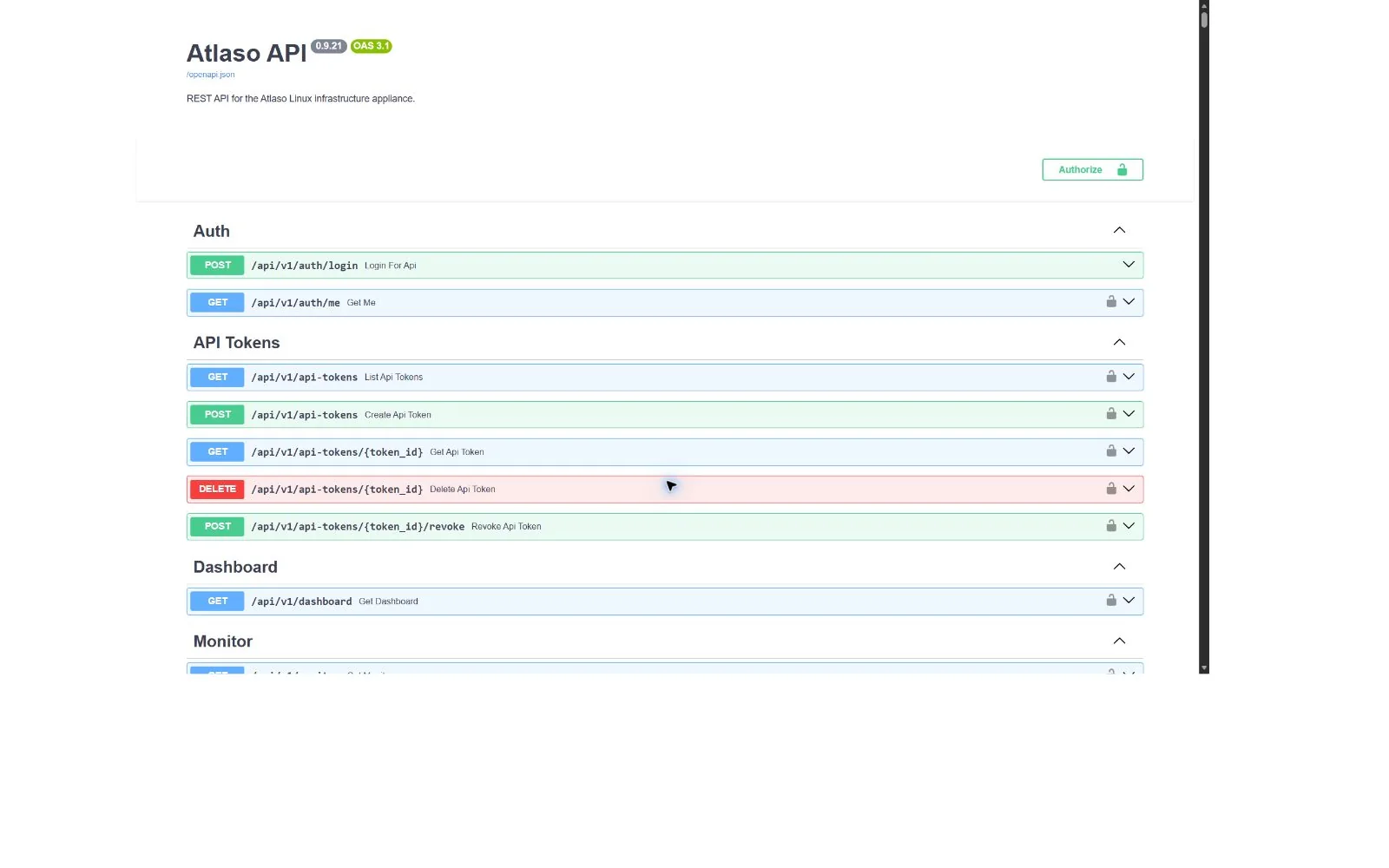
Figure: Swagger API reference in the verified clean-appliance desktop state.
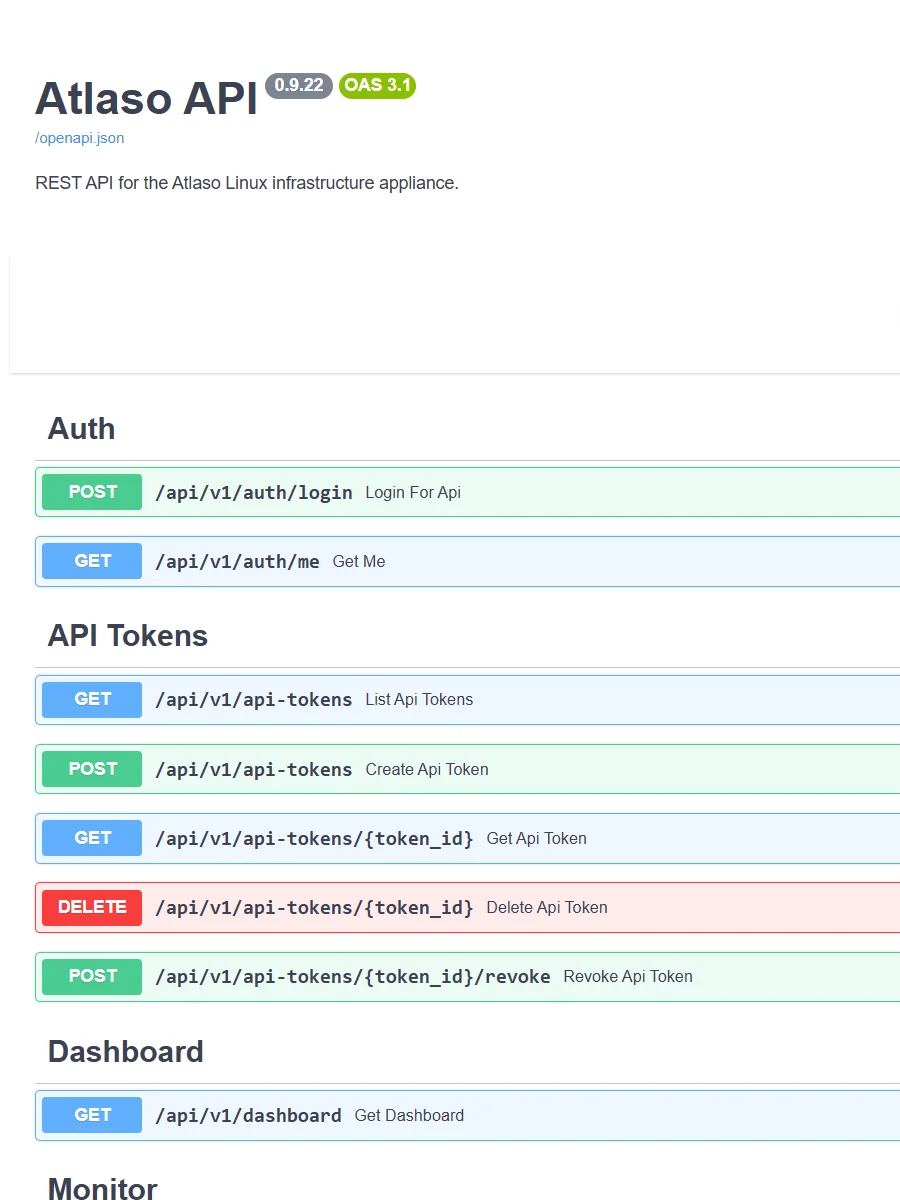
Figure: Swagger API reference in the verified clean-appliance responsive state.
Physical interfaces
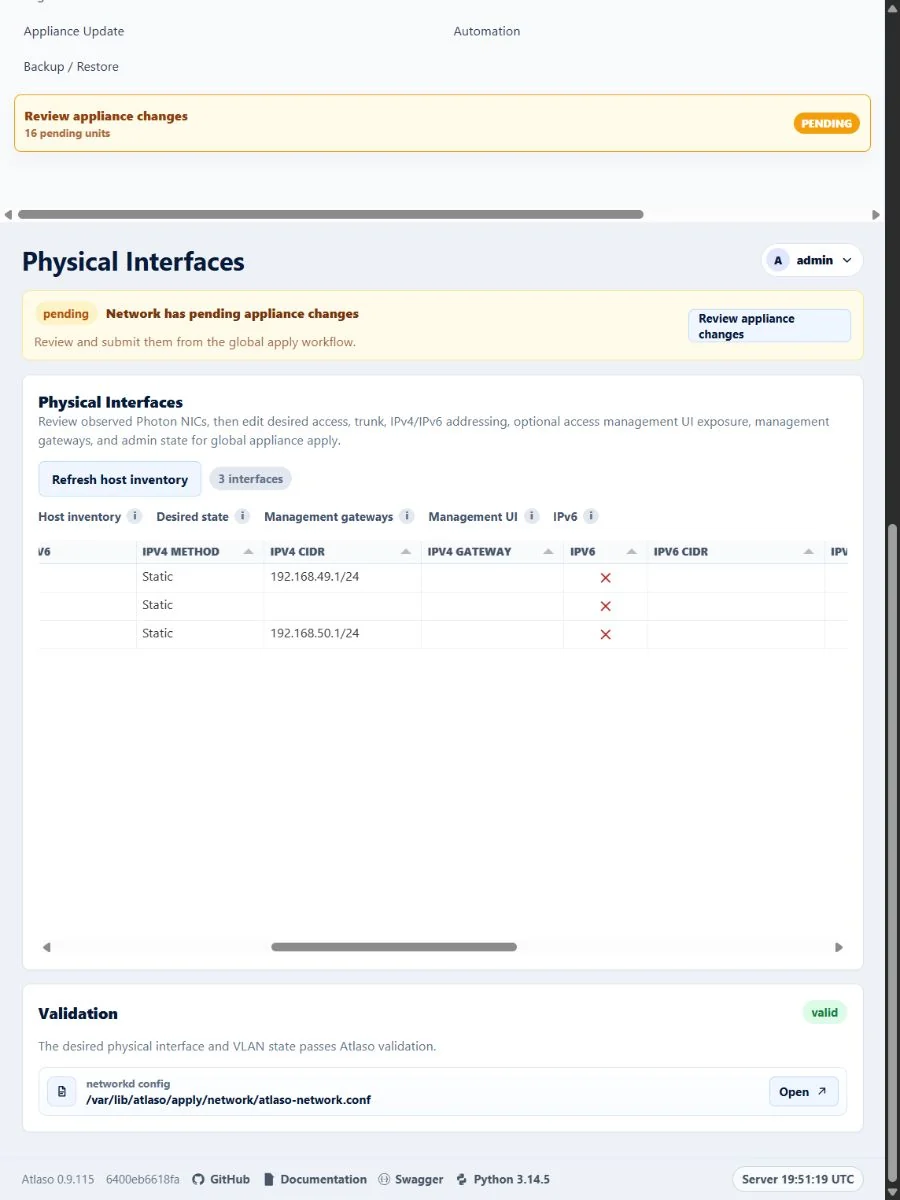
Figure: Physical Interfaces in the verified clean-appliance responsive state.
Routes and WAN simulation
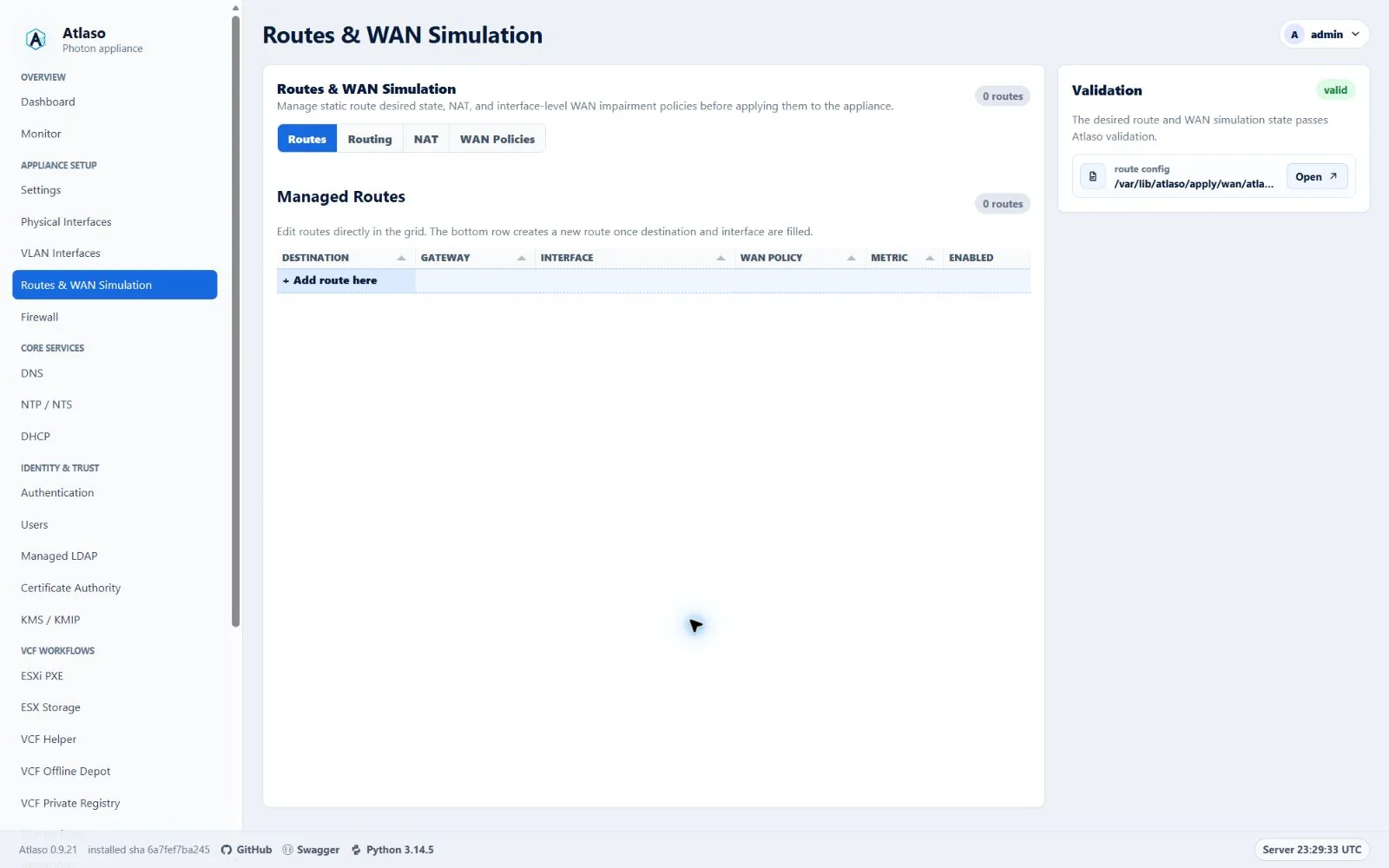
Figure: Routes and WAN Simulation in the verified clean-appliance desktop state.
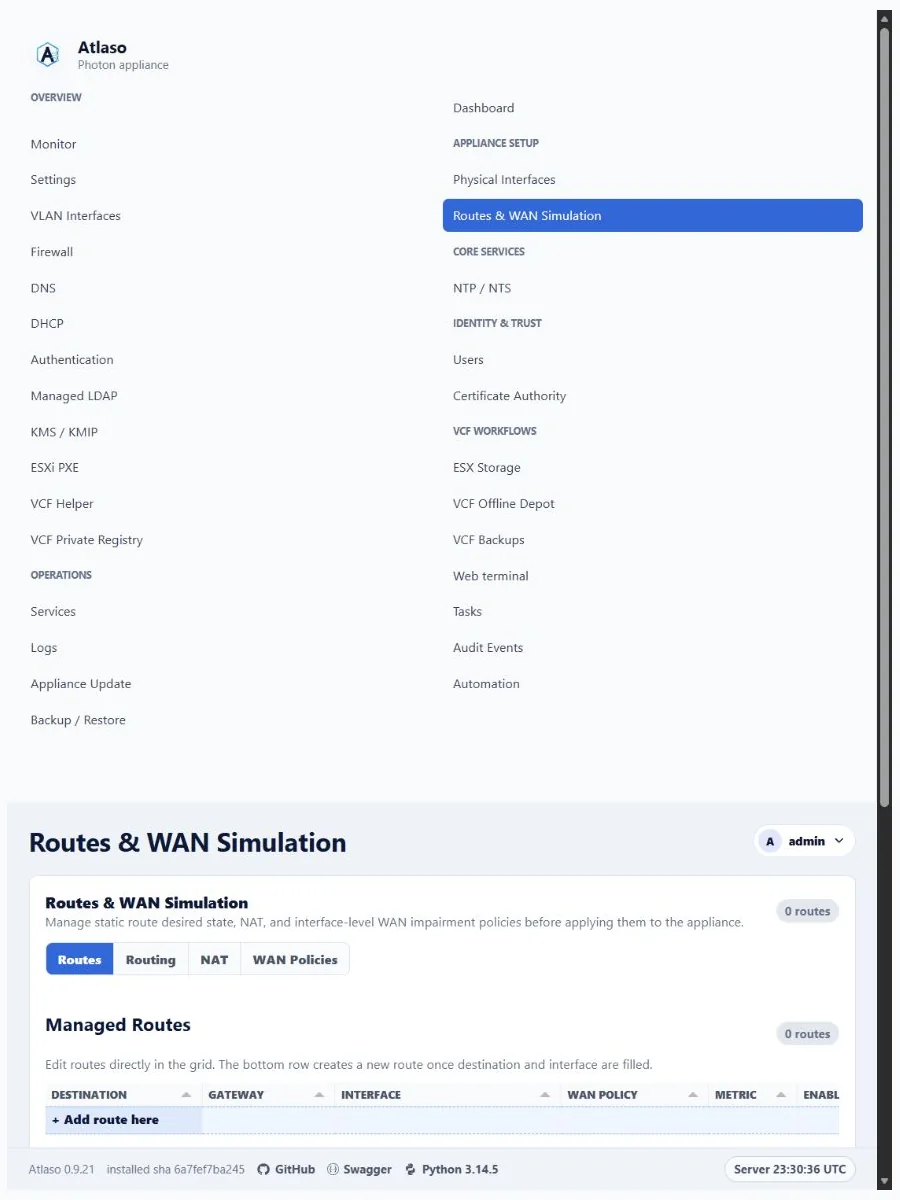
Figure: Routes and WAN Simulation in the verified clean-appliance responsive state.
VLAN interfaces
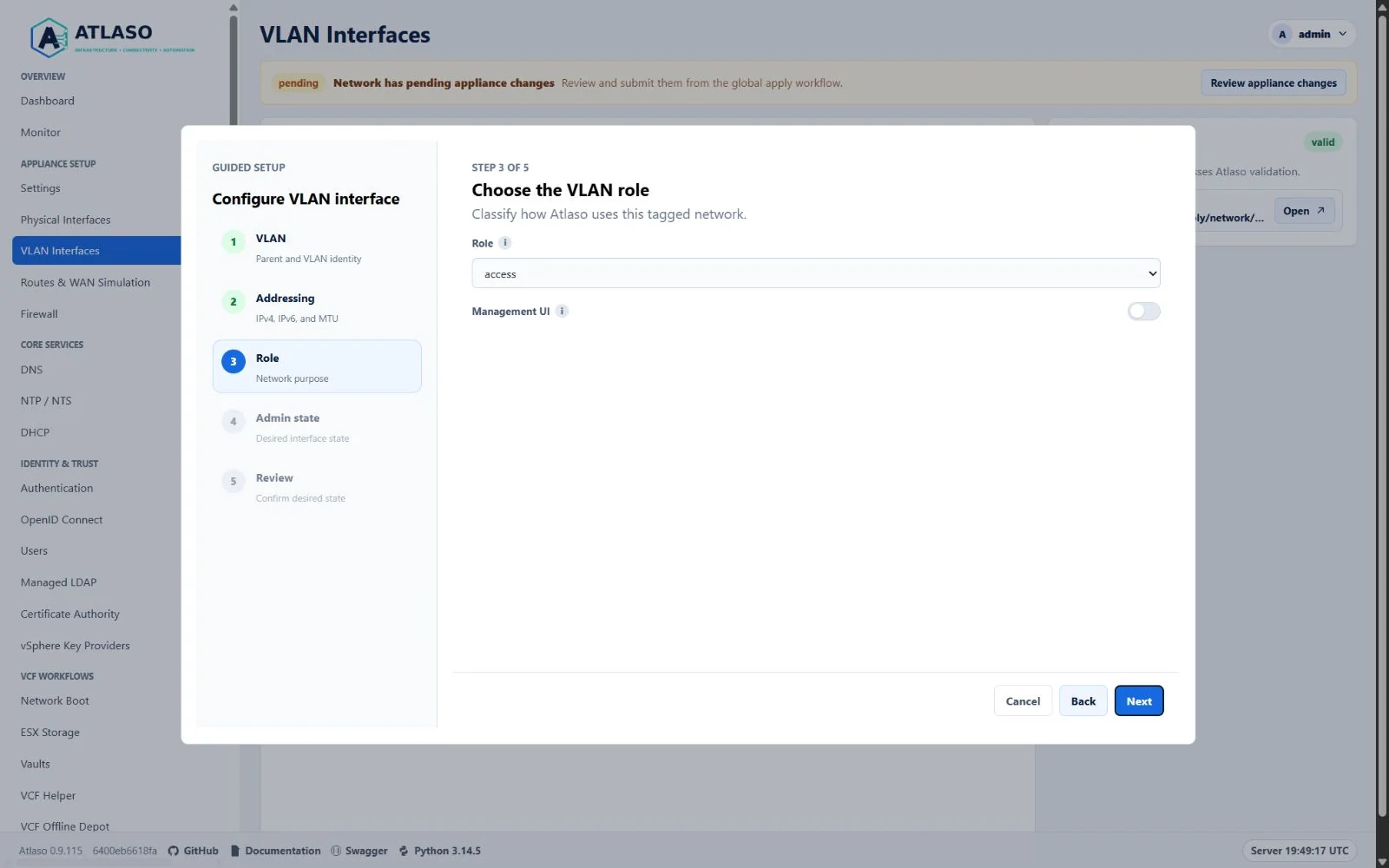
Figure: VLAN Interfaces in the verified clean-appliance desktop state.
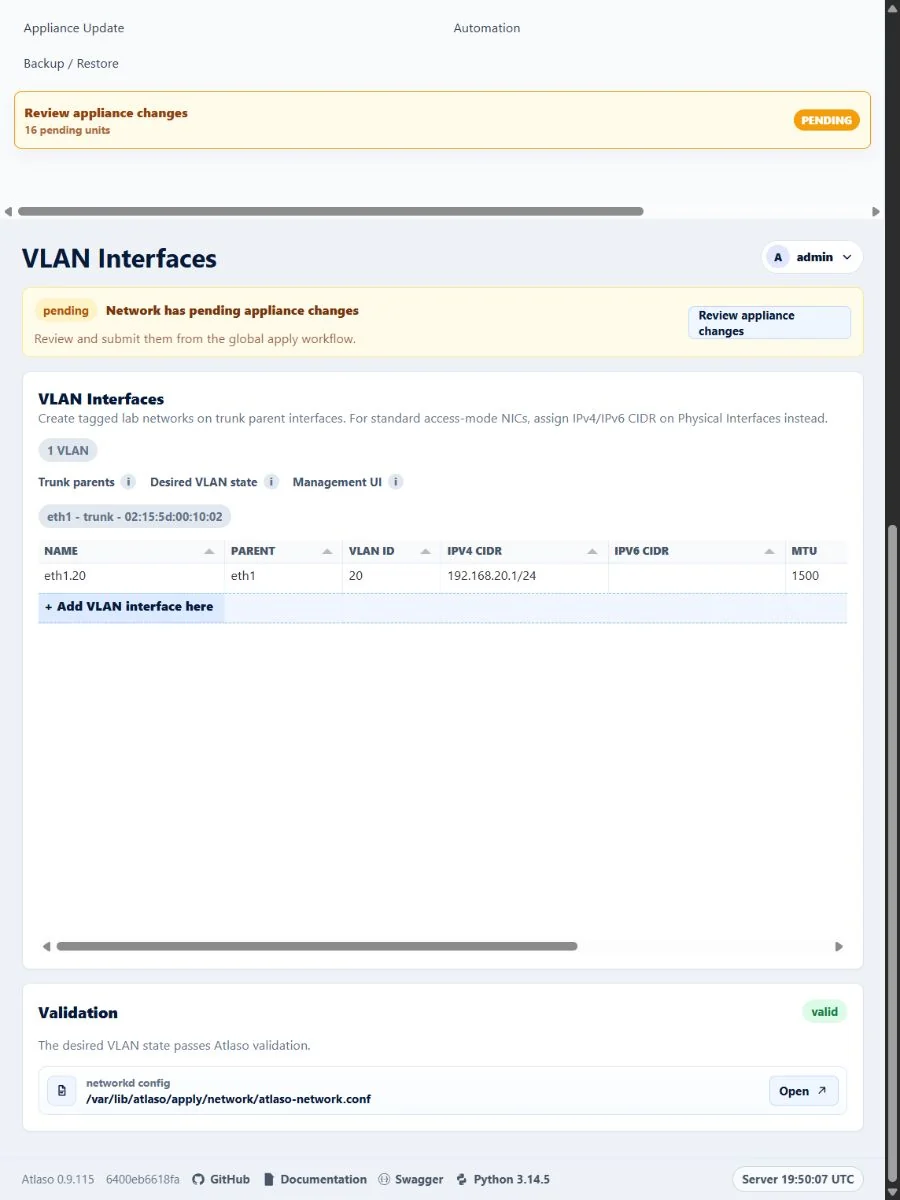
Figure: VLAN Interfaces in the verified clean-appliance responsive state.