Appliance settings
Open Appliance Settings to edit appliance-wide desired state: the appliance FQDN, OS hostname, resolver mode and servers, management UI HTTPS preference, and root SSH login preference.
Interface overview
This verified appliance view provides visual orientation before you begin.
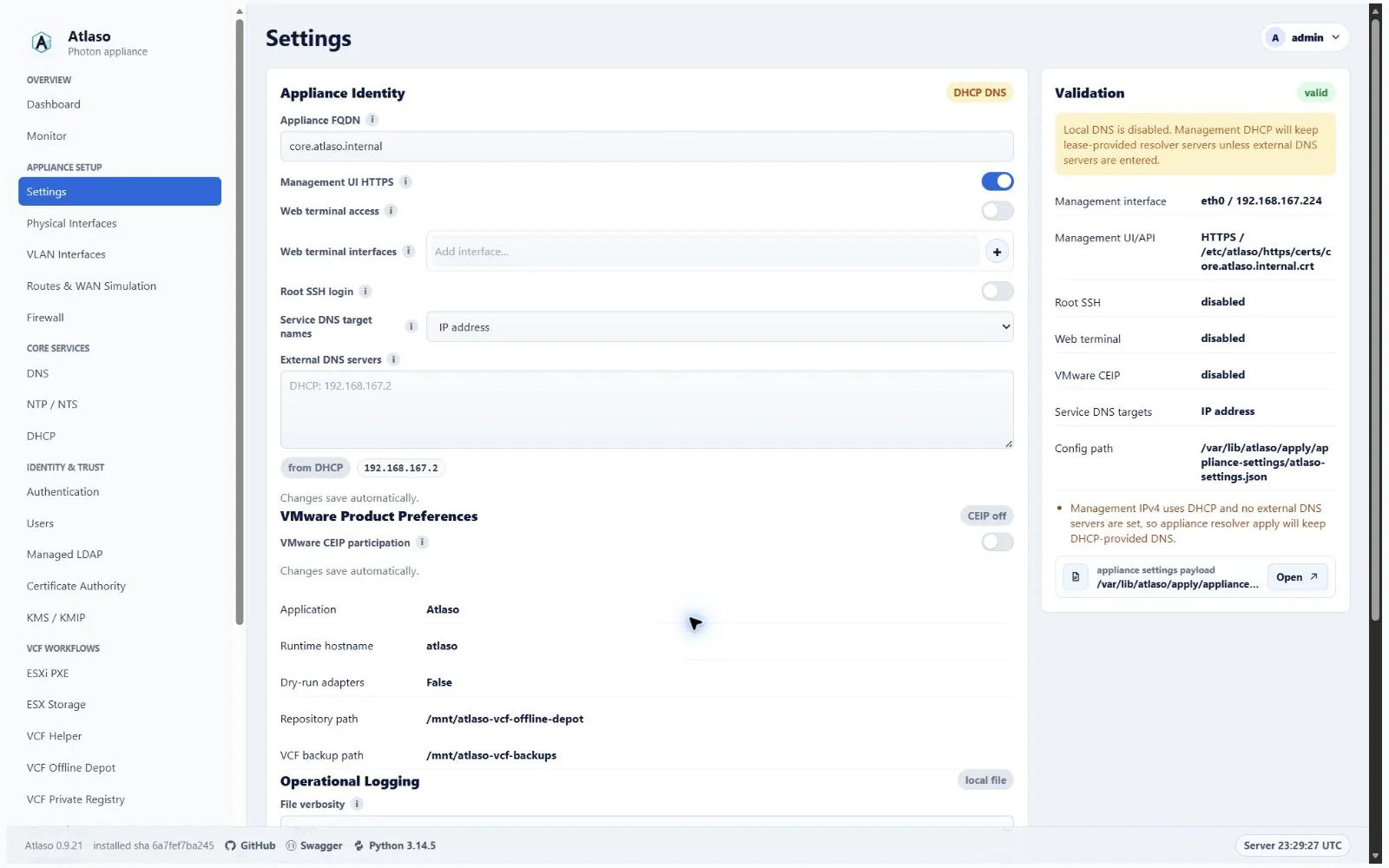
Figure: Settings in the verified clean-appliance desktop state.
Atlaso retires Photon's unchanged nginx HTTP welcome server when preparing the
management front door, including on appliances upgraded from an older image.
This keeps the scoped management and Public Services listeners able to start
after a reboot. Custom nginx virtual hosts are preserved; remove conflicting
custom wildcard listeners before applying a management-listener change.
After an upgrade, the installed service-start guard performs the same cleanup
before nginx opens its sockets, including during unfinished release recovery.
Original configuration bytes are retained in root-only, content-addressed backups
under /var/lib/atlaso/update-backups/nginx-stock-listeners/ before cleanup.
The vendor-listener repair persists across release rollback while existing
maintenance guards keep the front door closed until recovery completes.
A failed nginx configuration check blocks startup and restores the configuration
from before cleanup.
Configure authentication lifetimes
The Authentication lifetimes section saves immediately and does not create a pending Appliance Apply unit:
- Browser session inactivity timeout defaults to 30 minutes and accepts 5 through 1,440 minutes. Atlaso evaluates the current value before every protected browser handler, so lowering it can expire an existing inactive session on its next request. Raising it does not resurrect a session that already expired.
- Maximum API token lifetime defaults to 90 days and accepts 1 through 365 days. It applies only when a new token is issued. An omitted expiry uses the configured maximum; an explicit timezone-aware future expiry may be shorter. Existing token expiry timestamps remain unchanged.
Atlaso stores browser activity server-side. Full-page navigation, submitted forms, deliberate browser actions, and the
CSRF-protected activity heartbeat extend the timeout. Static assets, background status polling, and passive page
refresh requests do not. At the exact inactivity boundary Atlaso invalidates the session before the protected handler,
clears browser identity and CSRF state, records a sanitized audit event, and returns 401 to fetch/API consumers. Human
navigation returns to the appropriate management, public, or protocol login surface with Session expired due to
inactivity.
This also applies to management navigation and reloads controlled by the installed service worker. Background fetches and API clients retain structured errors. If an old sign-in form has stale CSRF state, Atlaso rejects that submission and opens a fresh form with Sign-in form expired. Please sign in again. Enter the credentials again; the rejected submission is never replayed. Permission-denied responses remain permission failures.
The authenticated VCF Offline Depot browser sends deliberate /PROD/ activity through its depot protocol listener;
it does not require or publish the management UI plane on that interface.
The OIDC provider applies the same timeout to its separate /identity browser session. Its signed cookie carries only
an opaque session identifier; Atlaso persists the authoritative activity and terminal-expiry state. A successful
credential submission starts the session, while silent prompt=none authorization does not refresh it. Once the
deadline is reached, silent authorization returns login_required, and raising the policy cannot resurrect that
expired session; a new interactive sign-in is required.
Settings archives preserve both policy values but exclude active browser-session records. Factory reset restores the
30-minute and 90-day defaults and invalidates all earlier sessions and tokens.
During the first upgrade that introduces the persisted token policy, Atlaso migrates a valid legacy
ATLASO_API_TOKEN_TTL_DAYS value instead of silently replacing it with the 90-day default. Subsequent startups retain
the database policy, so removing or changing that legacy environment variable does not overwrite operator state.
Before you begin
Confirm the intended management hostname and DNS records. Keep an alternate console session available before changing management connectivity or SSH policy. Routine field changes autosave, but they do not change the host immediately.
Edit and validate
- Change only the desired-state fields required for the maintenance window. Authentication lifetime fields use their separate immediate autosave boundary described above.
- Watch the compact autosave status.
- Resolve errors or warnings in the Validation card.
- Open the rendered preview and confirm the hostname, resolver, HTTPS, and SSH effects.
- Open Pending Appliance Changes and submit the valid Appliance Settings unit.
The review modal may include other changed units. Unselect unrelated work before submission.
Changing the domain portion of the appliance FQDN also reconciles factory-derived service identities. Atlaso derives each factory hostname from the new appliance domain, updates coupled OIDC issuer and managed-certificate desired state, and safely refreshes app-owned DNS aliases. Explicitly customized service hostnames and operator-owned DNS records are preserved. Review every affected service, Certificate Authority, DNS/DHCP, Firewall, and Public Services unit shown as pending; autosave changes desired state but does not apply those units to the host.
The root SSH preference controls whether the root account may log in remotely; it does not control ordinary bootstrap-administrator SSH. Firewall admission for that administrator follows the effective management listener, including a flagged access physical interface or VLAN, while unflagged access networks remain closed on TCP/22.
Verify and recover
After the task succeeds, confirm the expected management URL and resolver behavior. If management access is lost, use the local appliance console to inspect networking and restore a known-good configuration.
Additional verified states
These captures show responsive layouts and useful operational states referenced by this page.
Appliance Settings
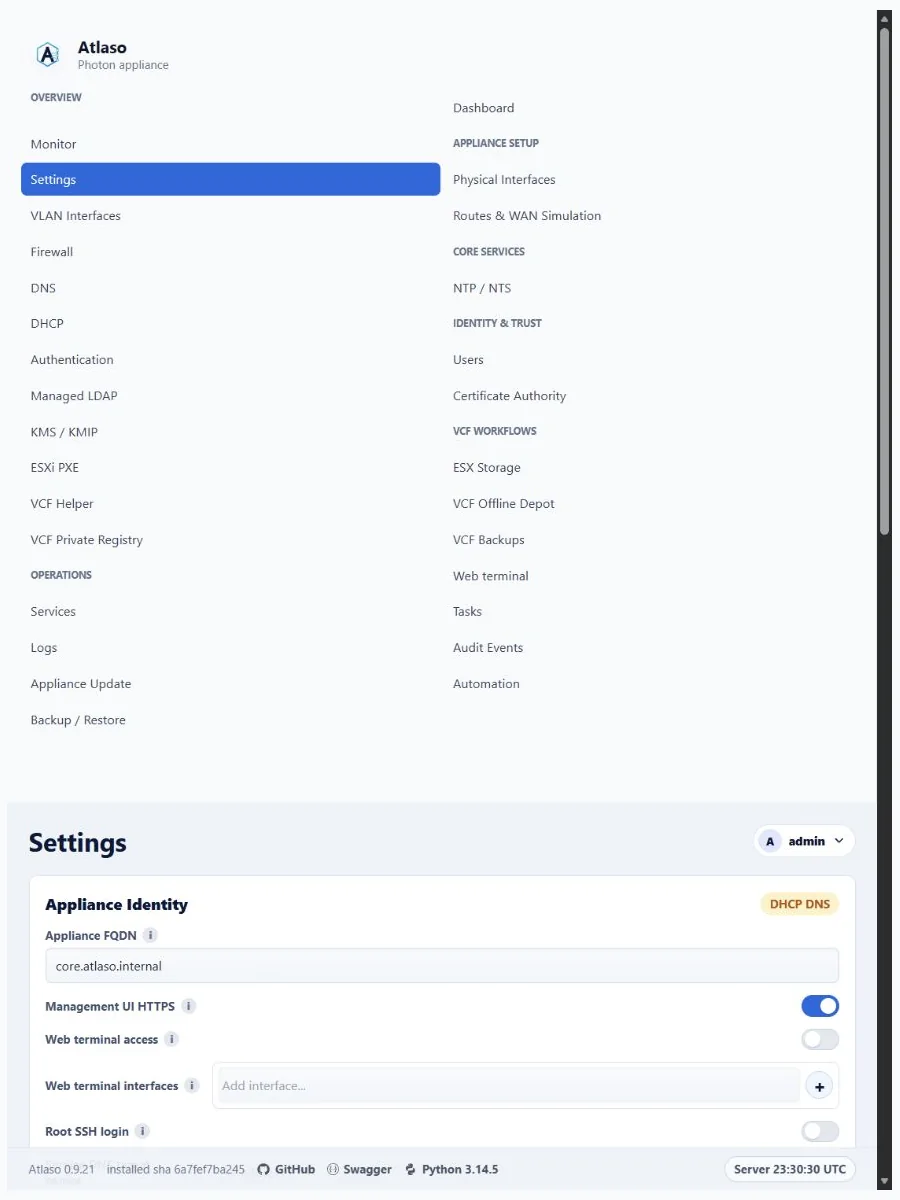
Figure: Settings in the verified clean-appliance responsive state.
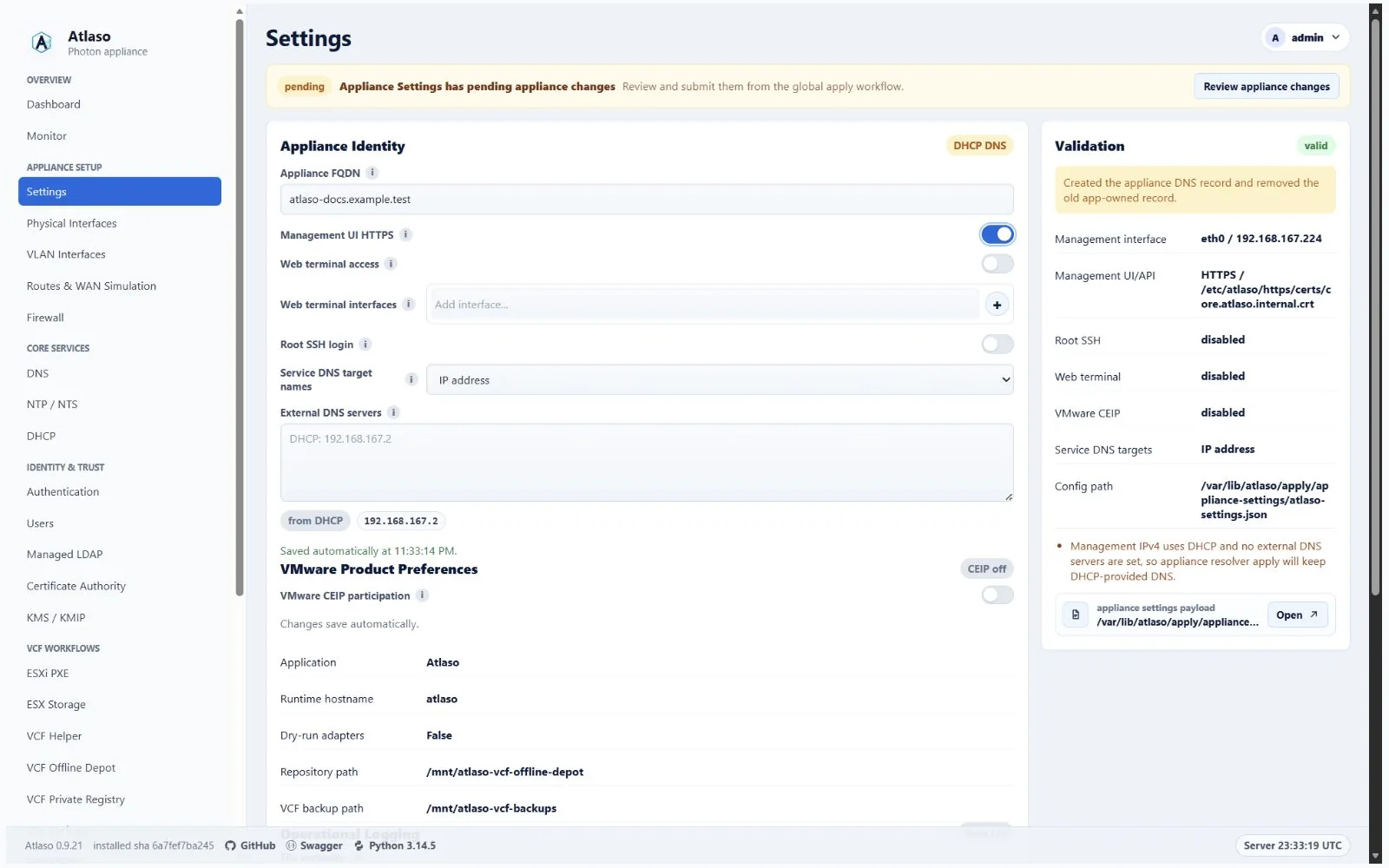
Figure: Valid Appliance Settings waiting for global appliance apply.
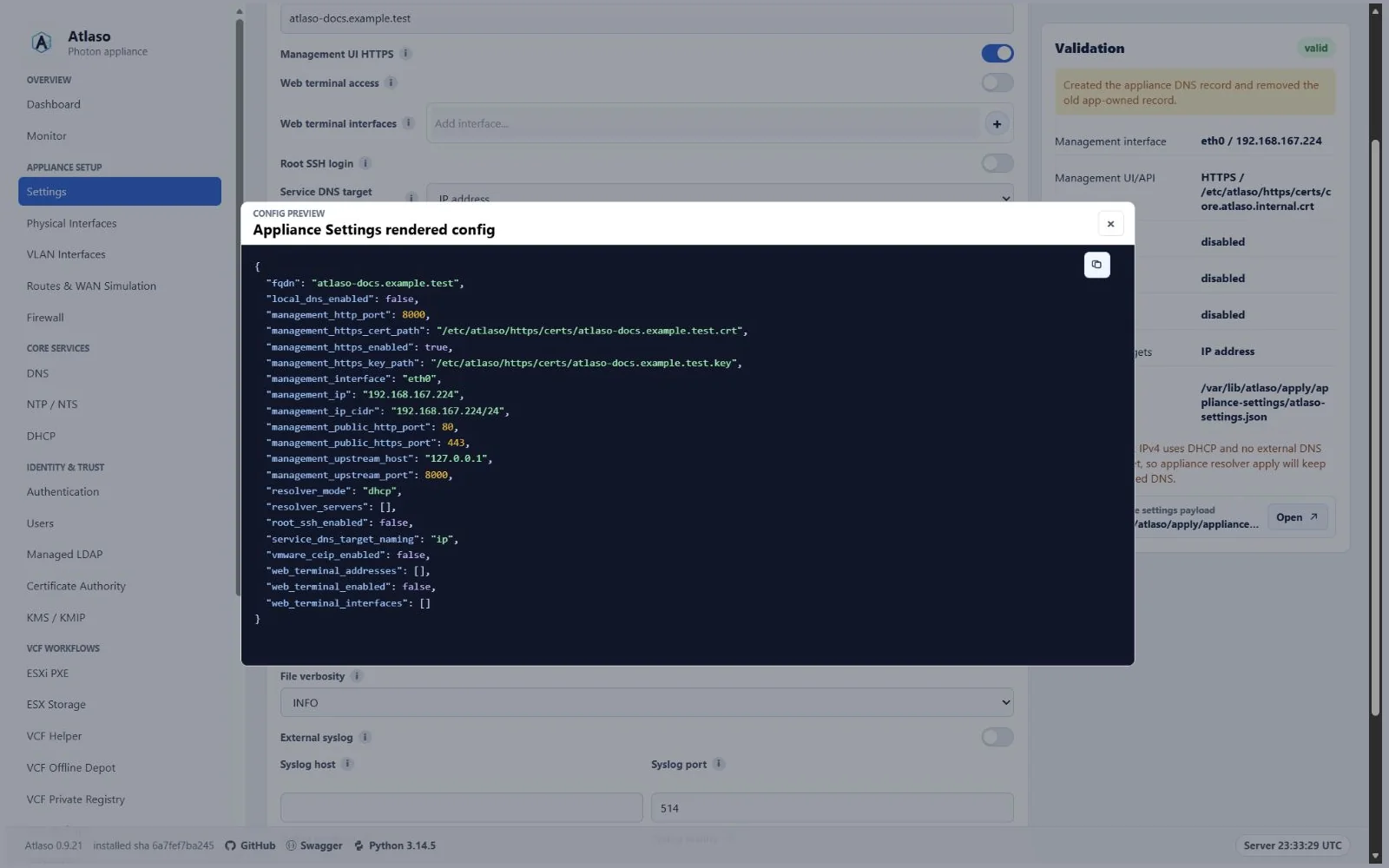
Figure: Rendered Appliance Settings configuration preview.
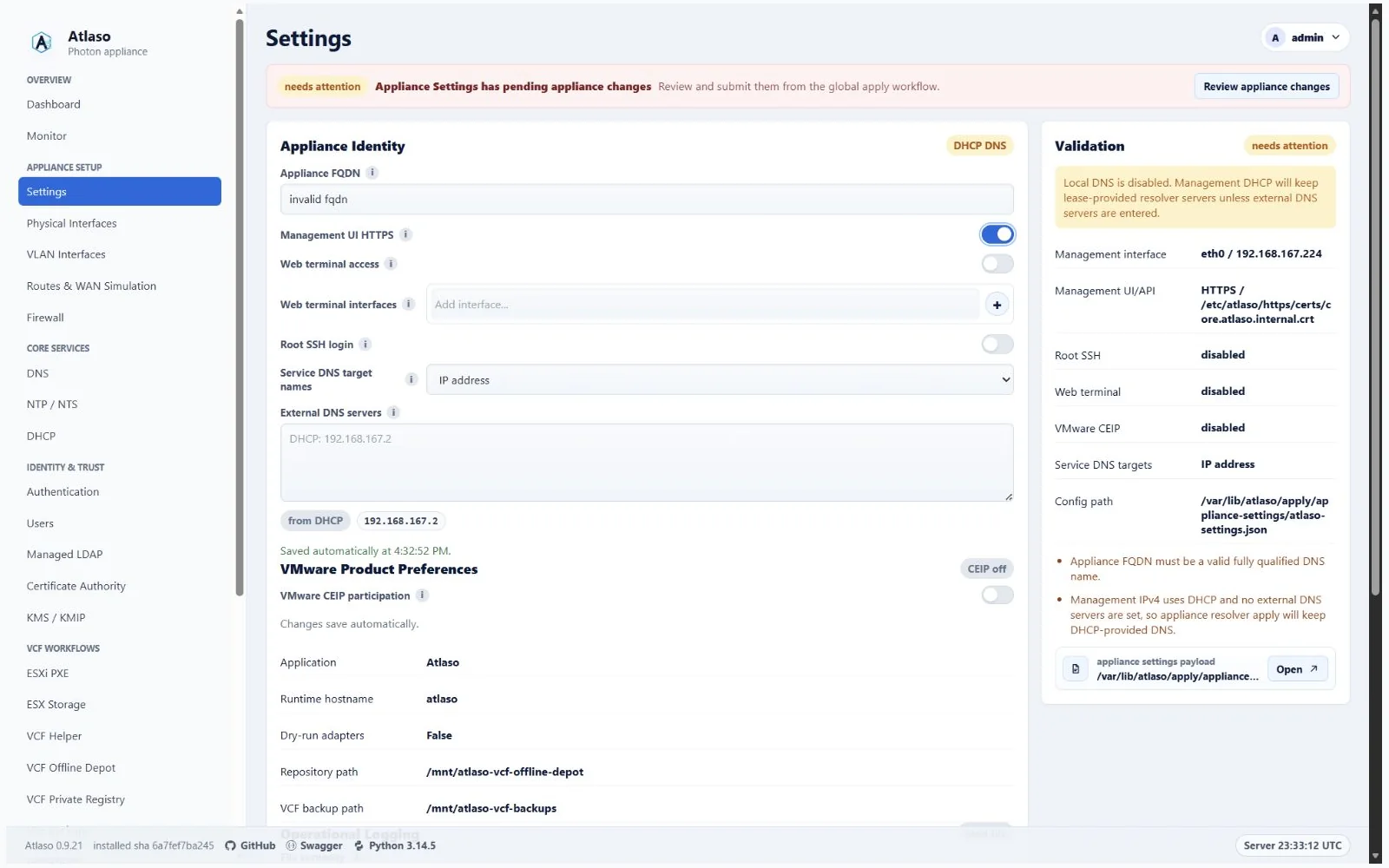
Figure: Appliance Settings validation error for an invalid FQDN.