Firewall
Open Firewall to manage Atlaso-owned nftables desired state. The page combines generated service-listener rules, routing permissions, and operator-defined rules. Reusable Source Groups are owned by the separate Network Objects page.
Interface overview
This verified appliance view provides visual orientation before you begin.
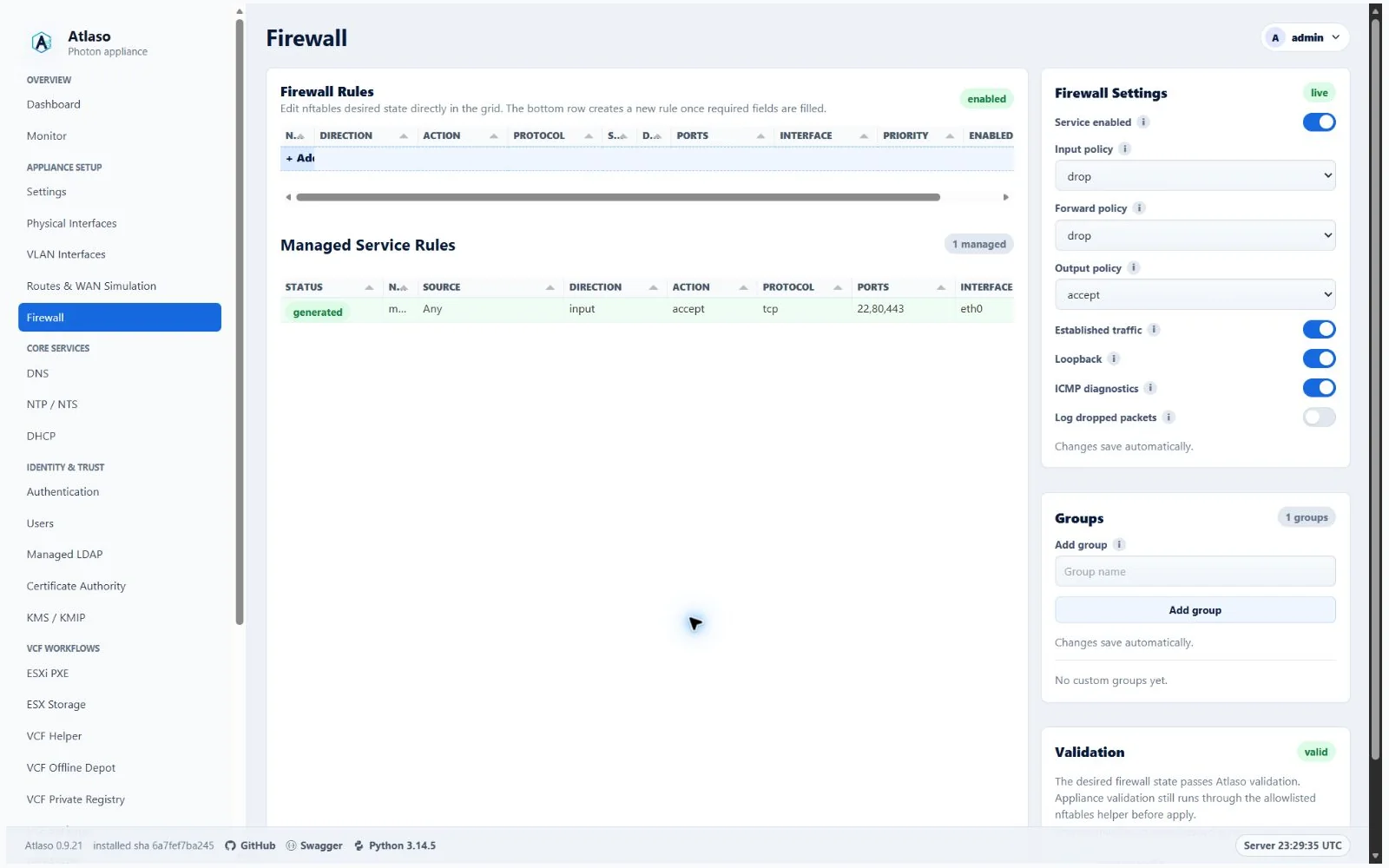
Figure: Firewall in the verified clean-appliance desktop state.
Select Add rule here or open an existing operator rule to use the four-step guided workflow:
- Rule — enter the name and a multiline Description (up to 1,000 UTF-16 code units), then choose Direction and Action.
- Traffic — choose Protocol, Source, Destination, Destination ports, Interface, and Priority. Lower priority values are evaluated first.
- Enablement — choose whether the rule enters rendered desired state.
- Review — check every field, including the description with its line breaks, before creating or updating the rule.
Existing rules retain their description, priority, and enabled state when reopened. The dedicated Enablement step makes clear that enabling a rule changes rendered desired state only; enforcement still waits for the global Firewall appliance-apply unit.
Review safely
- Confirm management access remains allowed from the intended source.
- Review enabled service listeners and their bound interfaces.
- Use Manage source groups in the rule wizard when a reusable Source Group should narrow a source or destination.
- Inspect the rendered ruleset and resolve validation errors.
- Submit the Firewall unit through Appliance Apply.
Enabled reverse proxies contribute generated TCP admissions for their exact selected listener addresses and ports, including an optional HTTP redirect port. These rows are derived from proxy desired state and should be changed in the reverse-proxy editor, not as operator rules.
Atlaso always blocks management-to-lab and lab-to-management forwarding. DHCP bootstrap rules remain interface-bound and are not group-filtered.
Generated management-listener rules admit TCP/22, TCP/80, and TCP/443 on both a dedicated management interface and an access physical interface or VLAN whose Management UI flag is applied. The listener's configured Source Group predicate governs all three ports. Atlaso does not add TCP/22 to unflagged access networks, and firewall admission does not enable root login: the separate Appliance Settings root-SSH preference remains authoritative while ordinary bootstrap-administrator or key-based SSH stays available on every effective management listener.
During a protected management handoff, the previous listener retains its SSH rule until the candidate management path and front door pass readiness. A successful handoff leaves the generated TCP/22 rule on the new listener; rollback restores the previous rule with its original Source Group constraint.
Descriptions are limited to 1,000 UTF-16 code units on both API and browser-form create/update requests. Longer submissions
return HTTP 422 without changing the saved rule. Most characters count as one unit; characters outside the Basic
Multilingual Plane, such as many emoji, count as two, matching the browser textarea. Existing longer notes remain readable
and are never truncated;
shorten them before saving an edit. This tightens write validation while preserving field names and stored content.
Browser-form CRLF and CR line endings are normalized to LF before validation and storage, matching the textarea value.
JSON API notes retain their literal line endings and count every submitted UTF-16 unit.
The OpenAPI description field publishes x-maxLengthUtf16CodeUnits: 1000; clients must enforce this extension using
UTF-16 length (for example, JavaScript string length). Standard JSON Schema maxLength counts code points, so it is
intentionally omitted for this field.
Verify and recover
Port-forward admissions appear as read-only generated rows attributed to their Traffic Publishing resource. They match the original listener, protocol, external ports, source boundary, and ingress of the translated connection. Edit the owning port forward to change that boundary. Firewall and NAT are captured and published together whenever port-forward state must be installed or retired. Removing a rule also retires its owned connection marks and counters; unrelated connections are preserved.
After a successful task, test the required TCP or UDP service from the intended network. On the appliance, maintainers
can verify the effective state with nft list ruleset. If a rule removes management access, recover through the
local appliance console and restore the previous desired state.
Transport ownership
Firewall management and API v1 transports are owned by dedicated firewall domain routers and aggregated through the
stable UI and API facades. Network Objects owns Source Group projection and mutation while retaining the established
firewall.managed_source_groups state and Firewall apply semantics. Both surfaces continue to use
read:firewall and write:firewall, so moving the editor does not broaden access.
Additional verified states
These captures show responsive layouts and useful operational states referenced by this page.
Firewall
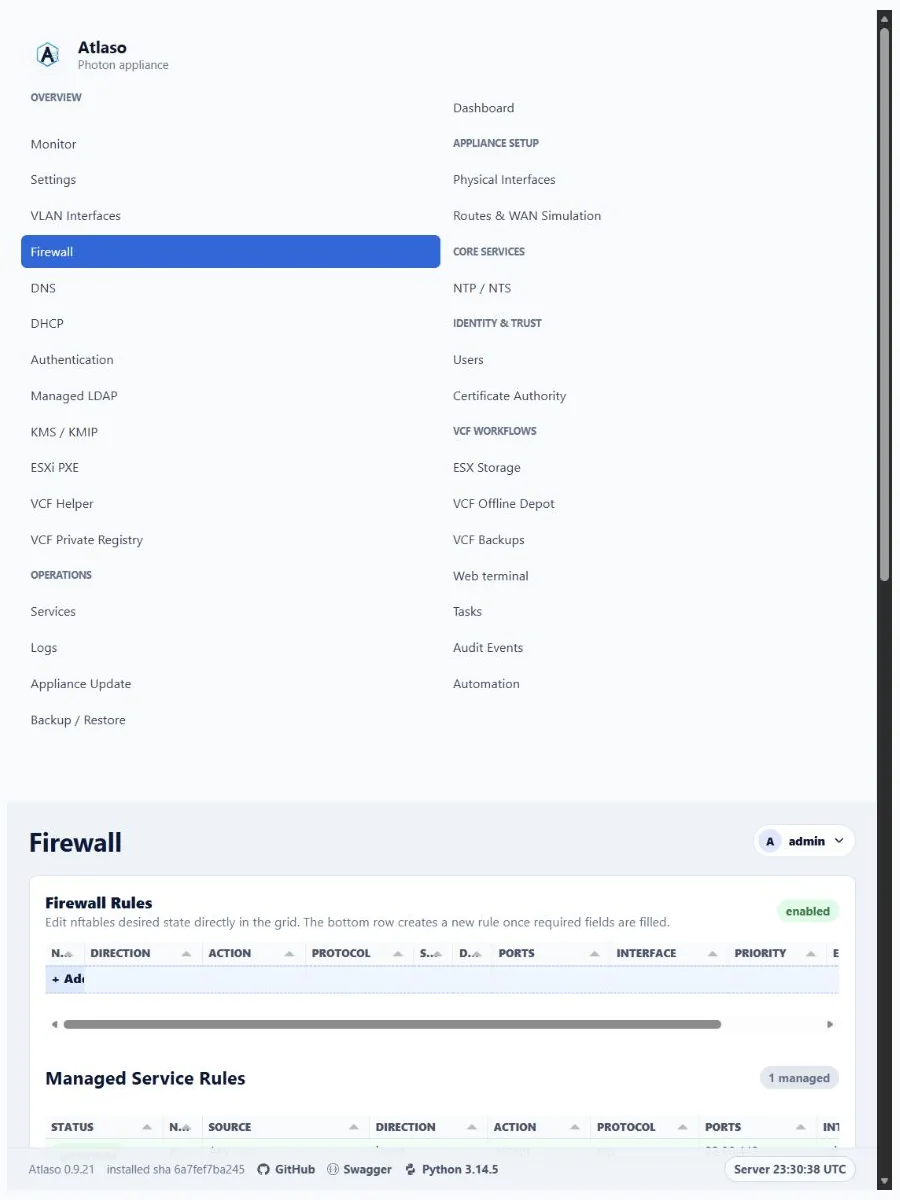
Figure: Firewall in the verified clean-appliance responsive state.
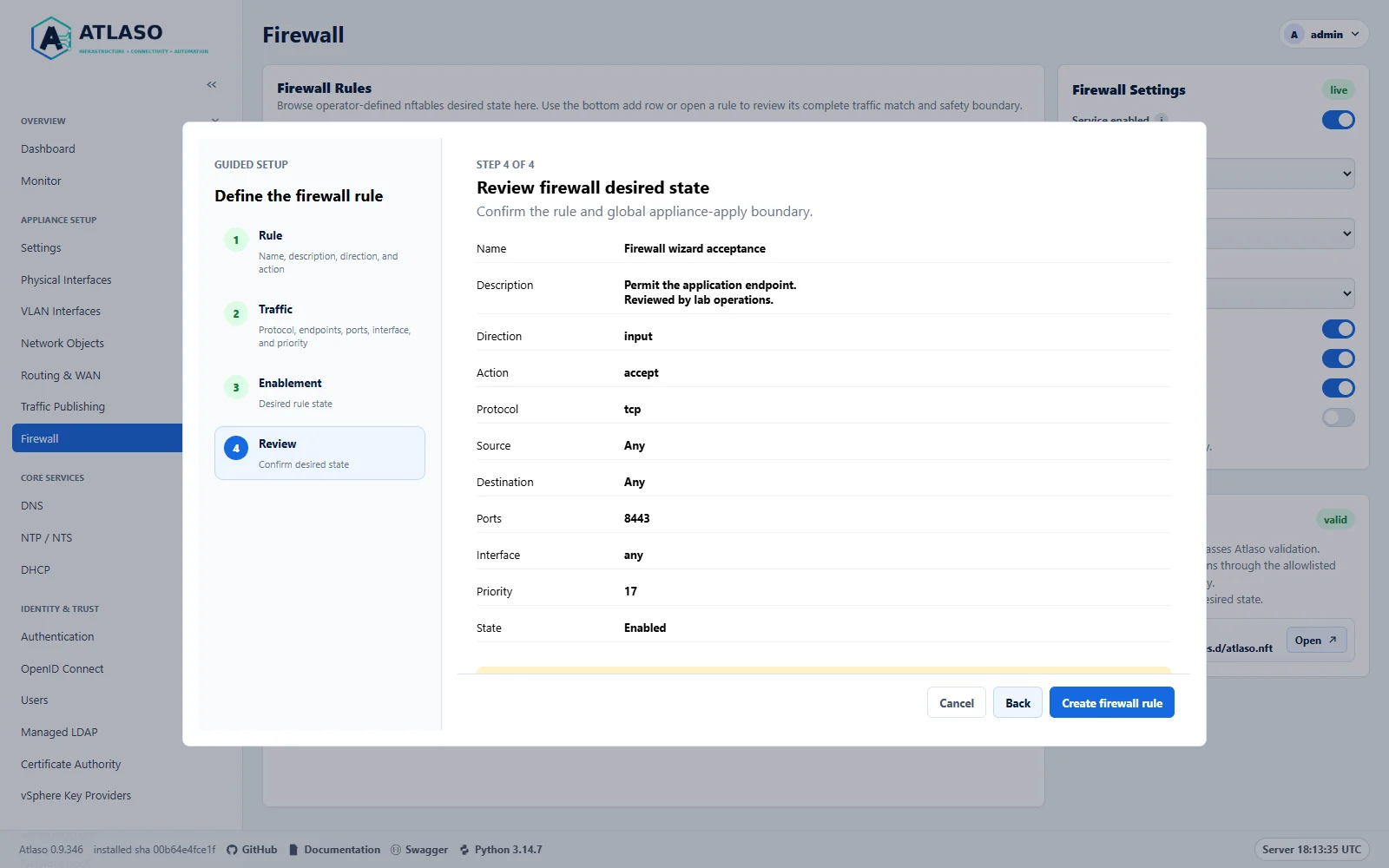
Figure: Review the multiline description, traffic fields, priority, and enabled state before saving desired state.
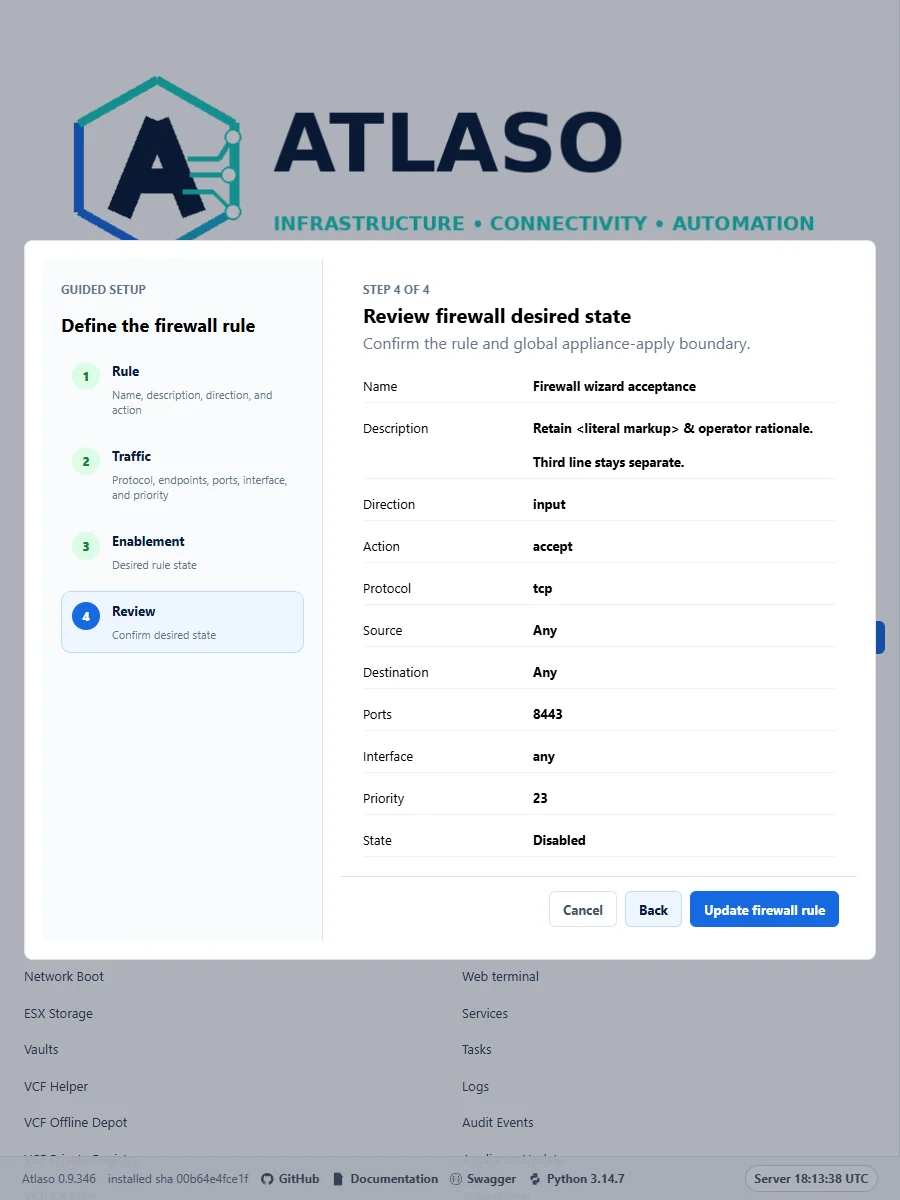
Figure: Review the multiline description, traffic fields, priority, and enabled state before saving desired state.
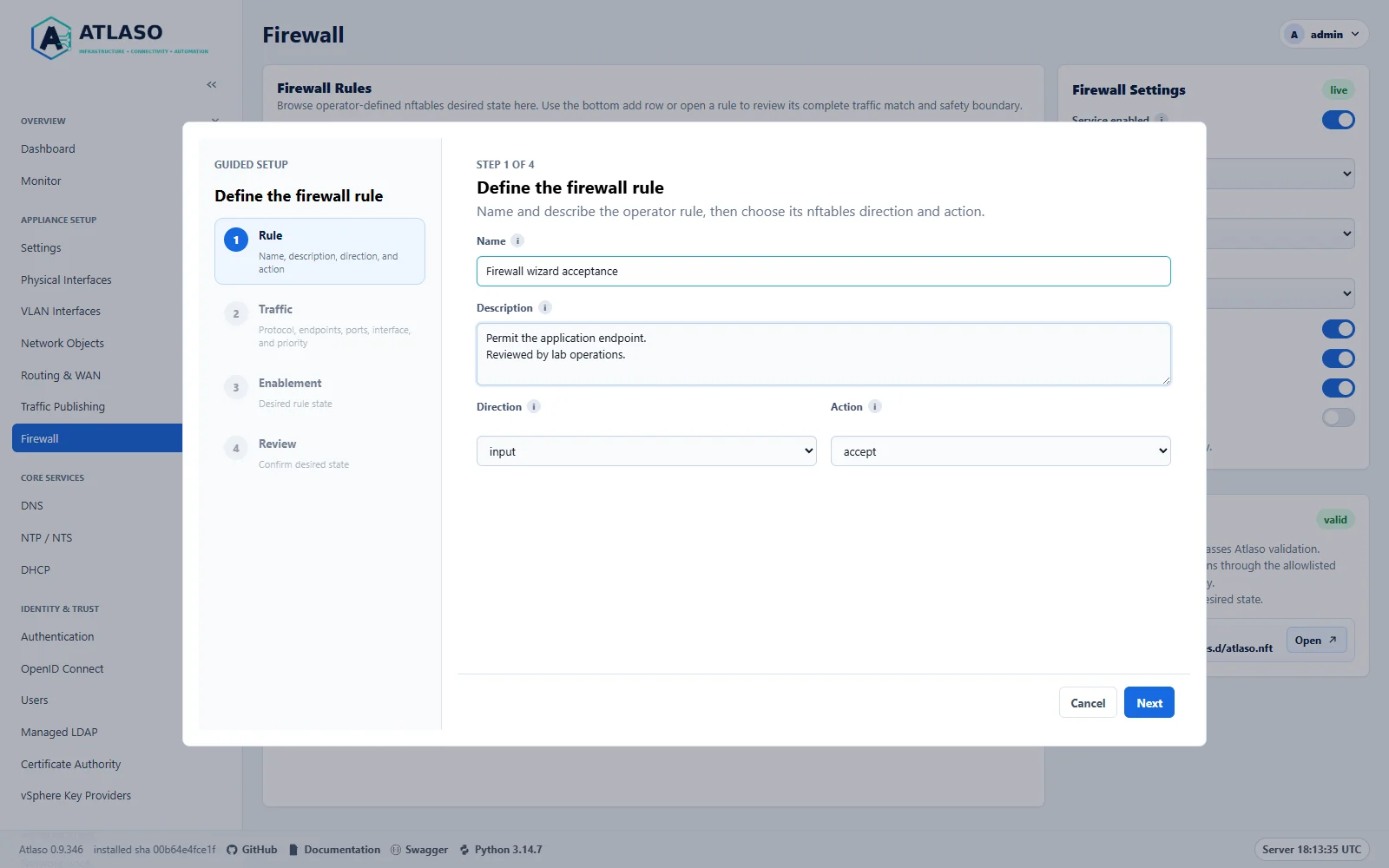
Figure: Start a rule with its identity and multiline description before choosing traffic and priority.
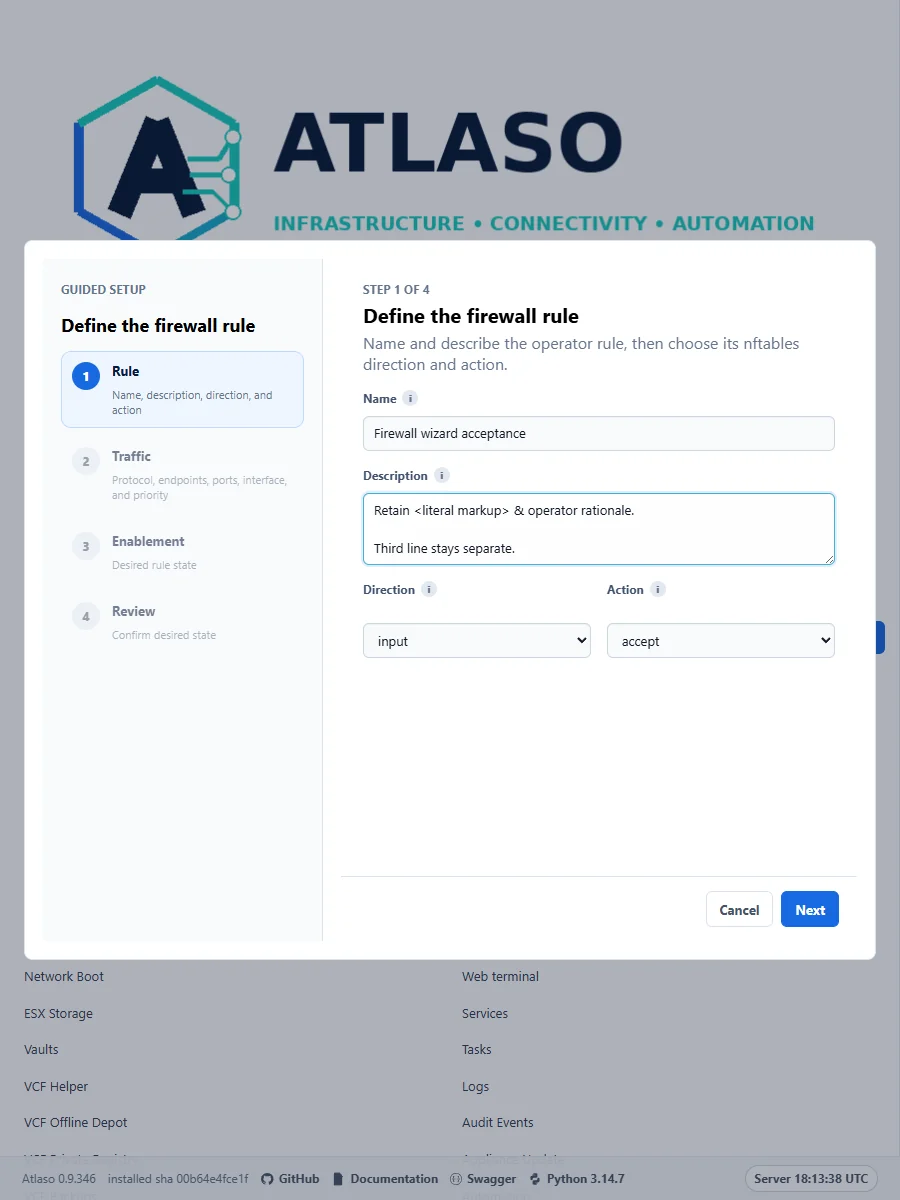
Figure: Start a rule with its identity and multiline description before choosing traffic and priority.